<?xml version="1.0" encoding="utf-8"?>
<feed xmlns="http://www.w3.org/2005/Atom">
<title>Daring Fireball (Articles)</title>
<subtitle>Mac and web curmudgeonry/nerdery. By John Gruber.</subtitle>
<link rel="alternate" type="text/html" href="http://daringfireball.net/" />
<link rel="self" type="application/atom+xml" href="http://daringfireball.net/feeds/articles" />
<id>http://daringfireball.net/feeds/articles</id>

<updated>2026-09-28T19:34:21Z</updated><rights>Copyright © 2026, John Gruber</rights><entry>
    <title>Spitballing Predictions for Apple’s October</title>
    <link rel="alternate" type="text/html" href="https://daringfireball.net/2026/09/spitballing_predictions_for_apples_october" />
	<link rel="shorturl" href="http://df4.us/xm6" />
	<id>tag:daringfireball.net,2026://1.43566</id>
	<published>2026-09-28T18:43:48Z</published>
	<updated>2026-09-28T19:34:21Z</updated>
	<author>
		<name>John Gruber</name>
		<uri>http://daringfireball.net/</uri>
	</author>
	<summary type="text">Apple, in my experience, sticks to a very predictable schedule for review units.</summary>
	<content type="html" xml:base="https://daringfireball.net/" xml:lang="en"><![CDATA[
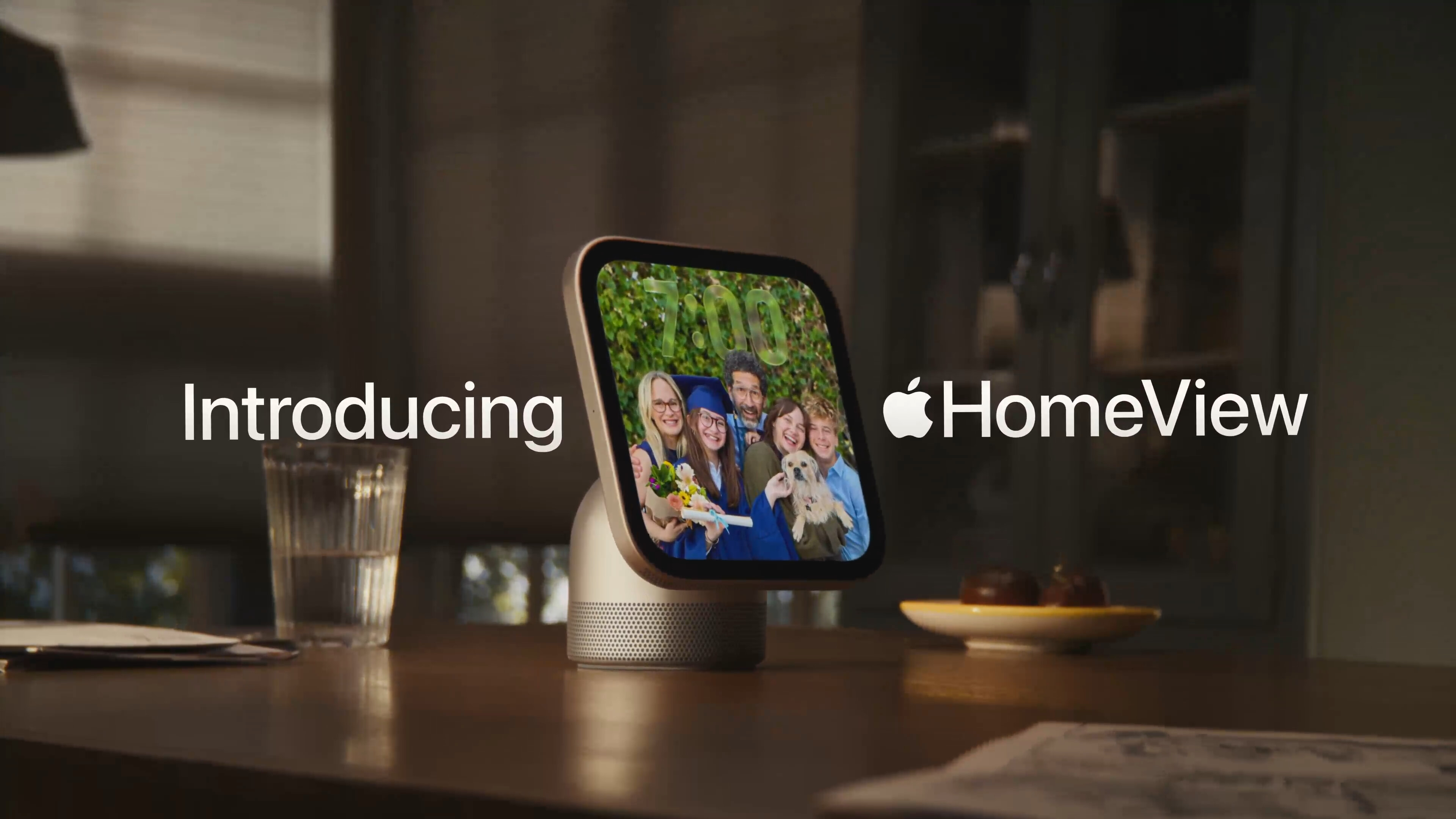
<p>On <a href="https://daringfireball.net/thetalkshow/2026/09/25/ep-455">the new episode of The Talk Show</a> that dropped over the weekend, <a href="https://www.youtube.com/@andru">Andru Edwards</a> and I talked first about the September event Apple held three weeks ago at Apple Park, and then moved on to speculate about what they might do in October. <a href="https://www.macrumors.com/2026/09/28/12-new-things-from-apple-this-october/">The rumor mill says</a> Apple has a bunch of as-yet-unannounced products coming: a new iPad Mini (8th generation), new Apple TV hardware (4th generation — maybe they’ll give it a better name than “Apple TV 4K”?), new HomePod Mini (2nd generation), and an altogether new HomePod-type hub with a display. Also, <a href="https://www.apple.com/newsroom/archive/2025/mac/">October</a> is the <a href="https://www.apple.com/newsroom/archive/2024/mac/">usual</a> <a href="https://www.apple.com/newsroom/archive/2023/mac/">month</a> for new Mac hardware, like maybe M6 iMacs and a new high-end MacBook lineup with OLED displays that (ugh) are also touchscreens.</p>

<p>That’d be a lot to introduce all at once. Maybe they hold one event/keynote movie for all of it, or maybe they split it in two — one for “home” stuff, and one for new Mac stuff. (Not sure where the iPad Mini would go in that split.) Or maybe they announce it all in one keynote but split the product availability, like they did with the iPhones 18 Pro and Duo at the keynote three weeks ago. Maybe the new MacBooks, if they really do have touchscreens, get announced in October but won’t ship until November to give developers time to adopt touch APIs — just like with the Duo. Apple is secretive, but they stick to predictable patterns if you pay attention.</p>

<p>The dates we do know are those for the iPhone Duo, <a href="https://www.apple.com/newsroom/2026/09/apple-unveils-iphone-duo/">with pre-orders beginning on Friday, October 16</a> and shipments beginning one week later on October 23. Apple, in my experience, sticks to a very predictable schedule for review units. They typically go into reviewers’ hands mid-week (Tuesday or Wednesday) during the week when pre-orders begin (usually a Friday, sometimes a Saturday, like this month, when the iPhones 18 Pro and new Apple Watches went on sale Saturday, September 12). Reviewers typically get only six or seven days with hardware before the embargo lifts for publishing reviews. (Most reviewers have their reviews ready to publish by that time; others enjoy <a href="https://www.goodreads.com/quotes/1398-i-love-deadlines-i-love-the-whooshing-noise-they-make">the whooshing sound</a> the embargo deadline makes as it goes by.) The review embargo thus typically lifts on the Tuesday or Wednesday of the same week when the product is set to begin shipping to customers on Friday.</p>

<p>I have been told absolutely nothing about when, or even if, Apple plans to seed advance units of the iPhone Duo to reviewers. In my experience, even off the record, Apple never talks about these things in advance, nor offers hints. But if they do seed review units of the Duo, I would expect that to start on Tuesday, October 13 or Wednesday the 14th, with the embargo lifting on October 20 or 21, two or three days ahead of the Duo reaching customers on Friday the 23rd. It’s also my experience that Apple does not like shipping review units of high-profile new products like the Duo before they are released to the public. They prefer handing review units like the Duo to reviewers in person. You sign the embargo agreement in person, and they hand you the product in person. One natural way to hand reviewers iPhone Duo units in person would be to hold a media event, for other new products, on October 13 or 14. Kill two birds with one stone.</p>

<p>If they hold such an event in New York that week, it would be really nice if it coincided with a Yankees home game in the ALCS. But now I’m really getting ahead of myself.</p>

    ]]></content>
  </entry><entry>
    <title>I’ll Wait</title>
    <link rel="alternate" type="text/html" href="https://daringfireball.net/2026/09/ill_wait" />
	<link rel="shorturl" href="http://df4.us/xlt" />
	<id>tag:daringfireball.net,2026://1.43553</id>
	<published>2026-09-25T18:16:47Z</published>
	<updated>2026-09-26T00:00:10Z</updated>
	<author>
		<name>John Gruber</name>
		<uri>http://daringfireball.net/</uri>
	</author>
	<summary type="text">I wouldn’t grant a stranger access to my email. So why would I grant a robot?</summary>
	<content type="html" xml:base="https://daringfireball.net/" xml:lang="en"><![CDATA[
<p>It’s Friday, and Muse is <a href="https://daringfireball.net/linked/2026/09/22/meta-muse-app-store">still</a> the #1 app in the iOS App Store — that’s a full week in the top spot. Who knows if it’s a flash in the pan or not. (Remember <a href="https://daringfireball.net/linked/2021/02/15/clubhouse-iphone-primacy">Clubhouse</a>? <a href="https://daringfireball.net/linked/2025/10/02/sora-launch">Sora</a>?) But at the moment it’s clearly a hit. It certainly helps that Meta itself is promoting Muse heavily on its own channels like Instagram and Facebook.</p>

<p>The Muse iOS app is sandboxed — because it has to be. So that’s the only version I’m personally tinkering with. But the Mac app is the more powerful one, because, well, it lets Muse drive your Mac. The fact that the Muse Mac app is so powerful is why it has to be downloaded from the web. It’s not in the Mac App Store because apps that do what the Muse Mac app does aren’t permitted in the Mac App Store — or are only permitted with hard-to-get entitlements. There are a lot of good reasons why good Mac developers have <a href="https://daringfireball.net/linked/2019/04/04/bbedit-mac-app-store">long</a> been <a href="https://daringfireball.net/linked/2015/12/01/sketch-leaves-mac-app-store">frustrated</a> by those rules. (Users too.) But the upside of Apple’s restrictive Mac App Store policies is that users can blindly install apps from the Mac App Store and trust that those apps <em>cannot</em> run amok on their system.</p>

<p>The way I think about running an agentic AI on my Mac is simple. I would never let an unknown person use my Mac. Not even for a minute, not even with me watching them. Let alone letting them use it nonstop, without my watching them. I’d be uncomfortable letting even a trusted friend use my Mac, logged into my user account. So why would I let an AI robot, no matter the source? It doesn’t even get to the point of my considering Meta as Muse’s creator. I wasn’t tempted an iota to try OpenClaw, and I’m not tempted to try Muse on my Mac. On <em>a</em> Mac, maybe. But not <em>my</em> Mac.</p>

<p>Same thing for granting Muse — running in the cloud, not on my Mac — access to my email, or calendar, or banking. I wouldn’t grant a stranger access to my email. So why would I grant a robot? But my refusal to grant Muse access to anything like that means that it’s basically just a toy for me to poke at.</p>

<p>A lot of people hire personal assistants — humans — and give them access to their email (and calendar, files, bank accounts, etc.). I’ve never done that, but I’ve long considered it. I see the appeal. But if I hired a personal assistant, I’d get to know them first. Develop some trust. My time is valuable, but not as valuable as my comfort, and I’d be excruciatingly uncomfortable giving anyone — or anything — I didn’t trust access to my life. I’m not saying I will never grant access to such things to an AI agent. In fact, I bet that sooner or later I will, to some carefully measured extent. But not now.</p>

<hr />

<p>One of my favorite teachers in high school was a history teacher named Gary Choyka. I had him for morning homeroom too, and I loved that he had a daily subscription to The Philadelphia Inquirer, a real newspaper, not just our Podunk suburban rag. Mr. Choyka was a great teacher, full stop. I learned a lot about the world, and a ton about our civil rights and liberties here in the U.S., from him. It was from Mr. Choyka that I learned that you do not have to allow the police to enter your home just because they’re at the door claiming that they’re going to enter the home. That came in handy at some high school parties (and made me the designated knock-at-the-door answerer).</p>

<p>Part of what made Mr. Choyka a great teacher is that he had a wonderful presence, a mastery of the classroom. And he had one devastatingly effective technique. If he was giving a lecture and a bit of chatter between students grew to the point of even slight disruption, he’d just stop talking, mid-sentence, stare at the chattering students, and after waiting a few beats, say, “I’ll wait.”</p>

<p>Having been the disruptive whisperer more than once, I still feel small thinking about that phrase. It was like getting zapped by Rick Moranis’s kid-shrinking machine. Thirty-some years later and I can still hear him saying it. <em>I’ll wait.</em> It worked because he meant it. He wasn’t going to compete for attention.</p>

<p>It’s not really an analogous situation at all. But somehow it’s Mr. Choyka’s signature line that comes to mind when I ponder how I feel about AI agents — at least the sort of ones like Muse that want control over my personal computing, and really, personal life. I’ll wait.</p>

    ]]></content>
  </entry><entry>
    <title>The iPhone 4 ‘Antennagate’ Press Conference Q&amp;A — Finally</title>
    <link rel="alternate" type="text/html" href="https://daringfireball.net/2026/09/iphone_4_antennagate_q_and_a" />
	<link rel="shorturl" href="http://df4.us/xli" />
	<id>tag:daringfireball.net,2026://1.43542</id>
	<published>2026-09-23T22:15:05Z</published>
	<updated>2026-09-23T22:36:20Z</updated>
	<author>
		<name>John Gruber</name>
		<uri>http://daringfireball.net/</uri>
	</author>
	<summary type="text">I don’t know what truck this video fell off the back of, why it took 16 years, or how it came into the hands of “Sir Mix-A-Lot Rare Music”, but I’m sure glad it did.</summary>
	<content type="html" xml:base="https://daringfireball.net/" xml:lang="en"><![CDATA[
<p>The most extraordinary Apple event in the company’s modern history was the emergency press conference on Friday, 16 July 2010 to address “antennagate” — the out-of-control media narrative <a href="https://daringfireball.net/2010/07/">that the iPhone 4 had a defective antenna design</a>. The event was only scheduled one day in advance — I got invited around noon ET on July 15 and was on my way to the airport about an hour later. It remains one of the most interesting press events I’ve ever attended.</p>

<p>The event was held in Apple’s Town Hall auditorium at the old Infinite Loop headquarters. Town Hall is a tiny venue but it wasn’t full. It opened with Jonathan Mann’s “<a href="https://www.youtube.com/watch?v=VKIcaejkpD4">The iPhone 4 Antenna Song</a>” (refrain: “If you don’t want an iPhone 4, don’t buy it; if you bought one and you don’t like it, bring it back”), then Steve Jobs took the stage for what he said would be a 15-minute presentation but which took 30 minutes. Then Jobs had COO Tim Cook and hardware chief Bob Mansfield join him on stage to answer questions from the assembled members of the media.</p>

<p>Apple itself hosted video of the presentation — minus the Q&amp;A — for some time after the event. But after a few years they took their copy down. There have been copies on YouTube, but the only one that seems to be left is <a href="https://www.youtube.com/watch?v=i8tXyfjfnB0">this 14-year-old copy from the YouTube account Tech Knowology</a>. It’s got Mann’s opening song and Jobs’s half-hour prepared presentation, but it cuts off right as Jobs invites Cook and Mansfield to join him on stage. To my recollection this is where Apple’s own official video cut off too — I think this version on YouTube is just a copy of Apple’s.</p>

<p>The Q&amp;A was on the record (which is the entire point of a Q&amp;A), and was <a href="https://allthingsd.com/20100716/apple-iphone-4-press-conference/">reported</a> <a href="https://www.engadget.com/2010-07-16-live-from-apples-iphone-4-press-conference.html">widely</a>, but I don’t think there’s ever been video of it. <a href="https://tidbits.com/2010/07/16/apple-responds-to-iphone-4-antenna-issue/">Here’s a report by Jeff Carlson at TidBITS</a>, published the day the event was held, which states, “The video omits a long and interesting Q&amp;A at the end.”</p>

<p>Then, yesterday, <a href="https://www.youtube.com/watch?v=BiN5ERktXz0">video of the Q&amp;A hit YouTube</a>. I don’t know what truck it fell off the back of, why it took 16 years, or how it came into the hands of “Sir Mix-A-Lot Rare Music”,<sup id="fnr1-2026-09-23-a"><a href="#fn1-2026-09-23-a">1</a></sup> but I’m sure glad it did. There are parts of this Q&amp;A that I remembered, and parts I didn’t. Carlson was exactly right: it was long and it was interesting. </p>

<p>One part I remembered was my own question, <a href="https://youtu.be/BiN5ERktXz0?t=1125">asked at the 18:45 mark</a>, which was answered — by all three executives — visually, not verbally. It really was an answer best <em>shown</em> not <em>told</em>, but heretofore I’m not sure anyone who wasn’t in the room has seen this. There were photographs (e.g. <a href="https://web.archive.org/web/20111020162310/https://allthingsd.com/20100716/apple-iphone-4-press-conference/">AllThingsD</a> and <a href="https://www.macrumors.com/2010/07/16/coverage-of-apples-iphone-4-press-conference/">MacRumors</a>), but not video. Now you can watch.</p>

<p>My main takeaway, though, watching the whole thing for the first time since I was in the room, is how goddamn <em>thoughtful</em> Steve Jobs was. He takes a long time to think before answering many of the questions. A few minutes after my question, <a href="https://youtu.be/BiN5ERktXz0?t=1190">Jobs was asked</a> what he’s learned from this experience. Jobs takes several seconds to think and then his answer lasts five minutes. It’s a good answer.</p>

<p>I seldom suggest you spend 47 minutes watching a video, but this one is worth your time. (And, given that it clearly fell off the back of a truck, you might want to <a href="https://software.charliemonroe.net/downie/">put a copy</a> on your own truck sooner rather than later.) A lot of times with a long Q&amp;A the whole thing gets repetitive, with the same questions asked in rephrased ways, and the same answers (or, worse, non-answers) regurgitated from the same set of prepared talking points. Not this one. In fact, one of Jobs’s most interesting answers comes over 40 minutes into the Q&amp;A segment, when he re-articulates what Horace Dediu coined “<a href="https://asymco.com/2011/01/17/the-cook-doctrine/">The Cook Doctrine</a>”. (Which Cook deserves credit for, having expressed it a year prior while Jobs was on a medical leave of absence.) Here’s part of that answer:</p>

<blockquote>
  <p>To understand Apple, it helps to realize that one of our biggest
insights came about eight years ago. We didn’t want to get into
any business where we didn’t own or control the primary
technology. Because if somebody else owns the primary technology,
they’re going to beat you in the end. Because you’re going to
have to buy that from them and add your stuff on top. But if
their technology is the most important one, they’re going to beat
you in the end. So we wanted to own or control the primary
technology for those businesses that we’re in. And in the
computer business, even though we didn’t make our own
microprocessors, we thought software was the most important
technology. And we made our own operating system.</p>

<p>Our big insight about eight years ago was that for most areas of
consumer electronics going forward, it was going to shift from big
displays being the most important component, or electro-optical
laser pickup heads for DVD drives being the most important
component, or radios and cell phones being the most important
component, to software being the most important component. And we
realized that we were pretty good at software.</p>
</blockquote>

<p>Watch the whole thing, I implore you. I mean if you’re only going to watch a minute, sure, skip to my question. But you should watch the whole thing — if only to hear Jobs pronounce “component”.</p>

<p><iframe width="560" height="315" src="https://www.youtube-nocookie.com/embed/BiN5ERktXz0?si=0ud6sCK7xUjpXK1C" title="YouTube video player" frameborder="0" allow="accelerometer; autoplay; clipboard-write; encrypted-media; gyroscope; picture-in-picture; web-share" referrerpolicy="strict-origin-when-cross-origin" allowfullscreen></iframe></p>

<div class="footnotes">
<hr />
<ol>
<li id="fn1-2026-09-23-a">
<p>Channel description: “A somewhat poorly named channel which used to constantly upload Sir Mix-A-Lot’s rare videos, music. Now it’s a lot of everything else except that.” He’s got <a href="https://www.youtube.com/playlist?list=PLOkazx1P1BMsxPy_a_oho2VpxOk45TlM5">a few other</a> Steve Jobs-era bootlegs, including <a href="https://www.youtube.com/watch?v=8a5KSoOUT_U">a 1998 interview about the just-released iMac</a>, in which Jobs is wearing a blue checked button-down flannel shirt, and <a href="https://www.youtube.com/watch?v=qSUTHa7ssoc">a 2008 interview about the iPhone 3G</a> and its new features geared toward the business market.&nbsp;<a href="#fnr1-2026-09-23-a"  class="footnoteBackLink"  title="Jump back to footnote 1 in the text.">&#x21A9;&#xFE0E;</a></p>
</li>
</ol>
</div>

    ]]></content>
  </entry><entry>
    <title>AppZapper 3000</title>
    <link rel="alternate" type="text/html" href="https://daringfireball.net/2026/09/appzapper_3000" />
	<link rel="shorturl" href="http://df4.us/xlf" />
	<id>tag:daringfireball.net,2026://1.43539</id>
	<published>2026-09-23T17:31:23Z</published>
	<updated>2026-09-23T22:37:30Z</updated>
	<author>
		<name>John Gruber</name>
		<uri>http://daringfireball.net/</uri>
	</author>
	<summary type="text">Is it absolutely ridiculous and unnecessary to make an uninstall utility with an exquisitely detailed 3D laser gun as its UI? Fuckin’-A right it is.</summary>
	<content type="html" xml:base="https://daringfireball.net/" xml:lang="en"><![CDATA[
<p>Back in the mid-2000s there was a golden era of exuberantly designed Mac apps. Paul Kafasis coined it “<a href="https://weblog.rogueamoeba.com/2006/11/06/the-delicious-generation/">The Delicious Generation</a>”, a perfect name. The <em>delicious</em> was both a reference to Wil Shipley and Mike Matas’s <a href="https://daringfireball.net/linked/2024/11/26/delicious-library-eol">Delicious Library</a> — a personal media library management app that made something that <em>sounds</em> really boring <em>look</em> super fun — and a perfect description of the aesthetic. It clearly harks back to <a href="https://daringfireball.net/2025/06/some_brief_thoughts_and_observations_on_wwdc_2025#:~:text=you%20wanted%20to%20lick%20it">Steve Jobs’s description of the Aqua user interface</a> in 2000: “One of the design goals was when you saw it, you wanted to lick it.”</p>

<p>One of the delicious generation apps was Disco, a CD/DVD disc-burning utility. When it burned a disc, it rendered smoke coming out of the app’s main window. It wasn’t a simple “poof” animation. It was fully interactive. <a href="https://web.archive.org/web/20071023091210/http://www.discoapp.com/">From their own description</a>:</p>

<blockquote>
  <p>With Disco we tried pushing the boundaries of interface,
usability, and utter functional simplicity. Well, once you realize
that <em>Disco is emitting real time interactive smoke</em> as you burn, we
start redefining the boundaries. Want to push it out of the way?
Blow into your microphone and the smoke will react accordingly.
Or, go ahead and flick at it with your mouse. Remember, you’ll
need a recent Mac to play with the full interactive smoke.</p>
</blockquote>

<p><a href="https://www.youtube.com/shorts/zklSrGUELjA">Here’s a video of Disco in action</a>.</p>

<p>Another delicious generation peer <a href="https://www.macworld.com/article/180361/appzapper-5.html">was AppZapper</a>, from Austin Sarner and Brian Ball. AppZapper was a utility to uninstall apps along with all of the apps’ associated files and folders, and its gimmick was that, well, you zapped the apps with a Zap button and a supposedly fun sound. Totally boring premise with a fun implementation and presentation.</p>

<p>Two things brought that trend to an end. The first was the launch of the iPhone App Store in 2008. Indie developer attention that had previously been single-mindedly focused on the Mac was now split between the Mac and iPhone, and given the iPhone’s novelty and larger market, it soon was more like the attention went single-mindedly to the iPhone. The delicious aesthetic was a niche novelty on the Mac. On the iPhone, in those early years, it was <em>the</em> aesthetic of the platform. Apple’s own iBooks app had page-turning animation that tracked your finger; the built-in Calendar app had a UI <a href="https://daringfireball.net/linked/2011/10/26/against-skeuomorphism">rendered in rich Corinthian leather</a>; the Notes app <a href="https://daringfireball.net/2007/09/hacking_the_iphone_notes_app">used a silly handwriting font</a>. But then iOS 7 arrived in 2013, wiping the slate clean. Deliciousness was out. Blandness was in. And the whole industry has never really recovered.<sup id="fnr1-2026-09-23"><a href="#fn1-2026-09-23">1</a></sup></p>

<p>I bring very good, very fun news. After a decade-plus hiatus, AppZapper is back, <a href="https://appzapper.com/">perfectly renamed for a long future as AppZapper 3000</a>. It’s completely over-the-top and I love it. <a href="https://appzapper.com/">Just look at it</a>.</p>

<p>There’s long been a whole cottage industry of Mac “app uninstallers”, a sort of subset within the larger category of system “cleaners”. Some of these apps are scams, and some are borderline scams that prey on the false notion that users <em>should</em> be worried about the detritus that deleted apps leave behind. A lot of people who come to the Mac from Windows are uncomfortable with the idea that you don’t typically run installers for apps — you just copy the .app bundle from your Downloads folder or from a disk image to your Applications folder, and that’s it. It’s installed. It’s a beautiful system, to me, because it teaches you how the system works. There ought not be any hidden magic behind “installing” an app on the Mac.</p>

<p>And to uninstall an app, you just drag it to the Trash. Some users are more uncomfortable with that than they are with just-drag-to-Applications-to-install, because deleting the application’s .app bundle doesn’t delete anything else it might have left behind. Like its preferences, or any associated files it might have left behind in subfolders within your <em>~/Library/</em> folder. The simple truth is that you don’t really need to worry about that stuff. I sometimes <em>prefer</em> leaving a deleted app’s preferences behind, just in case I ever re-install the app. The Mac’s NeXT-derived <a href="https://developer.apple.com/library/archive/documentation/Cocoa/Conceptual/UserDefaults/AboutPreferenceDomains/AboutPreferenceDomains.html"><code>defaults</code></a> system for software preferences is designed such that it doesn’t get bogged down by unused preferences from long-ago deleted applications. (The Windows Registry leaves people forever scarred.)</p>

<p>But sometimes apps download <em>large</em> associated files and stash them in <em>~/Library/</em>. Those files aren’t bogging your system down but they are taking up space. Storage space has never been free of charge, and, on one side of the AI coin, <a href="https://daringfireball.net/2026/06/spensive_thoughts">it’s become a lot more expensive</a>. On the other side of the AI coin, there are <a href="https://daringfireball.net/linked/2026/06/04/the-ai-driven-resurgence-of-mac-app-development">a lot more new Mac apps coming out these days</a>. I’m trying more new apps every week than I have since the earliest days of the App Store. Sometimes I really just want to nuke all traces of them after taking a test drive.</p>

<p>AppZapper 3000 does that job well, and it makes it fun as hell. You drag an app you want to uninstall to its main window, and AppZapper lists all of the app’s associated files (including, of course, the app itself). Then you shoot the ones you want to delete. Zapped files are safely moved to your Trash, and AppZapper itself supports Undo if you get trigger happy. It’s terrific fun. There’s even a “Zap All” button for the lazy. It re-launched last Monday but I’ve been testing AppZapper 3000 since a few weeks before that. My Applications and Library folders haven’t been this trim in years.</p>

<p>Way, way back in the day with <a href="https://daringfireball.net/linked/2019/12/09/the-grouch">The Grouch system extension for System 6 and 7</a>, there were stories claiming that people who had the Grouch installed would let their young kids play with their Macs, and come to find that the kids had deleted gobs of important files and folders, just to make Oscar pop out of the Trash and sing his songs. (Oscar only sang when you <em>emptied</em> the Trash.) The Grouch seemed old even when the original AppZapper was new. But AppZapper 3000 brings back that sort of fun — while being genuinely useful. And the Mac has never in its history been more in need of new UI fun. Is it absolutely ridiculous and unnecessary to make an uninstall utility with an exquisitely detailed 3D laser gun as its UI? Fuckin’-A right it is.</p>

<p>If you’ve got a fun bone in your body you should <a href="https://appzapper.com/">check AppZapper 3000 out</a>. It’s a free download with a free trial. Licenses cost $18 for a single user, $29 for a 5-user family pack, and $99 for a 25-Mac enterprise license. One-time purchases, not subscriptions. Sarner was kind enough to create a 20 percent discount code for DF readers, good through next Monday: <strong>DARING</strong>. This is not a sponsorship. I’m sharing this code (and writing this article) simply because I’m so happy to see such a much-needed injection of pure fun on the Mac.</p>

<div class="footnotes">
<hr />
<ol>

<li id="fn1-2026-09-23">
<p>Delicious — dare I say lickable — <em>hardware</em> never fell out of fashion at Apple. But I think that was, in a very small nut, the core problem with Jony Ive taking control of all design at the company. With a hardware designer in charge of software design, of course the aesthetic changed to one where the software look-and-feel deferred to the hardware. In the 2000s, if you asked me what was more exciting, just to look at, Apple’s hardware or software, I’d have to say “I don’t know.” They both were full of exuberance. They both continued to surprise and delight. Starting with iOS 7, and ever since, the answer is clearly “Oh, the hardware.”</p>

<p>At a first approximation, the problem with Liquid Glass last year is that it just plain sucked. In the way that Donald Trump is a poor idiot’s idea of a rich genius, Liquid Glass exemplifies bad graphic designers’ idea of a good user interface. But looking deeper, the real problem with Liquid Glass is the lack of ambition. Even a good implemention of the ideas behind Liquid Glass — which we’re starting to see Apple incrementally edge toward in this year’s version 27 OS releases — is still fundamentally bland. It aspires only to see-through blandness. The whole point is for the application chrome to defer to “content”, which necessarily results in applications that look shy. They all look alike. <a href="https://daringfireball.net/2026/01/thoughts_and_observations_regarding_apple_creator_studio">Even their icons suck</a>. A good user interface is obvious, consistent, efficient, functional etc. But an insanely great user interface is one that makes you want to use the software not because of what it does but just because it looks so goddamn cool. That’s not <em>instead of</em> actually getting fundamental functionality right. It’s <em>on top</em> of it. But Apple stopped striving for insanely great UIs like that. And, alas, everyone followed.&nbsp;<a href="#fnr1-2026-09-23"  class="footnoteBackLink"  title="Jump back to footnote 1 in the text.">&#x21A9;&#xFE0E;</a></p>
</li>

</ol>
</div>

    ]]></content>
  </entry><entry>
	
	<link rel="alternate" type="text/html" href="https://www.mux.com/?utm_campaign=fireball&amp;utm_source=DF" />
	<link rel="shorturl" href="http://df4.us/xl6" />
	<link rel="related" type="text/html" href="https://daringfireball.net/feeds/sponsors/2026/09/mux_turn_your_video_into_conte" />
	<id>tag:daringfireball.net,2026:/feeds/sponsors//11.43530</id>
	<author><name>Daring Fireball Department of Commerce</name></author>
	<published>2026-09-21T23:04:15Z</published>
	<updated>2026-09-21T23:04:15Z</updated>
	<content type="html" xml:base="https://daringfireball.net/feeds/sponsors/" xml:lang="en"><![CDATA[
<p>Video isn’t just something to stream; it’s structured data you build with.</p>

<p>Mux Robots, hosted AI workflows, turns video into context. Generate chapters, find key moments, translate audio, and more, through one API call, with no model hosting to maintain. Each workflow is evaluated against real video, not generic benchmarks. Configure the workflows once, and every new upload runs automatically.</p>

<p>Mux is video infrastructure trusted by Patreon, Substack, and Perplexity. Start building for free. Use code <strong>FIREBALL</strong> for an extra $50 credit.</p>

<div>
<a  title="Permanent link to ‘Mux: Turn Your Video Into Context’"  href="https://daringfireball.net/feeds/sponsors/2026/09/mux_turn_your_video_into_conte">&nbsp;★&nbsp;</a>
</div>

	]]></content>
	<title>[Sponsor] Mux: Turn Your Video Into Context</title></entry><entry>
    <title>The iPhones 18 Pro</title>
    <link rel="alternate" type="text/html" href="https://daringfireball.net/2026/09/the_iphones_18_pro" />
	<link rel="shorturl" href="http://df4.us/xkf" />
	<id>tag:daringfireball.net,2026://1.43503</id>
	<published>2026-09-18T02:05:11Z</published>
	<updated>2026-09-20T17:44:02Z</updated>
	<author>
		<name>John Gruber</name>
		<uri>http://daringfireball.net/</uri>
	</author>
	<summary type="text">It’s the best version of the most successful product ever made. And yet by nature of *how* the iPhone 18 Pro improved in the last year, it’s not exciting at all.</summary>
	<content type="html" xml:base="https://daringfireball.net/" xml:lang="en"><![CDATA[
<p>Every year since 2007, Apple has debuted a new flagship iPhone. Other than the just plain “iPhone” original, they all have numbers of some sort in their name. If you make a list of them in order, it’s a bit of a marketing curiosity that the only one of the bunch whose number in its name corresponds to its generation number is the <a href="https://daringfireball.net/2010/06/4">iPhone 4</a>, which was in fact the fourth iPhone. (The “ten” in iPhone X marked 10 years, but it was the 11th flagship model.)</p>

<p>The iPhone 18 Pro, in fact, heralds Apple’s 20th iPhone generation:</p>

<!-- Markdown table:
|     | Flagship        | Year | Milestones
|----:|:----------------|:-----|:---------------------------------
|  1. | [iPhone]        | 2007 | Holy shit
|  2. | [iPhone 3G]     | 2008 | EDGE → 3G, GPS
|  3. | iPhone 3GS      | 2009 | Speed, shooting video
|  4. | [iPhone 4]      | 2010 | Retina
|  5. | [iPhone 4S]     | 2011 | Late spring → early fall release
|  6. | [iPhone 5]      | 2012 | Lightning, 3.5″ → 4″
|  7. | [iPhone 5S]     | 2013 | Touch ID, 64-bit
|  8. | [iPhone 6]      | 2014 | Plus-size option
|  9. | [iPhone 6S]     | 2015 |
| 10. | [iPhone 7]      | 2016 | 2nd camera (Plus only)
| 11. | [iPhone X]      | 2017 | Holy shit redux
| 12. | [iPhone XS]     | 2018 |
| 13. | [iPhone 11 Pro] | 2019 | 3rd camera
| 14. | [iPhone 12 Pro] | 2020 | MagSafe
| 15. | [iPhone 13 Pro] | 2021 | ProMotion
| 16. | [iPhone 14 Pro] | 2022 | Notch → Dynamic Island
| 17. | [iPhone 15 Pro] | 2023 | Pro video, USB-C, Action button
| 18. | [iPhone 16 Pro] | 2024 | Camera Control button
| 19. | [iPhone 17 Pro] | 2025 | Camera plateau expands, Ceramic Shield 2
| 20. | iPhone 18 Pro   | 2026 |
 -->

<p><style>
table td,
table th {
    vertical-align: top !important;
}
</style></p>

<p><table width=500 style="margin-left: -10px;">
<thead>
<tr>
  <th align="right"></th>
  <th align="left">Flagship</th>
  <th align="left" style="padding-right: 1.5em;">Year</th>
  <th align="left">Milestones</th>
</tr>
</thead>
<tbody>
<tr>
  <td align="right">1.</td>
  <td align="left"><a href="https://daringfireball.net/2007/06/iphone_first_impressions">iPhone</a></td>
  <td align="left">2007</td>
  <td align="left">Holy shit</td>
</tr>
<tr>
  <td align="right">2.</td>
  <td align="left"><a href="https://daringfireball.net/2008/10/iphone_3g">iPhone 3G</a></td>
  <td align="left">2008</td>
  <td align="left">EDGE → 3G, GPS</td>
</tr>
<tr>
  <td align="right">3.</td>
  <td align="left">iPhone 3GS<sup id="fnr1-2026-09-17"><a href="#fn1-2026-09-17">1</a></sup></td>
  <td align="left">2009</td>
  <td align="left">Speed, shooting video</td>
</tr>
<tr>
  <td align="right">4.</td>
  <td align="left"><a href="https://daringfireball.net/2010/06/4">iPhone 4</a></td>
  <td align="left">2010</td>
  <td align="left">Retina</td>
</tr>
<tr>
  <td align="right">5.</td>
  <td align="left"><a href="https://daringfireball.net/2011/10/iphone_4s">iPhone 4S</a></td>
  <td align="left">2011</td>
  <td align="left">Late spring → early fall release</td>
</tr>
<tr>
  <td align="right">6.</td>
  <td align="left"><a href="https://daringfireball.net/2012/09/iphone_5">iPhone 5</a></td>
  <td align="left">2012</td>
  <td align="left">Lightning, 3.5″ → 4″</td>
</tr>
<tr>
  <td align="right">7.</td>
  <td align="left"><a href="https://daringfireball.net/2013/09/the_iphone_5s_and_5c">iPhone 5S</a></td>
  <td align="left">2013</td>
  <td align="left">Touch ID, 64-bit</td>
</tr>
<tr>
  <td align="right">8.</td>
  <td align="left"><a href="https://daringfireball.net/2014/09/the_iphones_6">iPhone 6</a></td>
  <td align="left">2014</td>
  <td align="left">Plus-size option</td>
</tr>
<tr>
  <td align="right">9.</td>
  <td align="left"><a href="https://daringfireball.net/2015/09/the_iphones_6s">iPhone 6S</a></td>
  <td align="left">2015</td>
  <td align="left"></td>
</tr>
<tr>
  <td align="right">10.</td>
  <td align="left"><a href="https://daringfireball.net/2016/09/the_iphones_7">iPhone 7</a></td>
  <td align="left">2016</td>
  <td align="left">2nd camera (Plus only)</td>
</tr>
<tr>
  <td align="right">11.</td>
  <td align="left"><a href="https://daringfireball.net/2017/12/the_iphone_x">iPhone X</a></td>
  <td align="left">2017</td>
  <td align="left">Holy shit redux</td>
</tr>
<tr>
  <td align="right">12.</td>
  <td align="left"><a href="https://daringfireball.net/2018/09/the_iphones_xs">iPhone XS</a></td>
  <td align="left">2018</td>
  <td align="left"></td>
</tr>
<tr>
  <td align="right">13.</td>
  <td align="left"><a href="https://daringfireball.net/2019/09/the_iphone_11_and_iphones_11_pro">iPhone 11 Pro</a></td>
  <td align="left">2019</td>
  <td align="left">3rd camera</td>
</tr>
<tr>
  <td align="right">14.</td>
  <td align="left"><a href="https://daringfireball.net/2020/10/the_iphone_12_and_iphone_12_pro">iPhone 12 Pro</a></td>
  <td align="left">2020</td>
  <td align="left">MagSafe</td>
</tr>
<tr>
  <td align="right">15.</td>
  <td align="left"><a href="https://daringfireball.net/2021/09/the_iphones_13">iPhone 13 Pro</a></td>
  <td align="left">2021</td>
  <td align="left">ProMotion</td>
</tr>
<tr>
  <td align="right">16.</td>
  <td align="left"><a href="https://daringfireball.net/2022/09/the_iphones_14_pro">iPhone 14 Pro</a></td>
  <td align="left">2022</td>
  <td align="left">Notch → Dynamic Island</td>
</tr>
<tr>
  <td align="right">17.</td>
  <td align="left"><a href="https://daringfireball.net/2023/09/the_iphones_15_pro">iPhone 15 Pro</a></td>
  <td align="left">2023</td>
  <td align="left">Pro video, USB-C, Action button</td>
</tr>
<tr>
  <td align="right">18.</td>
  <td align="left"><a href="https://daringfireball.net/2024/09/the_iphones_16#fnr1-2024-09-18">iPhone 16 Pro</a></td>
  <td align="left">2024</td>
  <td align="left">Camera Control button</td>
</tr>
<tr>
  <td align="right">19.</td>
  <td align="left"><a href="https://daringfireball.net/2026/09/the_iphone_air_and_iphone_17_pro">iPhone 17 Pro</a></td>
  <td align="left">2025</td>
  <td align="left">Camera plateau expands, Ceramic Shield 2</td>
</tr>
<tr>
  <td align="right">20.</td>
  <td align="left" style="white-space: nowrap;">iPhone 18 Pro</td>
  <td align="left">2026</td>
  <td align="left"></td>
</tr>
</tbody>
</table></p>

<p>I compiled this list from memory. I had to double-check a few of the milestone notes, but I literally remember every single new flagship iPhone. And I don’t really have a particularly good memory. The fact that Apple has just incremented integers annually since the iPhone 11 makes that easier. But the iPhone is unique in this way. I can sort of do it off the top of my head with the major Apple II models: II, II Plus, IIe, IIc, IIGS.<sup id="fnr2-2026-09-17"><a href="#fn2-2026-09-17">2</a></sup> But I can’t do it with iPads, and I don’t think there’s even a way to make such a list for Macs.</p>

<p>Maybe next year Apple will commemorate the 20th anniversary with an iPhone 20 (there’s no way they’re going to call it “XX”, right? <a href="https://daringfireball.net/2017/09/x_man">Right</a>?). They skipped right over 9, and could do the same with 19. But the iPhone 18 Pro and Pro Max are the 20th new flagship models. That’s something.</p>

<p>But ... is the 18 Pro even the flagship iPhone of this generation? Apple first started launching multiple phones the same year with the “unapologetically plastic” 5C alongside the 5S. Starting with the simultaneous unveiling of the forgettable iPhone 8/8 Plus and unforgettable iPhone X in 2017, Apple has launched multiple models at different tiers each fall. But it’s always been obviously clear which iPhone was <em>the</em> iPhone.</p>

<p>This year, it’s not quite so obvious. Apple made no mention of the plain no-adjective iPhone 18 last week, and, now that I think about it, no one in the media wondered where it was. Apple never said “It’s coming early next year” and no one asked. Nor did Apple mention the year-old iPhone Air or offer even a hint that a sequel is coming alongside the 18 and 18e in early 2027.</p>

<p>But the 18 Pro debuted alongside the iPhone Duo. The Duo got the anchor spot in the announcement keynote. The Duo is <a href="https://x.com/nandoprince93/status/2100247481237815567">getting</a> the <a href="https://x.com/gruber/status/2100343833200370161">billboards</a>. It was a pearl white Duo that <a href="https://x.com/DEADLINE/status/2099645816361332775">John Ternus pulled from his tuxedo jacket</a> on the red carpet at the Emmys Monday night. If it had been a burgundy iPhone 18 Pro instead, <a href="https://daringfireball.net/linked/2026/09/16/duo-ternus-pocket">would the reporter from Deadline have screamed</a>? Would it make a difference if someone told her the 18 Pro main camera now has variable aperture?</p>

<p>I do think the iPhone 18 Pro and Pro Max are the flagship iPhones this year. But I wonder if I’m biased from habit. The Duo makes this year different, unlike any other, because clearly it is the most exciting new iPhone. One week out and it feels like the most exciting new iPhone since the iPhone X nine years ago. A decade from now, if I make a list like the above with 30 years of “flagship” iPhones, might not the Duo occupy the 2026 spot?</p>

<p><em>Reply hazy, try again.</em></p>

<h2>An ‘S’ by Any Other Name Would Smell as Sweet</h2>

<p>Apple hasn’t put an “S” in an iPhone’s name since the XS in 2018, but the 18 Pro is a very S-like phone. The S models all had similar attributes: they looked nearly identical to their year-prior predecessors, and their improvements were often internal or technical. The 3GS was remarkably faster than the 3G. The 5S added 64-bit support <a href="https://daringfireball.net/linked/2013/09/12/samsung-64">years ahead</a> of when observers expected mobile ARM chips to do so, and introduced Touch ID. The S years tend not to be exciting but they are workmanlike. Apple’s rigorous annual update schedule for the iPhone as a whole, and Apple Silicon A-series chips specifically, leads to compounding gains. I’ll leave it to others to benchmark the A20 Pro chip rigorously, but some quick poking around suggests that the A20 Pro is about 1.2× faster than last year’s A19 Pro for single-core CPU. And the A17 Pro was about 1.2× faster than the A16 Pro.</p>

<p>Year over year, that’s nice, but it’s not game-changing. But these performance gains compound. 20 percent faster, give or take, every year, and after a few years the improvement is breathtaking. And most people only upgrade their phones every few years.</p>

<p>But, looking back at that list of 20 years of flagship iPhones, there’s a stark difference between the first ten and the second ten. In the iPhone’s first decade, genuinely radical changes appeared every two or three years. In the second decade, there haven’t been any radical changes from year to year at all. That’s not a slag on Apple’s design chops or an accusation of apathy or laziness. It’s just the nature of a design that Apple steered toward its platonic ideal. The general form of a MacBook Pro hasn’t changed much since the <a href="https://en.wikipedia.org/wiki/PowerBook_G4">Titanium G4 PowerBook in 2002</a> — which came right around a decade after Apple invented the modern laptop with the <a href="https://en.wikipedia.org/wiki/PowerBook_100">PowerBook 100 series</a>.</p>

<p>Let’s make a list of Hall of Fame iPhone models. I’ll arbitrarily cap it at five. Pick five iPhones for the Hall of Fame (or just <em>up to</em> five if you want to be stingy). Here’s my list:</p>

<ol>
<li>iPhone (original)</li>
<li>iPhone 4</li>
<li>iPhone 5S</li>
<li>iPhone X</li>
<li>iPhone 17 Pro</li>
</ol>

<p>Perhaps it’s <a href="https://daringfireball.net/2026/09/the_iphone_air_and_iphone_17_pro">recency bias</a> that has me putting last year’s 17 Pro on that list. But surely <em>some</em> iPhone in the post-X era qualifies for the Hall of Fame. I think it’s the 17 Pro. There was a long stretch of iPhones in the last 10 years when the entire back of the phone was glass. This glass cracked, a lot. I’ve only cracked the display glass of an iPhone twice in 20 years of carrying them. I’ve cracked the back glass on a bunch of them in the last five or six years. The iPhone 17 Pro fixed this, by going to a unibody aluminum frame, reducing the glass on the back to a panel. This looks better, feels better, and is seemingly far sturdier. The full-width camera plateau is more obtrusive, obviously, than the square corner plateau of previous iPhone Pro generations, but it’s more honest — both optically and physically more balanced. The camera system is such a prominent feature of these devices that it deserves a prominent protuberance. It’s very obvious to me that this is the best hardware design of the post-X era.</p>

<p>The iPhone 18 Pro and Pro Max are nearly identical to the 17 Pro and Pro Max in size and shape. Per Apple’s own specs, they’re precisely the same width, height, and thickness. In my personal testing, 17 Pro cases fit 18 Pro phones perfectly, as do 18 Pro cases (included from Apple in my review unit kit) on 17 Pro phones. I asked Apple if they’re stating that 18 Pro models are case-compatible with the iPhone 17 Pro, and they are <em>not</em>, because the 18 Pro camera plateaus are slightly thicker this year. I measured with a digital caliper and the difference is one-tenth of a millimeter: 11.5mm vs. 11.4mm. So Apple has raised the plateau guard lip on its own 18 Pro cases by one-tenth of a millimeter. I say that’s close enough to declare that you can use 17 Pro cases on 18 Pro iPhones and vice-versa.</p>

<p>But zooming back in time, I just happen to have an iPhone 13 Pro next to my desk. And in broad strokes, I can’t say that the iPhone 18 Pro form factor is all that different. I do think the 18 Pro form factor is better in <em>every single</em> way. Just as objects in hand, there’s not one aspect I prefer about the 13 Pro to the 18 Pro. I’m glad Apple moved away from sharp corners, polished metal sides (slippery) and all-glass backs (my 13 Pro is cracked in the corner); expanded the camera plateau; and replaced the mute switch with the Action button <em>and</em> added the Camera Control button. But overall, these two phones, five years apart, are fundamentally similar. Familiarity may not breed contempt in this case, but it does breed boredom.</p>

<p>The iPhone Duo is not boring.</p>

<p>The iPhone 18 Pro, let’s just say it, sort of is. But it’s boring because it’s exactly like the iPhone 17 Pro — except for specific details <em>inside</em> the phone that are <em>obviously</em> better:</p>

<ul>
<li><p><em>Variable aperture on the main 1× camera lens.</em> Most users will never adjust this manually but the Camera app will use it automatically, and results will be better. Even if you don’t know squat about photography it’s rather intuitive what aperture does, just knowing that it involves an iris-like mechanism. Open wide, it lets in more light (useful in low light); closed up, it lets in less light (useful in bright light). Open apertures decrease depth of focus; closed apertures increase depth of focus. Those facts can be used to artistic effect. In manual control, the iPhone 18 Pro 1× camera offers four stops for aperture: ƒ/1.48, ƒ/1.8, ƒ/2.8, and ƒ/4.0. This is a genuine hardware breakthrough. Over the next five years or so, I expect variable aperture to expand to the telephoto and ultrawide lenses. I’m not saying iPhone camera hardware won’t continue to improve after that — I’m sure it will — but I suspect variable aperture is the last remaining “easy win”. I think every camera gain after this will be more incremental.</p></li>
<li><p><em>A20 Pro chip.</em> It’s noticeably faster and more efficient. Not radically faster and more efficient. Just noticeably. <a href="https://daringfireball.net/2010/05/this_is_how_apple_rolls">This is how Apple rolls</a>.</p></li>
<li><p><em>Redesigned thermal system with a much larger vapor chamber</em>. It’s much easier to report on <em>peak</em> performance with benchmarks than it is to assign a score to <em>sustained</em> performance, but sustained performance is what matters most to users who really push their phones as computers. This could be playing games, shooting 4K ProRes video, or running local AI models. We all know the drill. You push your phone and it gets hot, and when it gets hot it slows down. An improved thermal system sounds so much like a pocket-protector-wearing nerd feature, but it really matters. I suspect that for sustained use cases, it would be more performant to have the 18 Pro’s new thermal system running the 17 Pro’s A19 Pro chip than to have the new A20 Pro chip running with the 17 Pro’s first-generation vapor chamber. But with the iPhone 18 Pro, you get both: you get the faster and more efficient A20 Pro chip <em>and</em> the second-generation vapor chamber thermal system. <a href="https://daringfireball.net/2010/05/this_is_how_apple_rolls">This, again, is how Apple rolls</a>.</p></li>
<li><p><em>C2 cellular modem</em>. The one and only odd spec regarding the iPhone 18 Pro lineup is that they use Apple’s own C2 cellular modem in all models worldwide with one notable exception: 18 Pro Max models sold in the United States. The regular-size iPhone 18 Pro in the U.S. gets the C2, and all 18 Pros — regular and Max — outside the U.S. get the C2. Apple isn’t explaining this oddity <a href="https://daringfireball.net/linked/2026/09/17/iphone-18-pro-c2-vs-qualcomm-modems">but I think</a> Joe Rossignol at MacRumors <a href="https://www.macrumors.com/2026/09/12/iphone-18-pro-max-us-model-difference/">deduced correctly</a>: it’s for minimal compliance with their 2023 contract with Qualcomm, which <a href="https://investor.qualcomm.com/news-events/press-releases/news-details/2023/Qualcomm-Announces-Agreement-with-Apple-for-Chip-Supply-09-11-2023/default.aspx">Qualcomm promoted</a> as covering “smartphone launches in 2024, 2025 and 2026.” I’ve spent time over the last week with both the 18 Pro and Pro Max and didn’t notice one whit of difference network-performance-wise. And there’s no easy way to measure the effect the modem has on battery life. But we know Apple’s C-series modems are noticeably more power-efficient than Qualcomm’s. If Apple had to use a Qualcomm modem in one model, in one region, it makes sense that it would be the 18 Pro Max in America. All Pro Max variants have larger batteries than the regular-size models, and the U.S. 18 Pro Max model has the very biggest battery of them all, because U.S. iPhones no longer have SIM card trays. Thus the 18 Pro Max is taking one for the team, while still delivering better battery life than last year’s 17 Pro Max. The U.S. iPhone 18 Pro Max will almost certainly be the last product Apple ever ships with a Qualcomm modem. Good riddance.</p></li>
<li><p><em>Photographic Styles 3 and pro controls in the Camera app</em>. I’ll mostly leave it to better photographers than me to evaluate the iPhone 18 Pro camera system and its exclusive Camera app features in detail. But I’ll say this, before getting to a few example photos below: it’s worth separately considering the iPhone camera <em>hardware</em> from the iOS Camera app <em>software</em>. For my own personal photography, I’ve switched away from Apple’s Camera app to a mix of third-party camera apps: <a href="https://halide.cam/">Halide</a>, <a href="https://notbor.ing/product/camera">Not Boring Camera</a>, and <a href="https://apps.apple.com/us/app/analogue-film-camera/id6748702405">Analogue</a>. That’s a discussion for another time, but the basic reason is that I strongly prefer a more film-like look that embraces the nature of the iPhone’s small image sensors with grain, to Apple’s overly processed digital look that compensates for the noisy small sensors by applying computational smoothing. I’m far from alone in having grown tired of the smooth over-processed look, and the optional new “Film” texture look in the Camera app — exclusive to the A20 Pro-powered iPhones 18 Pro and Duo, thus far — is a move in that direction. This makes photography using Apple’s own Camera app far more appealing to me. But the variable aperture in the main camera makes the iPhone 18 Pro camera system better for <em>all</em> camera apps. And if you don’t like the new film texture and optional grain from Apple’s own Camera app, it’s optional (and, unsurprisingly, off by default — by default the Camera app takes photos that look like what people expect iPhone photos to look like).</p></li>
</ul>

<h2>Sidenote on Camera Control</h2>

<p>The 18 Pro is the third generation with the Camera Control button. But that button hasn’t changed at all since the 16 Pro, the phone on which it debuted. At some point in the last year, I gave up on using the Camera Control button as anything other than a simple button. I went into Settings and turned off all the features where you can soft-press it and slide your finger back and forth to adjust camera features while using Apple’s Camera app. What I found is that I kept changing things inadvertently and undesirably. It’s too prone to accidental half-presses that put it into slide-to-adjust for some setting, and because it’s an accident, my finger would start changing things. I turned that all off and I’m much happier for it. Now I just use the Camera Control button for four things:</p>

<ol>
<li><p>A full click of the button to jump me into the camera app of my choice. It doesn’t matter if the phone is locked, or if I’m using it for something else at the moment. I click this button and boom, I’m ready to snap a photo.</p></li>
<li><p>Click-and-hold the button to launch the Camera app in Siri mode, for Visual Intelligence. I don’t use this often but that’s less a statement about its usefulness than it is about the fact that I just haven’t yet developed the habit of pointing my camera at something to ask Siri about it. It’s really quite useful with Siri AI in iOS 27, and even if you only use it occasionally, there’s no reason not to assign it to a long press of the button. That said, I don’t think this feature belongs in the Camera app. It ought to be a tab in the Siri app. The Camera app should be for photography; the Siri app ought to be for all things Siri, including Visual Intelligence.</p></li>
<li><p>While I’m in a camera app, I sometimes half-press the button for AE/AF Lock.</p></li>
<li><p>While I’m in a camera app, I sometimes use a full click of the button as the shutter. But most of the time, I still use the on-screen shutter button. The reason is something I complained about in <a href="https://daringfireball.net/2024/09/the_iphones_16#fnr1-2024-09-18">my iPhone 16 Pro review two years ago</a>:</p>

<blockquote>
  <p>At first, though, I was frustrated by the physical placement of
Camera Control. As a hobbyist photographer who has been shooting
with dedicated cameras all the way back to the late 1990s, my
right index finger expects a shutter button to be located near the
top right corner. But the center of Camera Control is 2 inches (5
cm) from the corner. I’ll never stop wishing for it to be closer
to the corner, but after a week I’ve grown acclimated to its
actual placement. And I get it. I’m old enough that I shoot all of
my videos and most of my photos in widescreen orientation. But
social media today is dominated by tallscreen video. <a href="https://www.youtube.com/live/uarNiSl_uh4?t=3462">As Apple’s
Piyush Pratik explained during last week’s keynote</a>, Camera
Control is designed to be used in both wide (landscape) and tall
(portrait) orientations. Moving it more toward the corner, where
my finger wants it to be, would make it better for shooting
widescreen, but would make it downright precarious to hold the
iPhone while shooting tall. I hate to admit it but I think Apple
got the placement right. Shooting tallscreen is just way too
popular. And, after just a week, my index finger is getting more
and more accustomed to its placement. It might prove to be a bit
of a reach for people with small hands, though.</p>
</blockquote></li>
</ol>

<p>After two years, I still think Apple put the Camera Control where it was to make it useful to people who shoot video and take photos vertically. But, proud Gen-Xer that I am, I still shoot almost all my videos and photos horizontally, and this button is too far away from the corner to be a convenient shutter button while holding the phone horizontally. So I tend not to use it. I would use it as a shutter much more often if it were as close to the corner as the Action button is to the opposite corner. I’m a little bitter about this.</p>

<h2>Photographic Styles 3, With Film Texture and Grain</h2>

<p>When shooting with Apple’s Camera app, iPhone 18 Pro introduces support for Apple’s Photographic Styles 3. As with previous generations of Photographic Styles, these styles are non-destructive. You can shoot photos without them and add Photographic Styles later, in Apple Photos. Or you can shoot <em>with</em> them, and adjust or remove them later. The non-destructive nature of Photographic Styles is essential to note. You can capture images in black-and-white, to name a conspicuous example, and go back to full color in post.</p>

<p>The first two generations of Photographic Styles adjust only color. Apple calls this “Palette”. Photographic Styles 3 adds Texture, with four options:</p>

<ul>
<li>Standard (no texture)</li>
<li>Soft Skin</li>
<li>Glow</li>
<li>Film</li>
</ul>

<p>The only one I’ve tried, both because I’ve only had the iPhones 18 Pro for one week and because it’s the only one that appeals to me, is Film. When you change a style to use the Film texture, there are two additional adjustments: the strength of the film-like texture (0–100), and an on/off toggle for “Grain”. Soft Skin and Glow also have 0–100 sliders to adjust the strength of those textures, but only Film has the option to add Grain. Soft Skin defaults to 88 strength, Glow defaults to 50, and Film defaults to 100. Grain is on by default when you switch to Film.</p>

<p>Grain, to my eyes, and based on my conversations with Apple folks who worked on it, is not a simplistic lessening of image sensor noise reduction. It’s a process that attempts to replicate actual film grain, based on a microscopic study of actual film prints from the last century. So too with the look of the Film texture, aside from Grain.</p>

<p>Aside from Grain (which, again, you can turn off), the most noticeable thing about the Film texture is halation. I think it’s a bit much, at least with Film at its default 100 strength. But the overall effect of Film, with and without Grain, is interesting, and at least in some cases, pleasing to me.</p>

<p>Here are three example photos, all of them shot using an iPhone 18 Pro, all of them developed using the Standard Photographic Style palette. The Standard palette with standard texture (which is to say no special texture) is the default style, which matches the general look of iPhone photos captured with the Camera app on other iPhone models.</p>

<p>First example, starting with the default look (Standard style, no texture):</p>

<p><a href="https://daringfireball.net/misc/2026/09/iphone-18-camera-examples/rittenhouse-sitters-iphone-18-pro-std-standard.jpeg" class="noborder">
  <img
    width = 500
    src = "https://daringfireball.net/misc/2026/09/iphone-18-camera-examples/rittenhouse-sitters-iphone-18-pro-std-standard-thumb.jpeg"
    alt = "Afternoon in Rittenhouse Park, Philadelphia, on lovely late summer day. A man (himself taking photos or photo) sits high atop a planter between park benches."
  /></a></p>

<p>Here’s that same image, now with Film at 100, with Grain off:</p>

<p><a href="https://daringfireball.net/misc/2026/09/iphone-18-camera-examples/rittenhouse-sitters-iphone-18-pro-std-film100-grainOFF.jpeg" class="noborder">
  <img
    width = 500
    src = "https://daringfireball.net/misc/2026/09/iphone-18-camera-examples/rittenhouse-sitters-iphone-18-pro-std-film100-grainOFF-thumb.jpeg"
    alt = "Afternoon in Rittenhouse Park, Philadelphia, on lovely late summer day. A man (himself taking photos or photo) sits high atop a planter between park benches."
  /></a></p>

<p>Here it is with Film at 100, with Grain on:</p>

<p><a href="https://daringfireball.net/misc/2026/09/iphone-18-camera-examples/rittenhouse-sitters-iphone-18-pro-std-film100-grainON.jpeg" class="noborder">
  <img
    width = 500
    src = "https://daringfireball.net/misc/2026/09/iphone-18-camera-examples/rittenhouse-sitters-iphone-18-pro-std-film100-grainON-thumb.jpeg"
    alt = "Afternoon in Rittenhouse Park, Philadelphia, on lovely late summer day. A man (himself taking photos or photo) sits high atop a planter between park benches."
  /></a></p>

<p>This image illustrates what I mean about Film, at full strength, being a bit heavy on the halation. Here’s that same image, with Grain turned back on, with Film dialed back to 50:</p>

<p><a href="https://daringfireball.net/misc/2026/09/iphone-18-camera-examples/rittenhouse-sitters-iphone-18-pro-std-film50-grainON.jpeg" class="noborder">
  <img
    width = 500
    src = "https://daringfireball.net/misc/2026/09/iphone-18-camera-examples/rittenhouse-sitters-iphone-18-pro-std-film50-grainON-thumb.jpeg"
    alt = "Afternoon in Rittenhouse Park, Philadelphia, on lovely late summer day. A man (himself taking photos or photo) sits high atop a planter between park benches."
  /></a></p>

<p>Much better. I prefer this image (Film: 50, Grain on) to the others.</p>

<p>Next example, a small car whose environmentally conscious owner got it in green (Standard style, no texture):</p>

<p><a href="https://daringfireball.net/misc/2026/09/iphone-18-camera-examples/porsche-gt3-iphone-18-pro-standard.jpeg" class="noborder">
  <img
    width = 500
    src = "https://daringfireball.net/misc/2026/09/iphone-18-camera-examples/porsche-gt3-iphone-18-pro-standard-thumb.jpeg"
    alt = "A bright green Porsche 911 GT3 in a parking lot."
  /></a></p>

<p>Same image, with Film texture at 100, Grain off:</p>

<p><a href="https://daringfireball.net/misc/2026/09/iphone-18-camera-examples/porsche-gt3-iphone-18-pro-film100-grainOFF.jpeg" class="noborder">
  <img
    width = 500
    src = "https://daringfireball.net/misc/2026/09/iphone-18-camera-examples/porsche-gt3-iphone-18-pro-film100-grainOFF-thumb.jpeg"
    alt = "A bright green Porsche 911 GT3 in a parking lot."
  /></a></p>

<p>That image helps show the effect of the Film texture, without adding any grain. Here it is with Film at 100, with Grain:</p>

<p><a href="https://daringfireball.net/misc/2026/09/iphone-18-camera-examples/porsche-gt3-iphone-18-pro-film100-grainON.jpeg" class="noborder">
  <img
    width = 500
    src = "https://daringfireball.net/misc/2026/09/iphone-18-camera-examples/porsche-gt3-iphone-18-pro-film100-grainON-thumb.jpeg"
    alt = "A bright green Porsche 911 GT3 in a parking lot."
  /></a></p>

<p>I’m a grain fan myself, but in this particular image, the grain prevents the image from representing the nature of the car’s smooth green finish. A perfect example of why it’s so great that Photographic Styles are non-destructive. You might shoot with Film + Grain by default, but want to disable Grain on an image like this one after you’ve looked at it.</p>

<p>One last photo. This one is a picture of Carl, my favorite employee at my <a href="https://rittenhousehw.com/">favorite local hardware store</a>. I’ll start again with the default look, the Standard style with no texture:</p>

<p><a href="https://daringfireball.net/misc/2026/09/iphone-18-camera-examples/carl-iphone-18-pro-std-standard.jpeg" class="noborder">
  <img
    width = 500
    src = "https://daringfireball.net/misc/2026/09/iphone-18-camera-examples/carl-iphone-18-pro-std-standard-thumb.jpeg"
    alt = "Carl, a delightful English setter (white with black spots), sitting at attention in the aisle of an ideal local hardware store."
  /></a></p>

<p>Now here’s the same image, with Film texture at 100, no Grain:</p>

<p><a href="https://daringfireball.net/misc/2026/09/iphone-18-camera-examples/carl-iphone-18-pro-std-film100-grainOFF.jpeg" class="noborder">
  <img
    width = 500
    src = "https://daringfireball.net/misc/2026/09/iphone-18-camera-examples/carl-iphone-18-pro-std-film100-grainOFF-thumb.jpeg"
    alt = "Carl, a delightful English setter (white with black spots), sitting at attention in the aisle of an ideal local hardware store."
  /></a></p>

<p>And with Film at 100, with Grain:</p>

<p><a href="https://daringfireball.net/misc/2026/09/iphone-18-camera-examples/carl-iphone-18-pro-std-film100-grainON.jpeg" class="noborder">
  <img
    width = 500
    src = "https://daringfireball.net/misc/2026/09/iphone-18-camera-examples/carl-iphone-18-pro-std-film100-grainON-thumb.jpeg"
    alt = "Carl, a delightful English setter (white with black spots), sitting at attention in the aisle of an ideal local hardware store."
  /></a></p>

<p>If you look closely at Carl’s face in those last two, with Film at 100, you’ll see what I consider unpleasant halation above his snout. Here’s the same image, keeping Grain on, but with the Film texture dialed back to 33:</p>

<p><a href="https://daringfireball.net/misc/2026/09/iphone-18-camera-examples/carl-iphone-18-pro-std-film33-grainON.jpeg" class="noborder">
  <img
    width = 500
    src = "https://daringfireball.net/misc/2026/09/iphone-18-camera-examples/carl-iphone-18-pro-std-film33-grainON-thumb.jpeg"
    alt = "Carl, a delightful English setter (white with black spots), sitting at attention in the aisle of an ideal local hardware store."
  /></a></p>

<p>I prefer that one, by far.</p>

<p>OK, OK, I get it. You want another picture of Carl. Here he is with the Standard style, no texture:</p>

<p><a href="https://daringfireball.net/misc/2026/09/iphone-18-camera-examples/carl-carpet-iphone-18-pro-std-standard.jpeg" class="noborder">
  <img
    width = 500
    src = "https://daringfireball.net/misc/2026/09/iphone-18-camera-examples/carl-carpet-iphone-18-pro-std-standard-thumb.jpeg"
    alt = "Carl, sitting on a rug at a different spot in the hardware store."
  /></a></p>

<p>Same photo, but this time with the Natural base style (my personal favorite, with Tone: -60, Color: +25), Film at 100, with Grain:</p>

<p><a href="https://daringfireball.net/misc/2026/09/iphone-18-camera-examples/carl-carpet-iphone-18-pro-nat-film100-grainON.jpeg" class="noborder">
  <img
    width = 500
    src = "https://daringfireball.net/misc/2026/09/iphone-18-camera-examples/carl-carpet-iphone-18-pro-nat-film100-grainON-thumb.jpeg"
    alt = "Carl, sitting on a rug at a different spot in the hardware store."
  /></a></p>

<p>The halation around Carl’s head in that photo is undeniably distracting. It looks like the poor guy is radioactive or something. I absolutely love that Apple added this Film texture to Photographic Styles, but I think the default strength should be quite a bit lower than 100. Here’s that same image with Grain still on, but Film texture dialed back to 50:</p>

<p><a href="https://daringfireball.net/misc/2026/09/iphone-18-camera-examples/carl-carpet-iphone-18-pro-nat-film50-grainON.jpeg" class="noborder">
  <img
    width = 500
    src = "https://daringfireball.net/misc/2026/09/iphone-18-camera-examples/carl-carpet-iphone-18-pro-nat-film50-grainON-thumb.jpeg"
    alt = "Carl, sitting on a rug at a different spot in the hardware store."
  /></a></p>

<p>Now that’s a good photo of a good boy.</p>

<h2>A Smaller — or Is It Bigger? — Dynamic Island</h2>

<p>Apple moved the Face ID infrared camera under the display. It’s up in the top left, underneath the area where iOS displays the time in the status bar. This means that the dedicated black cutout for the Dynamic Island is now noticeably smaller. But it also means that when iOS is rendering the dynamic features of the Dynamic Island, it’s effectively <em>bigger</em>, because now iOS can draw to the left of it, where the Face ID sensor had previously occupied dedicated space. On all previous iPhones with the Dynamic Island, you can see up to two Live Activities at once in the Dynamic Island. With the iPhone 18 Pro, you can now see up to three. I don’t often have three Live Activities going at once, but sometimes I do — simultaneous sporting events, upcoming flights plus an Uber to the airport, etc. So the permanent cutout for the Dynamic Island is smaller, but the usable space for <em>content</em> in the Dynamic Island is now larger.</p>

<p>There’s a minor tradeoff with this design. Even my middle-aged eyes can see that the pixels on top of the Face ID sensor aren’t quite as sharp as those on the rest of the screen. The time of day in the status bar looks like it’s just a tad fuzzy, like the text isn’t anti-aliased correctly. No big deal, and you need to look for it to notice it.</p>

<p>Over the past decade, Apple has taken this design <a href="https://daringfireball.net/2017/09/iphone_x_event_thoughts_and_observations#:~:text=THE%20NOTCH">from a big notch</a>, to a smaller notch, to the Dynamic Island, and now to a smaller cutout for the Dynamic Island. I don’t know if they’re ever going to get there, but the goal, obviously, is to eventually put all sensors under the display, creating a genuine all-display front. Putting Face ID under the display on the iPhone 18 Pro is a significant step toward that.</p>

<h2>Conclusion</h2>

<p>The most exciting iPhone <em>years</em> are those when the new flagship screams “new”. But the best iPhone <em>models</em> were the ones from the S years. I only included one S model in my top-five Hall of Fame list above: the iPhone 5S from 2013.<sup id="fnr3-2026-09-17"><a href="#fn3-2026-09-17">3</a></sup> But that’s in some ways profoundly unfair to the S models. The iPhone XS was <a href="https://daringfireball.net/2018/09/the_iphones_xs">a much better camera</a> than the iPhone X. The iPhone 4S introduced Siri, which was actually amazing for its time. And not only was the 3GS far better than the 3G, but the 3G was much better than the original iPhone simply for going from EDGE to 3G networking.<sup id="fnr4-2026-09-17"><a href="#fn4-2026-09-17">4</a></sup> I have no affection for the 3G and 3GS devices because of their plastic bodies, but as practical devices, both were great improvements.</p>

<p>The S years (and S-type years, even when there’s no S in the name) are low on excitement but high on practical gains. That’s the iPhone 18 Pro. The one and only trade-off compared to the year-ago 17 Pro, in my  utterly subjective opinion, is that cosmic orange was an iconic super-fun color and neither burgundy nor glacier have that appeal. That’s it: orange.<sup id="fnr5-2026-09-17"><a href="#fn5-2026-09-17">5</a></sup> Every other difference between the 18 Pro and 17 Pro, every single one, is something that is <em>objectively</em> better about the 18 Pro. Faster performance, better thermals, better cameras, longer battery life.</p>

<p>In the first decade of the iPhone, there were so many ways to improve the hardware that changes came fast and furious. It was breathtaking and exhilarating. At the end of the iPhone’s second decade, there are no longer big obvious ways to improve. The low-hanging fruit was picked long ago, and the mid-hanging fruit might be gone now too. Performance, battery life, durability, camera quality — all of those things are important, but all of them have been raised to the level of excellence. There may well be extraordinary breakthroughs to come, the sort of breakthroughs that only appear once a decade in an established product category. Waiting for those things to happen isn’t a strategy. Apple’s strategy is to push for incremental gains across the board, every single year, year after year after year. Do that, and the experience for someone upgrading every fourth or fifth year will be exhilarating.</p>

<p>I didn’t review the iPhone 17 Pro <a href="https://daringfireball.net/2026/09/the_iphone_air_and_iphone_17_pro">until last week</a>, when I unabashedly declared it the <em>best</em> phone Apple had ever made. The iPhone 18 Pro is only different from the 17 Pro in ways that make it better. Thus, it is clearly now the new <em>best</em> phone Apple has ever made. It’s the culmination of an entire decade of year-after-year iteration on the iPhone X’s ground-up redesign. It’s the best version of the most successful product ever made. And yet by nature of <em>how</em> the iPhone 18 Pro improved in the last year, it’s not exciting at all. How jaded we all are.</p>

<div class="footnotes">
<hr />
<ol>

<li id="fn1-2026-09-17">
<p>For reasons I do not remember, I apparently never wrote a standalone review of the iPhone 3GS. Until I went looking for it to link to in this list, I didn’t even remember that I hadn’t written one. I know that I waited in line to buy one on launch day. I easily recall that it truly was a significantly faster device than the two previous models. But I never wrote a review of the 3GS. I don’t think it had even occurred to me then that “the new iPhone” would soon become an annual tradition, worth chronicling not just for years, but for decades.&nbsp;<a href="#fnr1-2026-09-17"  class="footnoteBackLink"  title="Jump back to footnote 1 in the text.">&#x21A9;&#xFE0E;︎</a></p>
</li>

<li id="fn2-2026-09-17">
<p>The IIGS, coincidentally, <a href="https://oldbytes.space/@savetz/117277318012408507">was announced 40 years ago this week</a>. Graphics and sound, baby — and <a href="https://www.youtube.com/watch?v=uozzGBBvrfM">what a keyboard</a>.&nbsp;<a href="#fnr2-2026-09-17"  class="footnoteBackLink"  title="Jump back to footnote 2 in the text.">&#x21A9;&#xFE0E;︎</a></p>
</li>

<li id="fn3-2026-09-17">
<p>64-bit silicon was huge, but Touch ID really changed the game. I don’t even remember what we did before Touch ID to protect the content on our iPhones. I think I had my passcode preferences set to let me — or anyone with my phone in their hand! — unlock my phone without typing my measly 4-digit code for 15 minutes after the code had been successfully entered? In hindsight it really seems crazy. Either we forced ourselves to enter a passcode manually every single time we unlocked our iPhones, or, we left them unlocked for convenience. The three fundamental step changes in iPhone history were: retina displays (iPhone 4), biometric ID (iPhone 5S), and all-screen design (iPhone X). That’s why those are the phones I place in my Hall of Fame. And there hasn’t really been a step change like that since the iPhone X — until, maybe, the Duo.&nbsp;<a href="#fnr3-2026-09-17"  class="footnoteBackLink"  title="Jump back to footnote 3 in the text.">&#x21A9;&#xFE0E;︎</a></p>
</li>

<li id="fn4-2026-09-17">
<p>The odds are pretty low that you used an original iPhone. If you didn’t, it’s hard to put into words just how slow EDGE cellular networking was. Best I can compare it to is to say that it was like a poor airplane Wi-Fi connection. Not a mid airplane Wi-Fi connection. A poor one. You could practically feel the ones and zeroes coming in, bit by bit. The best you got on EDGE was really, really slow. And we loved it. It was the Internet, away from home. And websites meant for mobile consumption were optimized for slow-as-molasses connections. <a href="https://lite.cnn.com/">Some</a> <a href="https://text.npr.org/">still</a> <a href="https://plaintextsports.com/">are</a>. But once you tried 3G there was no going back, no matter how much better the original iPhone’s aluminum body looked and felt compared to the iPhone 3G’s plastic one. The iPhone 3G could have been carved out of a potato and I’d have switched to get 3G instead of EDGE.&nbsp;<a href="#fnr4-2026-09-17"  class="footnoteBackLink"  title="Jump back to footnote 4 in the text.">&#x21A9;&#xFE0E;︎</a></p>
</li>

<li id="fn5-2026-09-17">
<p>That said, I personally bought my iPhone 17 Pro last year in deep blue, and <a href="https://www.apple.com/iphone-duo/">if</a> I buy an 18 Pro, you know I’m getting black. My review units are a glacier 18 Pro and a burgundy 18 Pro Max. I’ve spent most of the week carrying the 18 Pro Max, just to force myself to use the size I don’t usually carry. I still don’t like it, and still can’t believe how many people do. Burgundy is a very strong color that I somehow don’t have strong feelings about. Glacier isn’t so strong, and I rather like it — perhaps because it reminds me more than a little of <a href="https://daringfireball.net/linked/2025/10/01/americas-pants">America’s Pants</a>.&nbsp;<a href="#fnr5-2026-09-17"  class="footnoteBackLink"  title="Jump back to footnote 5 in the text.">&#x21A9;&#xFE0E;︎</a></p>
</li>

</ol>
</div>

    ]]></content>
  </entry><entry>
    <title>Thoughts and Observations on Apple’s ‘Surprise and Shine’ Event; the Announcements of the iPhones 18 Pro, AirPods 5, Apple Watches Series 12 and Ultra 4, and the iPhone Duo; and the Dawn of the Ternus, John Ternus Era at Apple</title>
    <link rel="alternate" type="text/html" href="https://daringfireball.net/2026/09/thoughts_and_observations_on_apples_surprise_and_shine_event" />
	<link rel="shorturl" href="http://df4.us/xk6" />
	<id>tag:daringfireball.net,2026://1.43494</id>
	<published>2026-09-15T17:54:09Z</published>
	<updated>2026-09-17T14:31:03Z</updated>
	<author>
		<name>John Gruber</name>
		<uri>http://daringfireball.net/</uri>
	</author>
	<summary type="text">The keynote, the products, and a new era.</summary>
	<content type="html" xml:base="https://daringfireball.net/" xml:lang="en"><![CDATA[
<h2>The Keynote</h2>

<p>I loved <a href="https://www.youtube.com/watch?v=39BalPDuTo0">the keynote</a>’s “You want a great opening scene?” opening, which ran through a series of genre-inspired hook-you-from-the-first-shot pretend movie openings. Apple started with a title card that said “The following was shot on iPhone”, but the whole keynote — including the fun fake-movie openings — was shot on iPhone 18 Pros. <a href="https://www.apple.com/newsroom/2023/10/behind-the-scenes-at-scary-fast-apples-keynote-event-shot-on-iphone/">Apple started shooting</a> its keynote movies using iPhone Pros in October 2023, <a href="https://daringfireball.net/linked/2023/10/31/downplaying-shot-on-iphone">with the “Scary Fast” Mac event</a>. That first one was shot on the then-just-released iPhone 15 Pro, the first iPhone Pro generation to support the necessary pro video features to enable Apple-level production quality (e.g. ProRes recording and Apple Log encoding).<sup id="fnr1-2026-09-15"><a href="#fn1-2026-09-15">1</a></sup> For the next few years, Apple shot each of its keynotes using whatever the current iPhone Pro model was. But last year, with <a href="https://www.youtube.com/watch?v=H3KnMyojEQU">the September 2025 “Awe Dropping” event</a>, they shot the keynote using the as-yet-unreleased iPhone 17 Pro itself — a bit of a risk given that it was running mid-summer iOS 26 beta software. They did the same this year, shooting the entire keynote, including the prelude fake movies, using iPhone 18 Pros. But, they couldn’t say that it was the 18 Pro on the title card because the 18 Pro wasn’t announced until later in the keynote.</p>

<p>There was at least <a href="https://www.macrumors.com/2026/09/07/tim-cook-wont-appear-apple-sept-9-event-video/">one report</a> from an ill-informed know-it-all who claimed, with odd certainty given how often he’s wrong, that Tim Cook would not appear in the keynote. But the last segment of the keynote’s cold opening gave us Cook, Tim Cook, framed in an obvious homage to the opening of 2012’s <em>Skyfall</em>:</p>

<p><a href="https://daringfireball.net/misc/2026/09/craig.jpeg" class="noborder">
  <img
    src = "https://daringfireball.net/misc/2026/09/craig.jpeg"
    alt = "Daniel Craig in “Skyfall”."
    width = 400
  /></a></p>

<p><a href="https://daringfireball.net/misc/2026/09/cook.jpeg" class="noborder">
  <img
    src = "https://daringfireball.net/misc/2026/09/cook.jpeg"
    alt = "Tim Cook in a “Skyfall” homage at the beginning of the keynote."
    width = 400
  /></a></p>

<p>I’ve stolen those comparison frames from <a href="https://fxrant.blogspot.com/2026/09/apple-event-film-2018-vs-james-bond.html">this splendid blog post by Vaziri, Todd Vaziri</a>, in which he points out a few other Bond homages in this keynote — including using the new variable aperture on the 18 Pro’s main camera as a reference to the Bond title-sequence gun barrel. Fun stuff all around, and a perfect way to commemorate the Cook-to-Ternus passing of the torch.<sup id="fnr2-2026-09-15"><a href="#fn2-2026-09-15">2</a></sup> Also, the variety of visual styles in these mini movies really showed off the capabilities of the iPhone 18 Pro as a cinematic camera.</p>

<p>The little Cook / Bond homage that closes the opening segment starts with a voiceover from Cook himself (<a href="https://www.youtube.com/live/39BalPDuTo0?t=127">starting at 2m:07s</a>):</p>

<blockquote>
  <p>Forget all that. Keep it classic. Open on an aerial shot, high
above the California coast. A car drives down the highway. Then it
disappears into a tunnel. Cut to an interior. Camera follows a
mysterious figure, before revealing our main character...</p>

<p>No no no no no. Not me. <em>That’s</em> your guy. <em>That’s</em> your opener.</p>
</blockquote>

<p>It’s a perfect segue, and Cook’s line reading is sublime. Cook’s on-screen persona improved a <em>lot</em> in the 15 years he served as CEO and keynote emcee, but even at his best he always came across as a bit, well, stiff. Voicing this introduction of John Ternus, on the other hand, he sounds cool as hell — relaxed, certain, and comfortable. I think the chairman role suits him better than CEO did. He’s a natural born <em>éminence grise</em>. And if <em>this</em> was Cook’s last appearance in a keynote, he went out on top.</p>

<h2>Ternus’s Turn</h2>

<p>For those of us invited to Apple Park, Ternus actually took the stage in person at 9:58 am, for a brief in-person greeting and introduction. What I recall isn’t anything he said but how he was greeted, which was with tremendous enthusiasm. The annual iPhone events always have a unique charge to them. WWDC is a far bigger event attendee-count-wise, but the September iPhone event is sharper, higher pressure. The exclusivity heightens the stakes — Apple only invites as many people as fit in Steve Jobs Theater: <a href="https://www.apple.com/newsroom/2017/02/apple-park-opens-to-employees-in-april/">1,000</a>. The <em>new era begins</em> energy was palpable, if subtle. In the morning meet-and-greet coffee-and-apple-tarts mingling in and outside the Steve Jobs Theater upstairs atrium, attendees were genuinely unsure what to expect. A few were genuinely wondering if Ternus would bring back live-on-stage keynotes. (The apple tarts were supposedly made using apples grown on campus, and were quite good.)</p>

<p>In person, Ternus wore a dark t-shirt and jacket. In the keynote video, a burgundy shirt that clearly served as a reference to burgundy as the color of the year. (It’s hard to imagine Ternus in a cosmic orange shirt if he’d taken the top job a year prior.)</p>

<p>I think Ternus came across fine as emcee. Not great, but fine. He’s comfortable but I think the role still feels like a new pair of shoes he hasn’t yet broken in. Ternus’s opening line in the video was “Hello, and welcome to Apple Park”. I <em>think</em> that’s what he said on stage too. They’re leaving “Good morning!” as Cook’s signature, as they should.</p>

<p>Before any product announcements, Ternus laid out his theory of an “intelligent personal hub” for the AI era, making the case that if one were to design such a device from the ground up, starting today, you’d wind up with something exactly like an iPhone — with you all the time, with a great display, ubiquitous networking, great cameras and mics, and long battery life. The cynical take would be that this is an “<em>If all you have is a hammer, everything looks like a nail</em>” guiding doctrine. Apple is not a leading AI model company, and is completely sitting out the capex data center rat race,  so of course they’re going to argue that the most popular product they make — the iPhone — is the central device of the AI era. But, well, I think it’s true. You need devices to run AI. I wrote an entire column about this back in May — “<a href="https://daringfireball.net/2026/05/ai_is_technology_not_a_product">AI Is Technology, Not a Product</a>” — responding to <a href="https://www.wired.com/story/apples-next-ceo-needs-to-launch-a-killer-ai-product/">Steven Levy’s argument</a> that Ternus “needs to launch a killer AI product”.</p>

<p>Levy, in Wired, wrote:</p>

<blockquote>
  <p>By the end of this decade, it’s unlikely that people will swipe on
their phones to tap on Uber or Lyft. They will just tell their
always-on AI agent to get them home. Or that agent will have
already figured out where they need to go, and the car will be
waiting without the friction of a request. “There’s an app for
that,” may be replaced by “Let the agent do that.”</p>
</blockquote>

<p>I wrote:</p>

<blockquote>
  <p>Actual products have to be real. Actual experiences have to rely
on actual products. How exactly in Levy’s end-of-this-decade
scenario will we tell our “always-on AI agent” to get us home?
What microphone is listening to the command? What speaker is
telling us the request was understood and acted upon? What screen
do we look at to see how far away the hailed car is? I’d bet a
pretty large sum of money that in 2030, when someone hails a
ride-share vehicle to take them home, the most common product
they’ll use to do that will be their phone. Whether they’re doing
it via a verbal command issued to an “always-on AI agent” or good
old tapping and swiping, it’ll be a phone.</p>
</blockquote>

<p>Ternus’s “intelligent personal hub” doctrine seems very much in line with my retort to Levy’s not-entirely-thought-through fantasy. It also sounds an awful lot like a modern-day reimagining of a former Apple CEO’s “digital hub” strategy for the Mac. I highly recommend you take 8 minutes of your time, right now, and watch <a href="https://www.youtube.com/watch?v=lmvmtmqqbeI">Steve Jobs’s introduction of the digital hub strategy</a> from January 2001’s Macworld Expo. History doesn’t repeat but it does echo, and Ternus’s “intelligent personal hub” sure sounds <em>exactly</em> like Jobs’s “digital hub” echoing a quarter century later. If Ternus’s “intelligent personal hub” strategy works out like Jobs’s “digital hub” one did a quarter century ago, Apple’s going to be alright.</p>

<h2>iPhone 18 Pro</h2>

<p>Heretofore, to my recollection, the iPhone Pro always came last in the September keynotes (including the years when the higher-tier iPhones didn’t yet have the word “Pro” in their names, like the XS in 2018 and X in 2017). This year the 18 Pro came first. This worked both as the immediate product announcement after Ternus’s expression of Apple’s intelligent personal hub strategy, and to clear the final act of the keynote for the much-anticipated Duo. (It’s <a href="https://daringfireball.net/linked/2026/09/11/last-years-iphone-share-amongst-users-of-widgetsmith">somewhat telling</a> that the Air didn’t get that cleanup spot in the announcement batting order a year ago.<sup id="fnr3-2026-09-15"><a href="#fn3-2026-09-15">3</a></sup>)</p>

<p>Thoughts on the colors, based on my hands-on experience:</p>

<ul>
<li>Black: Truly deep black. Reminds me a lot of the flat black iPhone 7 (not to be confused with the jet black iPhone 7 — <a href="https://daringfireball.net/2016/09/the_iphones_7">what a year for black that was</a>).</li>
<li>Silver: Looks good. Not sure how it’s different from last year’s silver, because I had no way to compare side-by-side.</li>
<li>Glacier: Nice. I think this will be popular. It’s definitely blue, not silver / gray (which you’d hope would be true in general, but especially alongside an explicit silver colorway).</li>
<li>Burgundy: Last year the iPhone 17 Pro only came in three colors: silver, deep blue, and cosmic orange. I sort of thought of the strategy as “light”, “dark”, and “special”. But this year there are two specials, glacier and burgundy, but burgundy seems more special. Last year cosmic orange was clearly the color of the year. It was the most-used by far in Apple’s advertising, and I suspect it was the most popular sales-wise. Burgundy is that color this year. I don’t like it nearly as much, and I don’t think it will prove to be as popular or as iconic as cosmic orange. The cosmic orange iPhone 17 Pro seems set to go down as one of the most iconic iPhone colors ever made. I don’t think that will be true for the burgundy iPhone 18 Pro.</li>
</ul>

<p>Pricing:</p>

<p><!-- Markdown table:
|            | 256 GB | 512 GB | 1 TB   | 2 TB <br />
| ---------: | :----: | :----: | :----: | :----:
|     18 Pro | $1,200 | $1,400 | $1,800 | $2,400
| 18 Pro Max | $1,300 | $1,500 | $1,900 | $2,500
-->
<table width = 400>
<thead>
<tr>
  <th></th>
  <th align="center">256 GB</th>
  <th align="center">512 GB</th>
  <th align="center">1 TB</th>
  <th align="center">2 TB</th>
</tr>
</thead>
<tbody>
<tr>
  <td align="right">18 Pro</td>
  <td align="center">$1,200</td>
  <td align="center">$1,400</td>
  <td align="center">$1,800</td>
  <td align="center">$2,400</td>
</tr>
<tr>
  <td align="right">18 Pro Max</td>
  <td align="center">$1,300</td>
  <td align="center">$1,500</td>
  <td align="center">$1,900</td>
  <td align="center">$2,500</td>
</tr>
</tbody>
</table></p>

<p>Compared to <a href="https://www.macrumors.com/2025/09/09/2025-iphone-lineup-storage-and-prices/">the 17 Pro one year ago</a>:<sup id="fnr4-2026-09-15"><a href="#fn4-2026-09-15">4</a></sup></p>

<p><!-- Markdown table:
|            | 256 GB | 512 GB | 1 TB   | 2 TB <br />
| ---------: | :----: | :----: | :----: | :----:
|     17 Pro | $1,100 | $1,300 | $1,500 | — | 17 Pro Max | $1,200 | $1,400 | $1,600 | $2,000
-->
<table width = 400>
<thead>
<tr>
  <th></th>
  <th align="center">256 GB</th>
  <th align="center">512 GB</th>
  <th align="center">1 TB</th>
  <th align="center">2 TB</th>
</tr>
</thead>
<tbody>
<tr>
  <td align="right">17 Pro</td>
  <td align="center">$1,100</td>
  <td align="center">$1,300</td>
  <td align="center">$1,500</td>
  <td align="center">—</td>
</tr>
<tr>
  <td align="right">17 Pro Max</td>
  <td align="center">$1,200</td>
  <td align="center">$1,400</td>
  <td align="center">$1,600</td>
  <td align="center">$2,000</td>
</tr>
</tbody>
</table></p>

<p>So:</p>

<ul>
<li>Max remains $100 extra.</li>
<li>2 TB is now available on the regular-size Pro; last year it was exclusive to the Max.</li>
<li>256 and 512 GB storage options are only $100 more expensive this year. </li>
<li>1 TB costs $300 more this year.</li>
<li>2 TB costs $500 more.</li>
</ul>

<p>256 and 512 GB are by far the most popular sizes (and I think 256 in particular far outsells 512 — the base size truly is large enough for the majority of users), so for most 18 Pro buyers, the RAM/SSD shortage is only resulting in a $100 year-over-year price increase. The higher storage tier prices aren’t too bad, all things considered.</p>

<p>It’s worth pointing out here that coincident with the announcement of the iPhones 18 Pro and Duo on Wednesday, <a href="https://www.macrumors.com/2026/09/09/apple-raises-iphone-17-prices/">Apple raised the prices of all existing iPhones in its lineup</a> by the same amounts, depending on storage — $100 for models with 128, 256, or 512 GB storage; and $300 for the iPhone Air with 1 TB.</p>

<p>Technically, the iPhone 18 Pro mostly offers three new things compared to the 17 Pro: the A20 Pro SoC (faster cores, two Neural Engines instead of one, and 50% faster memory bandwidth); variable aperture on the 1× main camera, ranging from ƒ/1.48 to ƒ/4.0; and an all-new thermal management system, including a much larger vapor chamber. The A20 Pro means peak performance is faster; the new thermal system allows it to maintain peak performance longer.</p>

<p>In a curious decision, the regular-sized 18 Pro models ship with Apple’s C2 cellular modem worldwide, but the <a href="https://www.macrumors.com/2026/09/12/iphone-18-pro-max-us-model-difference/">18 Pro Max models use a Qualcomm modem in the U.S.</a>, and <a href="https://x.com/LelloucheNico/status/2098370012570333689">the C2 everywhere else</a>. Apple’s C-series modems are power efficiency marvels, with (in my experience) just as good reception and speed. I’d be just ever so slightly bummed about this if I were a Pro Max fan in the US.</p>

<p>That said, both the 18 Pro and Pro Max models continue to get slightly longer battery life <a href="https://www.apple.com/iphone-18-pro/specs/">in the US models</a> than <a href="https://www.apple.com/uk/iphone-18-pro/specs/">worldwide models</a>, because the US models are eSIM-only, but most (all?) models elsewhere still have a physical SIM tray. The US models use the space occupied by the SIM tray in international models to make the batteries physically larger. Going by Apple’s new “typical use” tech spec, the US Pro / Pro Max models are rated for 24 / 30 hours respectively; the international models with a physical SIM tray for 23 / 29. Not a big difference, but not nothing.</p>

<p>In line with my belief that modern iPhones are best thought of as cameras with phones, not phones with cameras, most of the 18 Pro’s year-over-year improvements (and the features that set the Pro models apart from all other iPhones, including the Duo) are related to photography — both still and video:</p>

<ul>
<li><p>Photographic Styles is now up to version 3, adding new controls for “texture”, film-look, and grain. One stated goal of this is to enable shooting images with a less processed look; on the other end of the aesthetic spectrum, though, I think it will also enable shooting with a <em>more</em> processed look, with the addition of “glow” and “soft skin” as texture alternatives alongside “film” (which is the only texture with the new grain option). The other, and default, texture option is “standard”, which effectively means no texture processing.</p></li>
<li><p>Apple Reference Image is a new shooting mode (main 1× camera only, because it’s tied to new features on that sensor) that performs pixel-by-pixel signing of the sensor data and embeds that signature in the file. After capture, reference images can be sent to Private Cloud Compute servers for verification and comparison to the original image sensor data. To capture images in Apple Reference format, you must shoot them in that mode, and you must enable that shooting mode first. The embedded sensor data doesn’t make files that much larger, but the sensor data stored in the file does uniquely identify your iPhone. When you “develop” a reference image — something the user must choose to do (not something that happens automatically each time you capture one) — the raw sensor data, sensor identifier, and time window when the image was captured are sent to Private Cloud Compute. When you share a photo captured in Apple Reference Image format, the sensor identifier is <em>not included</em> in the developed image, and you have the option to share a plain version without the embedded verification data. Apple Reference Image capture is not available in the EU or China, the world’s two largest bastions of freedom, but <a href="https://www.apple.com/newsroom/2026/09/apple-debuts-iphone-18-pro-and-iphone-18-pro-max/#:~:text=In%20the%20EU">according to an Apple footnote</a>, users in the EU “with iOS 27, iPadOS 27, and macOS 27 will be able to develop and view reference images.”</p></li>
<li><p>Cinematic Mode can now be applied after shooting a regular video; on previous iPhones the Cinematic Mode effect was only available via a specific shooting mode.</p></li>
</ul>

<p>To the layman’s eye, though, the 18 Pro just looks like it comes in new colors. That’s not a complaint, just a fact. Oh, but the Face ID infrared camera is now <em>underneath</em> pixels on the display, so the Dynamic Island cutout is now smaller. So the part of the Dynamic Island that is always black is smaller, but because there are now more display pixels next to it, the 18 Pro Dynamic Island can now show three active Live Activities, up from two. Apple is getting closer and closer each year to achieving a no-notch / no-cutout display.</p>

<h2>AirPods 5</h2>

<p>Just like with AirPods 4, Apple continues to make two different products under the same name. For $130, the cheaper AirPods 5 now have active noise cancellation (previously reserved for the higher-priced tier of AirPods 4), including Transparency and Adaptive modes. For $150, you get AirPods 5 with a wireless charging case (using MagSafe, Qi, or Apple Watch pucks), volume control by swiping up / down on the earbud stems, <em>and</em> longer battery life. It’s a much better product for just $20 extra, but it must have worked out well for Apple with a similar split with AirPods 4. I honestly can’t see why anyone should buy the $130 models, but someone must be buying them.</p>

<p>Apple provided me with a pair (the $150 model) to review, with no embargo. I wore them on the cross-country plane ride home, and compared them to my own AirPods Pro 3 for noise cancellation. It’s hard to make a direct comparison of the overall acoustic quality, but solely in terms of reducing the noise of the airplane cabin while trying to work, I found the new AirPods 5 with full noise cancellation to be roughly equivalent to the AirPods Pro 3 in Adaptive mode. That’s pretty good, and makes the ambient noise level in an airplane much more pleasant. But the full noise cancellation mode of the AirPods Pro 3 delivers an entire step change in noise reduction that the open-ear AirPods 5 cannot match.</p>

<p>I feel bad for people who despise airplane cabin noise but whose ears aren’t comfortable with closed-ear fit earbuds like AirPods Pro. But the noise reduction quality of the AirPods 5 seems impossibly good given their open-ear design. I don’t find AirPods Pro uncomfortable, but I do find regular AirPods more comfortable, especially for long stretches like hours-long flights. I’ll take the small trade-off in comfort for the big improvement in audio quality and noise cancellation with the AirPods Pro, though. With AirPods Pro you can truly forget you’re on an airplane at all if you’re watching a movie with Vision Pro or even on a MacBook or iPad display in a dark cabin.<sup id="fnr5-2026-09-15"><a href="#fn5-2026-09-15">5</a></sup></p>

<h2>Apple Watch Series 12 and Ultra 4</h2>

<p>The big new health thing is a next-generation heart sensor that takes readings every 5 seconds — 60× as frequent as with Series 11 / Ultra 3 a year ago. Apple commissioned a study comparing their new watches against a slew of competing heart rate monitoring devices, <a href="https://www.apple.com/legal/more-resources/docs/Heart_Rate_Accuracy_Study_2026.pdf">and released a paper with the results</a>, claiming that Apple Watch was the most accurate. That’s an Apple-commissioned, Apple-released study, so take it with a grain of salt, but it looks solid to me and I’m unaware of any other studies showing otherwise. (And if I’m reading the results correctly, rings like Oura’s are crummy heart rate monitors.)</p>

<p>Ultra 4 looks the same as Ultras 1–3 (although Ultra 1 only came in natural titanium, not black). Series 12 comes in some tweaked colors in matte aluminum ($400) and polished titanium ($700), and for the first time since Series 5 seven years ago, brings back ceramic, in two colors: pearl white and night blue ($900). Those prices are for the smaller 42mm size; add $50 to each of them for the larger 46mm size. As has been true for every Series model to date, only the higher-priced materials come with sapphire crystal displays; the entry-model aluminum models still use Ion-X glass. But now those glass displays offer Ceramic Shield 2, which treatment has <a href="https://daringfireball.net/linked/2026/08/13/ceramic-shield-2-is-the-real-deal">proven to be a tremendous boon to scratch resistance</a> on iPhones. </p>

<p>The S11 chip powering the new watches enables <a href="https://support.apple.com/en-us/148354">two very interesting, and instantly controversial Apple Intelligence features</a>:</p>

<ul>
<li><p>Live Rewind is a feature that allows you to double-click the digital crown to bring up a transcript of the last 15 seconds of conversation around you. Apple claims, somewhat preposterously, that audio isn’t being continuously recorded, when it clearly is. What they mean is that audio is only being cached for 15 seconds, continuously. There is no way to set Live Rewind to transcribe more (or less, for that matter) than the last 15 seconds of audio.</p></li>
<li><p>Siri Recap is a feature that produces Apple Intelligence-generated summaries of your conversations throughout the day, while the feature is enabled on your Apple Watch. These are not transcripts, just bullet-point style summaries. You can set Siri Recap to only be enabled during certain times (like work hours), and you can toggle it on and off in Control Center at any time. But when it’s on, that’s the only control you have over it. You can’t manually start / stop conversations to record, like you do when recording something with Voice Memos. You just turn Siri Recap on, and Siri generates summaries when it thinks you’ve had a conversation worth summarizing. It’s entirely and exclusively automatic, when the mode is enabled.</p></li>
</ul>

<p>Neither of these features are available in WatchOS 27.0. They’re both described as coming “in beta later this year”. I asked Apple reps if that meant 27.1, and they wouldn’t answer other than to repeat “later this year”, but I thought I saw a smile. Both features are English-only for now.</p>

<p>Some people are objecting to the very existence of these features as privacy intrusive. I think they’re pretty reasonably thought out. There are surveillance cameras all over the place now. I was walking home from dinner here in Philadelphia a few weeks ago with a friend visiting from out of town, talking about this, and he stopped midway between the restaurant and my house and asked me to count how many cameras we were on at that spot. I think we counted seven or eight. Who knows how many we missed? I’m not saying that’s good or bad, it’s just the world today. So too it’s soon going to be with personal devices recording audio. This is inevitable. I’m glad to see Apple ship features like this early, with pretty limited scope, to provide good examples before other companies ship devices that record and save audio continuously throughout the day. I think it’s better for Apple to lead with privacy-minded versions of ambient transcripts and AI-generated conversation summaries than to follow <em>after</em> other products have hit the market with all-day recordings and whole-life transcripts.</p>

<p>Think back to Apple’s announcement of AirTags. A lot of people had a perfectly reasonable “<em>Hey I don’t know if it’s a good idea for a product like this to even exist</em>” initial reaction. But having Apple lead the way actually proved good. I suspect Live Rewind and Siri Recap will turn out like that.</p>

<p>It’s also interesting to think about why these two features are only on Apple Watch, not iPhone. I think it’s because once an Apple Watch is on your wrist and unlocked, it remains a “trusted device” until you take the watch off. An iPhone is only a trusted device while it’s unlocked. It’s locked, and thus untrusted, while it’s in your pocket or bag, or even just sitting on a desk. I leave my iPhone unattended in our kitchen all the time. I’m often not in the room for conversations that take place in the kitchen while my iPhone is there, sitting on the counter. I shouldn’t get summaries of those conversations. And, thinking more nefariously, I shouldn’t be able to hide my iPhone on or near someone’s desk, or in a conference room, or in a car, or anywhere else, to get Siri Recap summaries of conversations where I’m not present. Making this an Apple Watch exclusive feature avoids that. Thus, I think Apple Watch can be trusted to “listen” ambiently, all the time while it’s unlocked on the wearer’s wrist, in ways that even an iPhone can’t.</p>

<h2>iPhone Duo</h2>

<p>Ternus broke out the hallowed “But actually, there is one more thing...” to introduce the Duo, which line — to circle back to the keynote’s intro — is for Apple CEOs what “Vodka martini, shaken not stirred” is for actors playing James Bond.<sup id="fnr6-2026-09-15"><a href="#fn6-2026-09-15">6</a></sup></p>

<p>Pre-orders for the Duo don’t start until October 16, and it doesn’t ship until October 23. In my experience, Apple never seeds review units for any product until a few days before pre-orders open, so we’re not going to hear or see anything more about the Duo until those review embargoes lift on October 20 or 21, I bet.</p>

<p>Duo is available in only two colors: star white (polished silver) and night sky (a deep blue-black). As predicted, the Duo is expensive. I’ll put it alongside the 18 Pro models for comparison:</p>

<p><!-- Markdown table:
|            | 256 GB | 512 GB | 1 TB   | 2 TB <br />
| ---------: | :----: | :----: | :----: | :----:
|     18 Pro | $1,200 | $1,400 | $1,800 | $2,400
| 18 Pro Max | $1,300 | $1,500 | $1,900 | $2,500
|        Duo | $2,000 | $2,200 | $2,600 | $3,200
-->
<table width = 400>
<thead>
<tr>
  <th></th>
  <th align="center">256 GB</th>
  <th align="center">512 GB</th>
  <th align="center">1 TB</th>
  <th align="center">2 TB</th>
</tr>
</thead>
<tbody>
<tr>
  <td align="right">18 Pro</td>
  <td align="center">$1,200</td>
  <td align="center">$1,400</td>
  <td align="center">$1,800</td>
  <td align="center">$2,400</td>
</tr>
<tr>
  <td align="right">18 Pro Max</td>
  <td align="center">$1,300</td>
  <td align="center">$1,500</td>
  <td align="center">$1,900</td>
  <td align="center">$2,500</td>
</tr>
<tr>
  <td align="right">Duo</td>
  <td align="center">$2,000</td>
  <td align="center">$2,200</td>
  <td align="center">$2,600</td>
  <td align="center">$3,200</td>
</tr>
</tbody>
</table></p>

<p>At every storage tier, it’s $800 more than an 18 Pro and $700 more than an 18 Pro Max.</p>

<p>Key facts:</p>

<ul>
<li><p>It has no Face ID sensor, either open or closed. The only authentication is an iPad Air-style Touch ID side button.</p></li>
<li><p>It has a Camera Control button, but does not have an Action button.</p></li>
<li><p>The interior display has a matte nano-texture display. It looks great and apparently this is a key element of Apple’s efforts to make the crease as unnoticeable as possible. By next year I expect all competing foldables to have matte interior displays and 1.4 : 1 aspect ratio displays.</p></li>
<li><p>It is very satisfying to open and close.</p></li>
<li><p>The outer glossy screen has a “Center Stage” 12 megapixel front-facing camera, that seems very similar to the 18 megapixel Center Stage front cameras in the iPhone 17 generation phones. Year-ago tech but still high quality. There’s a circular hole punch in the corner of the display for this camera.</p></li>
<li><p>The inner matte screen has an under-the-display “FaceTime” camera for which Apple hasn’t even given a megapixel count. Clearly this is a lesser camera — the question is how much lesser. The idea presumably is that this camera is solely for use in Zoom or FaceTime apps, where you might want to use the bigger inner display to view the meeting, and don’t care as much about your own image quality. But there’s no reason ever to capture a self portrait with the camera on the larger inner display. If the Duo is opened, and you care about image quality for self portraits, you can shoot using the <em>main</em> camera and use the small display to frame yourself, turning the large display around to the back. When not using the inner FaceTime camera, there is no visible cutout showing where it goes. If you look closely at the display however, you can see where it is. Under-display cameras aren’t magic.</p></li>
<li><p>The regular cameras are a 1× / 2× main, and a 0.5× ultra wide. I suspect the main 1× camera is very similar optically to that of the iPhone Air, but the Duo has A20 Pro features like Photographic Styles 3, although it lacks Pro Controls, Apple Log, <a href="https://www.apple.com/newsroom/2025/09/apple-announces-final-cut-camera-2-0/">genlock</a>, and other pro camera features. (The Air only has last year’s Photographic Styles 2.)</p></li>
</ul>

<p>The initial introduction of the Duo was handled by two keynote newcomers: industrial design VP <a href="https://www.apple.com/leadership/molly-anderson/">Molly Anderson</a>, and human interface VP <a href="https://www.apple.com/leadership/steve-lemay/">Steve Lemay</a>. A hardware / software design duo (<em>ahem</em>), if you will. What made it worth having Anderson and Lemay present together is that the iPhone Duo exemplifies Apple’s integrated approach to product design. Are they a hardware company that writes their own software or a software company that makes their own hardware? The answer is yes.<sup id="fnr7-2026-09-15"><a href="#fn7-2026-09-15">7</a></sup> The defining aspect of the Duo isn’t that it folds open and closed — we’ve seen almost a decade of Android phones that do that — but its aspect ratio, roughly 1.4 : 1. Because that’s effectively the square root of 2, doubling the outer display’s shorter dimension when you unfold it produces an inner display with roughly the same aspect ratio. That’s elegant and satisfying conceptually. And I think in practice it will feel right, too.</p>

<p>Heretofore the iPhone has only had three display aspect ratios:</p>

<ol>
<li><p>The original iPhone (2007) display was precisely 3 : 2 (480&NoBreak; &NoBreak;×&NoBreak; &NoBreak;320 pixels, and let’s call it 1.5 : 1 for comparison’s sake to the following ratios), and this remained true through the iPhone 4 and 4S (960&NoBreak; &NoBreak;×&NoBreak; &NoBreak;640 pixels, 2× retina).</p></li>
<li><p>Then the iPhone 5 (2012) display size went from 3.5 inches to 4 inches, but added all the extra pixels on the long dimension. Held vertically, it got taller, but not at all wider, changing the aspect ratio to 16 : 9 (roughly 1.77 : 1). This 16 : 9 aspect ratio held for all of the 5, 6, 7, and 8 generation iPhones, including the Plus models.</p></li>
<li><p>The iPhone X (2017) introduced the “all-screen” era. The actual device hardware <a href="https://www.apple.com/iphone/compare/?modelList=iphone-x,iphone-8,iphone-8-plus">didn’t change size or aspect ratio by much</a>, but eliminating the chin (with Home button) and forehead and filling those areas with the screen, the display aspect ratio went to roughly 2.17 : 1, and every new model since then, including the new iPhone 18 Pro and Pro Max, has maintained that aspect ratio.<sup id="fnr8-2026-09-15"><a href="#fn8-2026-09-15">8</a></sup></p></li>
</ol>

<p>Thus, over 20 years, iPhone displays (and thus all phones, since all the other phones mostly just copy iPhones) have only gotten more elongated: from 1.5 : 1 to 1.77 : 1 to 2.17 : 1. Now, though, the iPhone Duo goes <em>squatter than the original iPhone</em> for the first time, to 1.4 : 1 on both the outer and inner displays.<sup id="fnr9-2026-09-15"><a href="#fn9-2026-09-15">9</a></sup> That’s a noticeable change from the original iPhone, but it’s a downright striking change from every iPhone released in the last 10 years.</p>

<p>This aspect ratio is <em>so</em> different that it demands a different UI layout for the Duo to have any chance at being a good experience. That’s exactly what Apple has done, and what Steve Lemay was there in the keynote to unveil. A lot of UI chrome that previously was at the top or bottom of the display is now on the right — the dock on the home screen, the toolbars in apps, etc. And these elements are always on the right. You can’t turn the Duo upside down to move them to the left, nor is there an accessibility setting to move them to the left. This layout puts these controls on the right not because 90 percent of people are right-handed and Apple thinks lefties can get bent, but, I think (and so I’ve been told in conversations with Cupertinoites), because that’s the nature of a book-like shape. The arrow keys on keyboards always fall on the right, publishers don’t print left-handed books, and carmakers don’t make left-handed steering wheels. The right-side bias in the Duo iOS layout is like that.</p>

<p>I’ve only spent a few minutes, in total, playing with the Duo, so I really can’t say whether it succeeds or not. But I will say that it’s <em>weird</em>. Not saying it’s weird <em>good</em> or weird <em>bad</em> — just weird <em>different</em>. In some ways iOS on the Duo feels more different from iOS on all other post-iPhone-X phones than iOS on the original iPad felt from iOS on the iPhones of that time. The original iPad just felt like a much bigger iPhone. The Duo feels like a different layout entirely, in every single app that I had time to poke around with.</p>

<p>Is the Duo good? I do not know. Is it different? Very much.</p>

<p>Here’s the thing. If you take a 2 : 1 or even 2.2 : 1 aspect ratio phone display and turn that into a book-like foldable, the inner screen comes out square — or so close to square that we might as well just call it square. Nobody makes any device of any sort that just has a square display. Square is a terrible aspect ratio for a phone or a tablet or a laptop or a desktop display. The only square displays on the market are the inner displays for Android foldables from the last decade. Square being a shitty aspect ratio is half the reason <a href="https://daringfireball.net/linked/2026/09/07/birchler-folding-iphone-predictions">almost no one has bought those things</a>. The other half of the reason is that no developers truly adapted software to take advantage of the double-area inner displays. Google didn’t do it, Samsung didn’t do it, and since neither of them bothered to do it, of course third-party developers didn’t do it either. Nothing <em>adapts</em> to the inner display on Android foldables — it just <em>expands</em> to fill the space.</p>

<p>Apple’s insight to go with 1.4 : 1 on the outside and thus also 1.4 : 1 on the inside gives the Duo a chance. Maybe this will be a huge hit. But maybe not? There are no 5-inch phone displays with aspect ratios anywhere near as squat as the Duo’s. That’s a tablet aspect ratio. The current A17 Pro iPad Mini has a 2266&NoBreak; &NoBreak;×&NoBreak; &NoBreak;1488 pixel display: roughly 1.5 : 1. The 11-inch iPad Air is 1.4 : 1 and the 13-inch Air is 1.33 : 1. So I think the Duo’s inner display is going to feel just right.</p>

<p>But that outer display? I don’t know. Even in the best case, it’s going to be no better than a tolerable compromise. If it were actually a good idea there would be non-folding phones with 1.4 : 1-ish squat displays, and there aren’t any such phones. And even if the Duo proves to be a hit, I don’t think there will be. If you only have one display you don’t want it to be the size and shape of the Duo’s outer display. So the questions are: How tolerable has Apple’s UI redesign made it? And how will Duo users split their time between using it closed vs. using it open? Someone who spends more of their time using it open might absolutely love it with a “you’ll take it away only from my cold dead hands” fervor. Someone who winds up mostly using the outer display because so many of their iPhone interactions are quick <em>take it out → use it for a bit to check something, jot something down, or snap a quick photo → put it back in pocket / bag</em> situations, might wind up regretting it.</p>

<p>Given the design brief of creating a book-shaped foldable phone, I feel quite certain already that Apple has nailed it with the Duo. But having only seen the keynote spiel and poked around with one in hand for a few minutes Wednesday afternoon, I think it remains an open question whether a book-shaped foldable phone is a good idea in the first place. Folks from Apple who have actually spent time carrying the Duo seem genuinely enthused. I remain highly skeptical about its appeal for me personally, and somewhat skeptical about its appeal broadly. That’s OK if it’s not suited for me, but is suited for many (but not most) people. No one in the keynote described the iPhone Duo as the future of iPhone, like they did when introducing the iPhone X in 2017. I just wonder if the fundamental idea appeals to all that many people at all. We’ll find out starting in late October.</p>

<p>Regarding some specific Duo details:</p>

<ul>
<li><p>The lack of Face ID is a serious sad-trombone bummer, and in my opinion could sink the first-generation model. Side-button Touch ID is OK, but OK is not <em>good</em>, and even good is not <em>insanely great</em>. Face ID is insanely great. For whatever reason, the only iPads with Face ID are the iPad Pro models. Every time I review an iPad Air or iPad Mini, my biggest gripe is the lack of Face ID. I complained about it <a href="https://daringfireball.net/2022/03/the_2022_ipad_air#:~:text=Face%20ID%20alone%20is%20worth%20%24150">reviewing the iPad Air in 2022</a> and <a href="https://daringfireball.net/2021/09/the_2021_ipad_mini#:~:text=biggest%20annoyance">the iPad Mini in 2021</a>, and in the five years since then my annoyance has only grown. With Face ID, so long as you’re looking at the screen as you unlock the device, it’s like not having it locked at all. It just unlocks, seemingly automatically. With Touch ID you must think about putting one of your registered fingers on the button every single time you unlock it. It never ever feels automatic. I feel quite certain Apple tried to fit a Face ID sensor on the outer Duo display and could not make the engineering work.</p></li>
<li><p>I’m much more concerned about convenience than security, but Face ID is 20× more secure than Touch ID. That’s according to Apple’s own <a href="https://help.apple.com/pdf/security/en_GB/apple-platform-security-guide-b.pdf">Apple Platform Security</a> whitepaper, updated just last month, which states:</p>

<blockquote>
  <p>The probability that a random person in the population could
unlock a user’s iPad, iPhone, or Apple Vision Pro is less than 1
in 1 million with Optic ID or Face ID — including when Face ID
with a mask is turned on. For a user’s iPad, iPhone, Mac models
with Touch ID, and those paired with a Magic Keyboard with Touch
ID, it’s less than 1 in 50,000. This probability increases with
multiple enrolled fingerprints (up to 1 in 10,000 with five
fingerprints) or appearances for Face ID (up to 1 in 500,000
with two appearances).</p>
</blockquote></li>
<li><p>As a sign of how inconvenient the lack of Face ID is, Apple is promoting the fact that the iPhone Duo can be unlocked by your Apple Watch, like a Mac. No other iPhone needs such a crutch.<sup id="fnr10-2026-09-15"><a href="#fn10-2026-09-15">10</a></sup> Based on my experience with Touch ID iPads, wearing an Apple Watch all the time to unlock the Duo will feel essential. I don’t wear an Apple Watch all the time, and don’t want to start wearing an Apple Watch all the time, so I suspect this alone will keep me from switching to an iPhone Duo personally. On the other hand, for people who <em>do</em> wear an Apple Watch all the time and are happy to do so, the Duo’s lack of Face ID might prove to be only an occasional inconvenience rather than a constant annoyance.<sup id="fnr11-2026-09-15"><a href="#fn11-2026-09-15">11</a></sup></p></li>
<li><p><a href="https://www.macrumors.com/2026/04/24/iphone-ultra-could-be-missing-5-features/">Contrary to some speculation</a>, the Duo does support MagSafe. (Samsung’s latest, the Galaxy Z Fold8 and Fold8 Ultra, support inductive Qi charging but don’t have magnets, so you need to use a case or something to get chargers to snap into place.)</p></li>
<li><p>Closed, the Duo has — per Molly Anderson’s dulcet keynote description — “a distinctive asymmetric shape, with two rounded corners, that invites you to open it.” Expect this to be copied by every other foldable phone in 2027, and then for Android dorks to argue that it’s a totally obvious design. (Same for the matte interior display.)</p></li>
<li><p>Apple rates the Duo as IP68 for dust and water resistance, <a href="https://www.apple.com/iphone/compare/?modelList=iphone-duo,iphone-air,iphone-18-pro">with exactly the same description</a> as the iPhones 18 Pro (and all other iPhone models currently in the lineup): “Rated IP68 (maximum depth of 6 meters up to 30 minutes) under IEC standard 60529”. Samsung’s new <a href="https://www.theverge.com/tech/979421/ifixit-samsung-galaxy-z-fold-8-hinge">Z Fold8 is only IP48</a>. With these <a href="https://www.iec.ch/ip-ratings">IEC ratings</a> the second numeral is for water. The first numeral is for “solid foreign agents” (read: dirt and dust). iPhone Duo’s IP6<em>x</em> rating means “dust-tight”. The Z Fold8’s IP4<em>x</em> rating isn’t even “dust-protected” (that would be IP5<em>x</em>) but instead only protection against particles 1mm or larger. 1mm is pretty big for a piece of grit. That doesn’t mean it’s susceptible to ingress from every particle smaller than 1mm, but it’s not good. Pocket lint is a real thing and people put their phones in their pockets.</p></li>
</ul>

<h2>I’m Trying So Hard Not to Be Insufferable About Predicting the ‘Duo’ Name That I’ve Put This Entire Section 6,500 Words Deep Into the Column</h2>

<p>Yours truly, <a href="https://daringfireball.net/linked/2026/04/14/name-of-foldable-iphone">back on April 14</a>:</p>

<blockquote>
  <p>I have no inside knowledge about what Apple plans to name this
device, but I’ll eat my proverbial hat if they name it “iPhone
Fold”. That name is so dumb it’s what Samsung calls their
foldables. You don’t name a device for what it does, you name it
for what it connotes. A good name conveys feeling, not just
function. “iPhone Ultra” or “iPhone Max” would both work, and
<em>Ultra</em> sounds more luxe. So while unsurprising, that’s probably
the best bet, even without the reliable word of Mr. Digital Chat
Station.</p>

<p>But if you want my take on a wildcard name, one with some
<a href="https://everymac.com/systems/apple/powerbook_duo/index-powerbook-duo.html">history</a>, how about “iPhone Duo”?</p>
</blockquote>

<p>My thinking re: “Duo” seemingly jibed with that of Apple’s crack marketing team:</p>

<ul>
<li>It’s two devices in one.</li>
<li>The early 1990s <a href="https://everymac.com/systems/apple/powerbook_duo/index-powerbook-duo.html">PowerBook Duo</a> (and <a href="https://apple.fandom.com/wiki/Duo_Dock">corresponding Duo Dock</a>) were extraordinary Macs that were ahead of their time.</li>
<li>It’s not <em>ultra</em>, if we take ultra to mean “better than what’s less than ultra in every way”. The iPhone Duo is different — quite different — from the iPhones Pro but, to name one conspicuous example, the iPhones Pro have better camera systems. (The Duo is ultra-priced, but one can also say it’s double-priced.)</li>
<li><em>Duo</em> looks and sounds so good alongside <em>Neo</em>.</li>
</ul>

<p>When I suggested “Duo” in April and <a href="https://daringfireball.net/linked/2026/09/07/birchler-folding-iphone-predictions">again the day before the event</a>, the number one objection was that Microsoft had used the name “Duo” <a href="https://www.microsoft.com/en-us/d/surface-duo-unlocked/8S3V46W10HFR?activetab=pivot:overviewtab">for one</a> of its many forgettable Surface products. The half dozen or so readers who argued thus might be the only people alive who remember this product. No one cares. Microsoft <a href="https://en.wikipedia.org/wiki/Surface_Neo">also had a Surface Neo</a>, and no one cares about that one either. Even if Apple hadn’t offered a line of (successful, memorable) PowerBook Duos from 30 years ago, it wouldn’t matter that Microsoft had used “Duo” in 2020. For chrissakes <a href="https://en.wikipedia.org/wiki/IPhone_(trademark)">Cisco had the rights to the name “iPhone” in 2007</a> and had been making products with the name since 1998.</p>

<p>I love the name Duo for this iPhone. It just feels right. And, just five days in, I already find myself saying and writing just “Duo”, without “iPhone”, when referring to it.</p>

<h2>Miscellaneous</h2>

<ul>
<li><p>Too many cooks spoil the stew. It was very fun and a little touching to have <em>the</em> Cook hand things off to Ternus at the start, but I think there were too many presenters in the keynote. Duo was effectively introduced three or four separate times. First by the Anderson / Lemay (<em>I’m going to pun it again</em>) duo, then Joz, then Craig Federighi (covering much of the same software ground Lemay did), then Johny Srouji (covering much of the same ground Anderson did). Maybe the thinking was that everyone wanted a part in Ternus’s debut keynote. Maybe this is just the way of the future — many small segments, rather than one continuous on-stage live monologue. It didn’t make the keynote run overly long (running time was just 1h:17m), so maybe I’m all wet here. But I think what I wanted was to see Ternus do more of the explaining — not just the <em>what</em> but the <em>why</em>.</p></li>
<li><p><a href="https://www.youtube.com/watch?v=39BalPDuTo0">Apple’s YouTube video of the entire keynote</a> has over 49 million views, and that doesn’t count the views from Apple’s own hosted version, presented on Apple.com and Apple TV. <a href="https://www.youtube.com/@Apple/videos">Apple has</a> 12 other shorter keynote-related videos on YouTube, including “<a href="https://www.youtube.com/watch?v=Q3zwkxqh1t0">Introducing the new iPhone 18 Pro</a>” with 18 million views, and “<a href="https://www.youtube.com/watch?v=FUfGcZ092b0">Introducing the new iPhone Duo</a>” with 28 million views. For comparison, <a href="https://www.youtube.com/watch?v=hF8swzNR1-o">this year’s WWDC keynote on YouTube</a> has 8.9 million views. 9 million views is a hell of a view count for the introduction of operating systems, but the iPhone remains king — not just for Apple, but the industry. It remains the Super Bowl of the annual tech calendar. </p></li>
<li><p>For an even better comparison, <a href="https://archive.org/details/mwsf01_300">in the full version</a> of that 2001 Macworld Expo keynote that I suggested you watch earlier in this column — the one where Steve Jobs introduced the Mac-as-digital-hub strategy — when Jobs takes the stage, he’s beaming with pride when he says there are “tens of thousands” of people watching the stream live. Both streaming and Apple have come a long way in 25 years.</p></li>
</ul>

<div class="footnotes">
<hr />
<ol>

<li id="fn1-2026-09-15">
<p>I’ll just tuck in a footnote here that another necessary technical feature was high-speed USB-C, for recording video to external SSD drives. EU regulatory cheerleaders hang their hats on the belief that Apple switched iPhones from Lightning connectors to USB-C solely because of the EU charging port mandate. Some of them believe that absent EU intervention, iPhones today would still be on Lightning. That’s nonsense. These things are all true: the EU now mandates USB-C charging ports for phones (and most other devices); Apple opposed the EU USB-C mandate; the iPhone switched to USB-C in 2023 with the iPhone 15 generation; and the iPhone’s Lightning port was the last remaining proprietary phone connector that anyone cared about. But correlation is not causation. Apple opposed (and still opposes) the EU USB-C mandate not because they think USB-C is bad today, but because the mandate will stymie moving to something better (thinner / smaller / faster) in the future. (In 2011 the EU soft-mandated the terrible Micro-USB connector <a href="https://ec.europa.eu/commission/presscorner/detail/en/memo_11_75">in a “Memorandum of Understanding”</a> that Apple of course ignored. USB-C is a good connector, but the lesson the European Commission took from their Micro-USB attempt was to hard-mandate their preferred universal connector this time — to switch from <em>should</em> to <em>must</em>.) Apple started moving iOS devices from Lightning to USB-C all the way back <a href="https://daringfireball.net/2018/11/the_2018_ipad_pros">in 2018 with the iPad Pros</a>. The EU USB-C mandate <a href="https://commission.europa.eu/news-and-media/news/eu-common-charger-rules-power-all-your-devices-single-charger-2024-12-28_en">didn’t come into effect until December 2024</a>. Apple had planned to move the iPhone to USB-C starting with the iPhone 15 generation years prior. If Apple had switched the iPhone to USB-C only for begrudging compliance with the EU mandate, they would have waited until 2024; Apple never complies early with regulations they disagree with. They also might have shipped USB-C iPhones exclusively within the EU. For years Apple shipped iPhones with two physical SIM card slots in China — region-specific hardware wouldn’t be new. They still today ship new iPhones with physical SIM card trays in most of the world but without them in the US models. But the best proof is that the iPhone 15 Pro models had camera features that required USB-C for data transfer performance.</p>

<p>The theory that the EU dragged Apple kicking and screaming into switching the iPhone to USB-C is predicated on the notion that because Lightning was proprietary and USB-C is not, that Apple made a fortune selling Lightning accessories and didn’t want to give up that revenue stream. But Apple sells just as many <a href="https://www.apple.com/shop/accessories/all/made-by-apple/cables">$20–30 USB-C cables</a> as they did $20–30 Lightning cables, and dirt-cheap Lightning cables from third-party companies were always plentiful (albeit not in Apple Stores). The iPhone switching to USB-C hasn’t affected Apple’s bottom line at all. This footnote, I’m sure, will put this matter to rest.&nbsp;<a href="#fnr1-2026-09-15"  class="footnoteBackLink"  title="Jump back to footnote 1 in the text.">&#x21A9;&#xFE0E;</a></p>
</li>

<li id="fn2-2026-09-15">
<p>Also interesting knowing that this was the first keynote produced <a href="https://daringfireball.net/linked/2026/09/03/schiller-steps-down">after Phil Schiller stepped down from running events</a>, yet Schiller is as big a Bond fan as anyone I know. The Bond references in the keynote might have been a nice nod to Schiller from his former team.&nbsp;<a href="#fnr2-2026-09-15"  class="footnoteBackLink"  title="Jump back to footnote 2 in the text.">&#x21A9;&#xFE0E;︎</a></p>
</li>

<li id="fn3-2026-09-15">
<p>Last year’s keynote announcement order: AirPods Pro 3, Apple Watch (Series 11 and Ultra 3), iPhone 17, iPhone Air, iPhone 17 Pro. This year’s order: iPhone 18 Pro, AirPods 5, Apple Watch, iPhone Duo.&nbsp;<a href="#fnr3-2026-09-15"  class="footnoteBackLink"  title="Jump back to footnote 3 in the text.">&#x21A9;&#xFE0E;︎</a></p>
</li>

<li id="fn4-2026-09-15">
<p>As I write this in mid-September, you can still purchase the iPhone 17 Pro and Pro Max at last year’s prices from carriers like <a href="https://www.att.com/buy/phones/apple-iphone-17-pro.html">AT&T</a> and <a href="https://www.verizon.com/smartphones/apple-iphone-17-pro-max/">Verizon</a>, including the 1 TB 17 Pro for $1,500 and 2 TB 17 Pro Max for $2,000. It doesn’t make much sense to me to buy a 256 or 512 GB 17 Pro today just to save $100, unless you really love cosmic orange and feel disappointed by the 18 Pro colors. But if you really want 1 or 2 TB of storage, you’ll save $300 or $500 respectively buying a 17 Pro model instead of an 18 Pro. That’s real money.&nbsp;<a href="#fnr4-2026-09-15"  class="footnoteBackLink"  title="Jump back to footnote 4 in the text.">&#x21A9;&#xFE0E;︎</a></p>
</li>

<li id="fn5-2026-09-15">
<p>Have you noticed that more and more, people in window seats keep their windows closed, keeping the cabin dark, even for mid-day flights? I get it for early morning flights, but I don’t get it for mid-day and late afternoon flights. Sunlight is good. I’m an aisle-seat man myself, but when I get stuck with a window seat the best part is the view out the window. With the window closed, those seats aren’t much better than middle seats.&nbsp;<a href="#fnr5-2026-09-15"  class="footnoteBackLink"  title="Jump back to footnote 5 in the text.">&#x21A9;&#xFE0E;︎</a></p>
</li>

<li id="fn6-2026-09-15">
<p>Roger Moore played Bond in <a href="https://www.007.com/the-films/">seven films</a>, but never once ordered a martini nor uttered the “shaken not stirred” line. He did enjoy martinis in three of the movies, but in each case, the drink was <a href="https://www.youtube.com/watch?v=zwvN0qvs5tA">ordered or prepared for him</a>. This, despite Moore himself <a href="https://daringfireball.net/linked/2017/05/23/moore-perfect">having been a dry martini aficionado</a>.&nbsp;<a href="#fnr6-2026-09-15"  class="footnoteBackLink"  title="Jump back to footnote 6 in the text.">&#x21A9;&#xFE0E;︎</a></p>
</li>

<li id="fn7-2026-09-15">
<p>But the fact that the new CEO spent his career in hardware engineering tells you which side at Apple is the bigger 50 percent.&nbsp;<a href="#fnr7-2026-09-15"  class="footnoteBackLink"  title="Jump back to footnote 7 in the text.">&#x21A9;&#xFE0E;︎</a></p>
</li>

<li id="fn8-2026-09-15">
<p>The iPhone X (2436&NoBreak; &NoBreak;×&NoBreak; &NoBreak;1125 pixels) worked out to 2.165<span style="text-decoration: overline;">3</span> : 1. This week’s new iPhone 18 Pro (2622&NoBreak; &NoBreak;×&NoBreak; &NoBreak;1206 pixels) is 2.1741… : 1, and the 18 Pro Max (2868&NoBreak; &NoBreak;×&NoBreak; &NoBreak;1320) is 2.1<span style="text-decoration: overline;">72</span> : 1. To two decimal places they’re all 2.17 : 1.&nbsp;<a href="#fnr8-2026-09-15"  class="footnoteBackLink"  title="Jump back to footnote 8 in the text.">&#x21A9;&#xFE0E;︎</a></p>
</li>

<li id="fn9-2026-09-15">
<p>Let’s keep going with the math pedantry. The Duo’s 5.4-inch outer display is 2034&NoBreak; &NoBreak;×&NoBreak; &NoBreak;1398 pixels, which <a href="https://www.wolframalpha.com/input?i=2%2C034+%2F+1%2C398">works out to about</a> 1.455 : 1. The 7.8-inch inner display is 2670&NoBreak; &NoBreak;×&NoBreak; &NoBreak;1878 pixels, which works out to about 1.422 : 1. Calling them both “1.4 : 1” is close enough for government work.&nbsp;<a href="#fnr9-2026-09-15"  class="footnoteBackLink"  title="Jump back to footnote 9 in the text.">&#x21A9;&#xFE0E;︎</a></p>
</li>

<li id="fn10-2026-09-15">
<p>Back in 2021 during the COVID era, <a href="https://daringfireball.net/2021/02/unlock_with_apple_watch_with_face_mask">iOS 14.5 added a then-much-needed feature</a> that allowed Apple Watch to unlock your iPhone. That feature <a href="https://support.apple.com/guide/watch/unlock-your-iphone-apd2a4393dc1/watchos">remains available</a>, and I guess that’s what Apple is promoting for use with iPhone Duo. But I had to check that this feature was still available in iOS because I haven’t used it since last wearing a face mask four or five years ago.&nbsp;<a href="#fnr10-2026-09-15"  class="footnoteBackLink"  title="Jump back to footnote 10 in the text.">&#x21A9;&#xFE0E;︎</a></p>
</li>

<li id="fn11-2026-09-15">
<p>Which raises an obvious question that I’ve never really thought hard about before: Why the hell can’t you unlock a Touch ID iPad with your Apple Watch, like you can with a Mac (or, now, an iPhone Duo)?&nbsp;<a href="#fnr11-2026-09-15"  class="footnoteBackLink"  title="Jump back to footnote 11 in the text.">&#x21A9;&#xFE0E;︎</a></p>
</li>

</ol>
</div>

    ]]></content>
  </entry><entry>
	
	<link rel="alternate" type="text/html" href="https://workos.com/guide/the-developers-guide-to-sso?utm_source=daringfireball&amp;utm_medium=newsletter&amp;utm_campaign=q32026" />
	<link rel="shorturl" href="http://df4.us/xk5" />
	<link rel="related" type="text/html" href="https://daringfireball.net/feeds/sponsors/2026/09/workos_how_sso_works_and_the_f" />
	<id>tag:daringfireball.net,2026:/feeds/sponsors//11.43493</id>
	<author><name>Daring Fireball Department of Commerce</name></author>
	<published>2026-09-15T15:32:24Z</published>
	<updated>2026-09-15T15:32:24Z</updated>
	<content type="html" xml:base="https://daringfireball.net/feeds/sponsors/" xml:lang="en"><![CDATA[
<p>SSO is table stakes for enterprise deals, but building it into your app yourself means writing SAML controllers, parsing XML assertions, and handling IdP-specific quirks for each provider.</p>

<p>Learn how SAML flows work, the tradeoffs between building or buying, and best practices for security, routing, and UX. Or skip the hassle and add SSO with <a href="https://workos.com/?utm_source=daringfireball&amp;utm_medium=newsletter&amp;utm_campaign=q22026">WorkOS</a>.</p>

<p><a href="https://workos.com/guide/the-developers-guide-to-sso?utm_source=daringfireball&amp;utm_medium=newsletter&amp;utm_campaign=q32026">Read the guide →</a></p>

<div>
<a  title="Permanent link to ‘WorkOS: How SSO Works and the Fastest Way to Add It’"  href="https://daringfireball.net/feeds/sponsors/2026/09/workos_how_sso_works_and_the_f">&nbsp;★&nbsp;</a>
</div>

	]]></content>
	<title>[Sponsor] WorkOS: How SSO Works and the Fastest Way to Add It</title></entry></feed><!-- THE END -->