
By John Gruber

OurCal: Shared calendar. Meet messenger.
HomeView Thoughts and Observations
Saturday, 17 October 2026
I’ll start with a nomenclatural sidenote: Apple seems to be going with “Apple HomeView” as the product’s name. E.g., the URL slug for it on Apple.com is apple-homeview/, not just homeview/. Few people notice and no one who doesn’t work in Apple product marketing cares, but they actually do the same thing with Vision Pro — in Cupertino, it’s “Apple Vision Pro” (once again including the URL slug). Yet this week’s new HomePod Mini is just “HomePod mini 2” and the existing 2nd-generation HomePod is just “HomePod (2nd generation)” — not “HomePod 2” or “Apple HomePod”. I certainly intend to just call it “HomeView”.
Apple introduced HomeView with a three-minute introductory film simulating a suburban family’s hectic before-school/work kitchen rush hour, with versions hosted on Apple’s site and YouTube. The most ridiculous aspect of it is that anyone would possibly make their kid French toast in that scenario. I’d have told my son to make his own goddamn French toast with that attitude. Or I’d have made a single serving and eaten it myself right in front of him. Bro.
I do think the basic concept is an intriguing idea. But as an implementation of that concept, my initial impressions are threefold. First, I am unconvinced that anyone in a family would use this for anything other than playing music or podcasts, rather than just using their phones. And if that’s the case, why not just have a HomePod? Apple’s video shows family members taking turns to use the HomeView, rotating it on the kitchen island to face themselves. Why? Why does the mom check her calendar on this, rather than on her iPhone, while the dad is using it to follow a French toast recipe? There’s a real “Why do we need this?” question here and I don’t think Apple’s video answers it, at all. You need to think you want it if you’re going to buy it. And even if you already had a HomeView set up, I’m not sure how often you’d use it instead of your phone, or instead of just talking to it like a screenless HomePod.
Second, all the touching and rotating — in Apple’s own demonstration — makes it seem awkward that HomeView must be tethered to a USB power cable. If you look closely in the video, they do show the USB power cable in some shots, but not many. And if you look really closely, this hypothetical family has drilled a hole in the center of their kitchen island to snake the cable through.
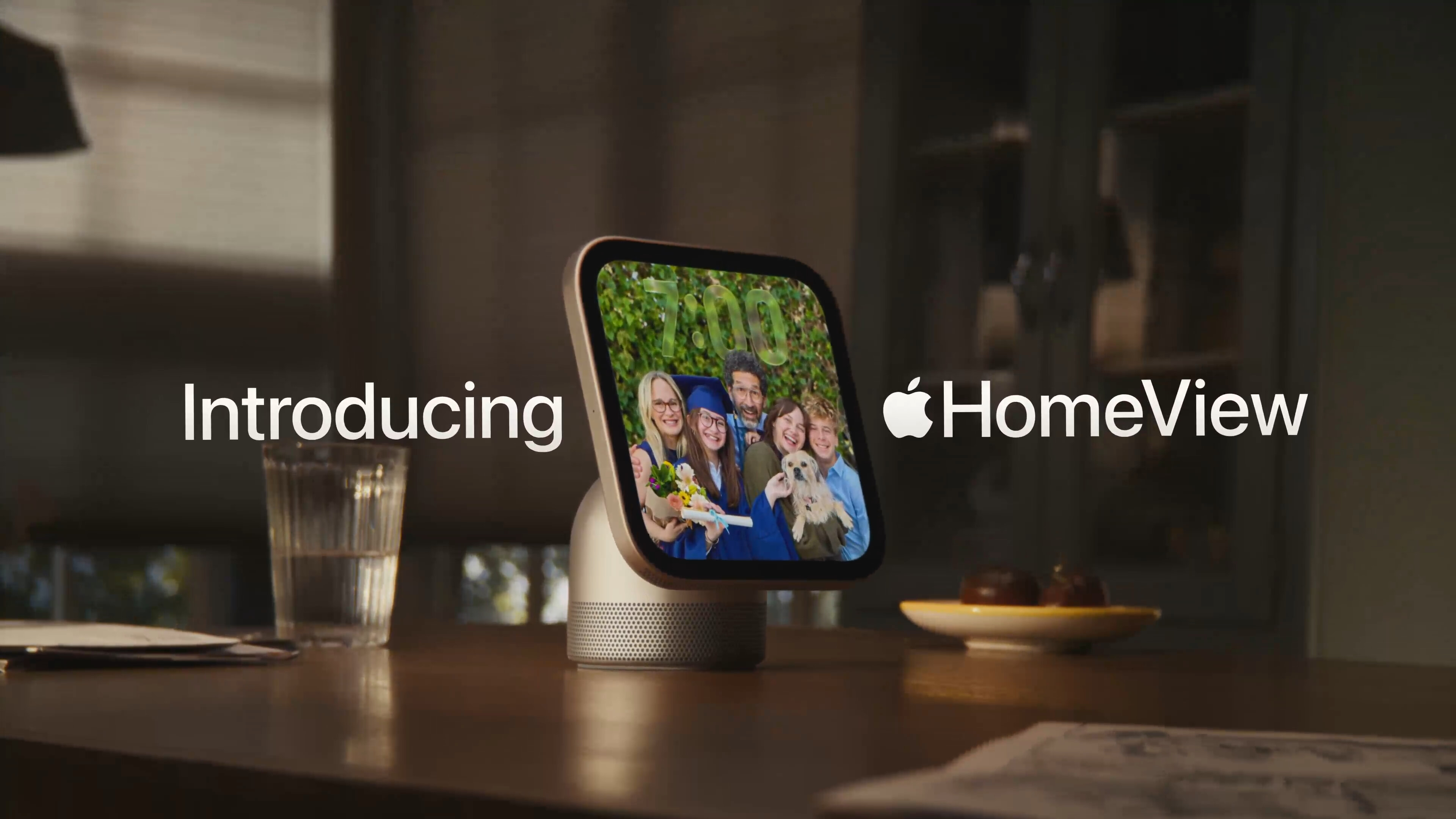
The hero shot introducing the product, of course, does not show the power cable at all:
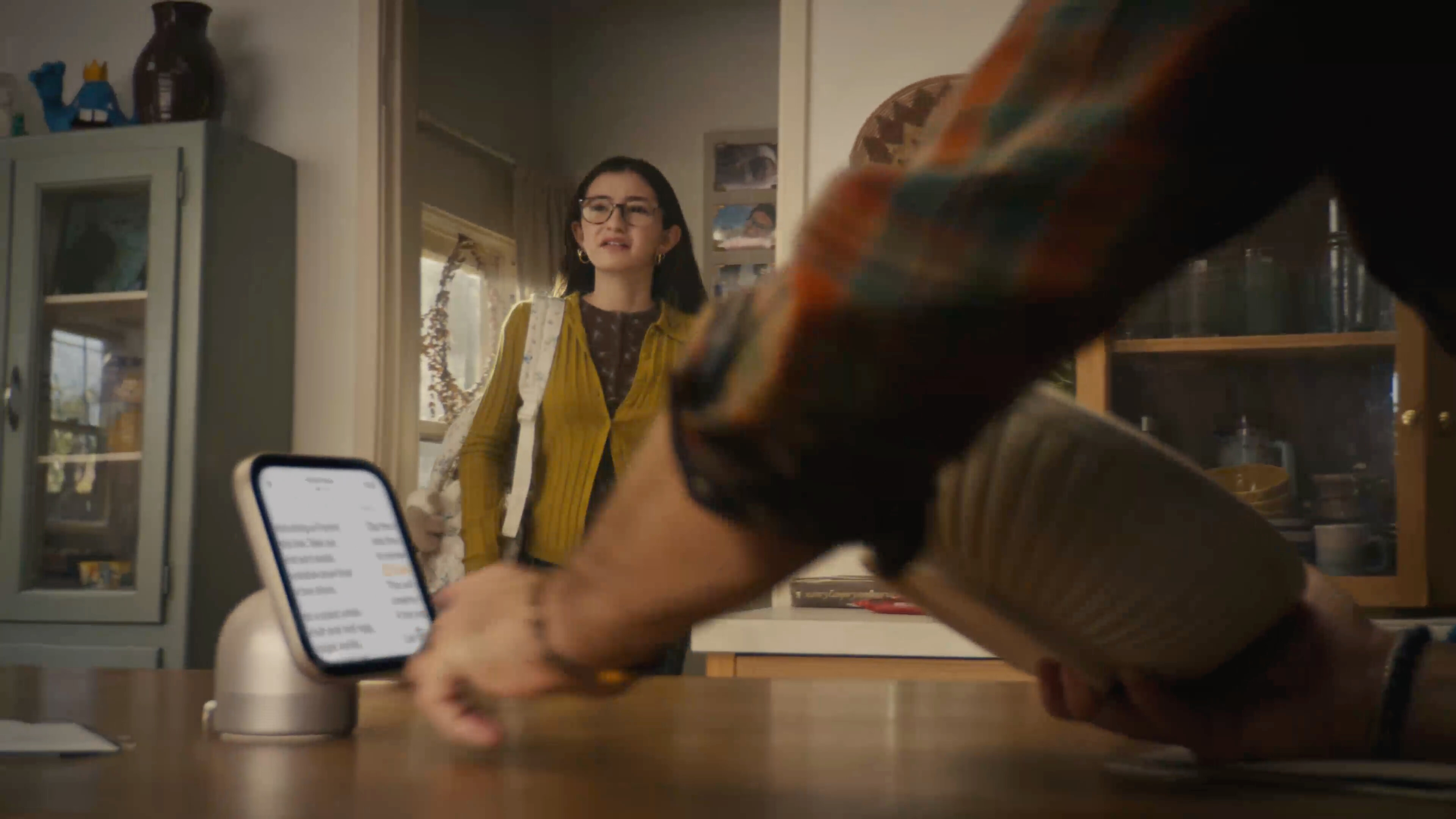
We see a wee bit of the cable when the dad reaches to touch the screen to start the French toast recipe:
And then a few seconds later, after the mom rotates the HomeView to the side, so she can check her calendar (despite the fact that she knows the dad was using it to follow a recipe), we get our most honest shot of the cabling situation:
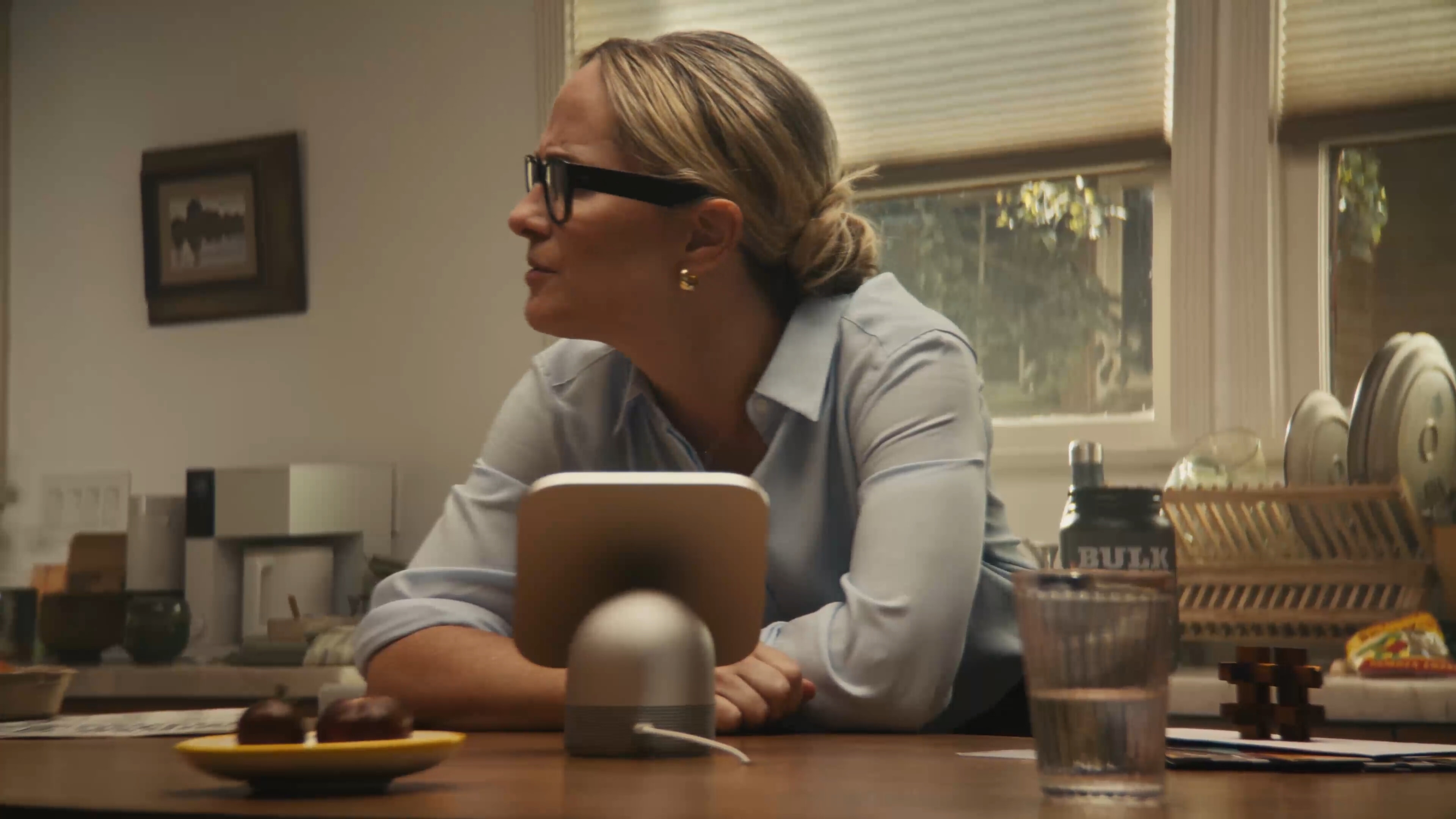
The above shot is at 0:49. It’s followed by two quick cuts to the dad and then the younger daughter, then at 0:52 we cut back to the mom (curious about her daughter’s new boyfriend situation), and, lo, the shot is now framed in such a way that we no longer see where the cable goes:

If you think that slight reframing is happenstance, you should stay away from poker tables. Most kitchen islands I’m familiar with — including my own — have power outlets on the sides of the island. I’m sure some people have power outlets on the top surface of the counter, but I can’t recall seeing one. These are kitchen counters, not office desks. But either way, there’d be a long USB-C cable cluttering the countertop. And if you do happen to have a power outlet on the top surface of your counter, there’d be an adapter sticking out of it, all the time, to duplicate this HomeView setup.
This family’s convenient hole in the center of their island countertop is a fantasy. Where does the cable go underneath? How exactly do they have a power adapter plugged in down there? What happens when something spills on the counter? When we custom ordered our kitchen, we weren’t asked if we wanted any holes drilled in our island countertop, and if we had been asked, it would have made me wonder if the guy asking the question had a hole or two drilled in his head.
I know, it’s a marketing video. Marketing videos present products in ideal settings. But the power cable is an essential aspect of the standalone HomeView. I’m not suggesting that it should be battery powered. You’d still need to plug it in every few days, which would mean most people would just leave it plugged in, which gets us back to needing to live with an always-visible cable and power adapter in one of our living spaces. The countertop hole this cable disappears into in this video is less ideal and more dishonest.
The wall-mounted option seems more appealing to me, but now you’re talking about a home improvement project and (for most of us) calling an electrician. And that raises the question of why the wall-mounted version costs the same $300 as the one with the connected base, even though the base provides the subwoofer. And it requires a mount, and the mounts cost $60 (USB-C), $80 (AC wired), or $130 (PoE — and this one is not available yet). So the wall-mounted version, when you include a mount, costs more but sounds worse? This doesn’t make sense.
Those points make me skeptical that there’s a place for HomeView in my home. We have a stereo pair of HomePods in our kitchen. Neither is on the center island, because that would be dumb. They’re on the counters along the outside of the kitchen, each near an outlet on the wall. In the four days since HomeView was announced, I’ve tried to imagine when I’d want to look at something on a screen on either of them. My count remains at zero.
My third early impression is that the display is surprisingly small. I saw HomeView in person in New York on Tuesday, and I think Apple’s video conveys its size very accurately. It’s small and cute. It’s much more like a HomePod Mini with a screen than a full-size HomePod with a screen. For some reason I was expecting the latter. This is not a complaint, simply an observation. I actually think that making it small and cute makes it about as unobtrusive as an ever-present screen could possibly be. That’s good. But because it’s small you need to be close to it to read anything more detailed than large glanceable widgets.
The major difference between a device with a screen and one without is that you can watch video on a device with a screen. But HomeView clearly isn’t intended for that. It can play video but isn’t primarily meant to play video. If it were it would have a widescreen aspect ratio. But instead it has a square aspect ratio,1 which is decidedly unsuited to video, unless, I suppose, you want a screen that is equally unsuited for both widescreen and tallscreen video.
So my skepticism boils down to the question of why anyone would want to add one (or more!) additional ever-present screens to our homes and lives. Phones can stay in our pockets until we need them. Watches remain on our wrists. HomePods can be tucked away unobtrusively in corners, and remain fully useful. HomeView needs to be in a prominent location for its display to serve any practical purpose. Apple’s initial pitch for it doesn’t earn that prominence for me.
-
In my thoughts and observations column after Apple’s iPhone event last month, I wrote the following regarding the iPhone Duo’s clever 1:1.4 aspect ratio:
Here’s the thing. If you take a 2 : 1 or even 2.2 : 1 aspect ratio phone display and turn that into a book-like foldable, the inner screen comes out square — or so close to square that we might as well just call it square. Nobody makes any device of any sort that just has a square display. Square is a terrible aspect ratio for a phone or a tablet or a laptop or a desktop display. The only square displays on the market are the inner displays for Android foldables from the last decade. Square being a shitty aspect ratio is half the reason almost no one has bought those things.
I will admit that I had the as-yet-unannounced HomeView in mind as I wrote that, given that its square aspect ratio had been rumored for months. HomeView is not a phone or tablet or laptop or desktop display. It’s not a TV either. So maybe square works for this nascent product category (status boards?). But if square does prove to be correct for this purpose, it’ll be the first category I can think of where that’s true. Apple Watch is the closest device I can think of whose screen serves primarily to display status, but even Apple Watch isn’t square. (It varies slightly by model, but Apple Watch displays are around 4 : 5.) ↩︎