By John Gruber

Finalist 4: Inspired by
Paper Day Planners
Linked List: September 30, 2019
Monday, 30 September 2019
- Apple’s New Map, Expansion #5: Northeast U.S. ★
-
Apple Maps today rolled out its new maps for the northeastern U.S. Justin O’Beirne has a terrific post (as usual) illustrating the differences between the old and new maps. Here in Philly, one big improvement is significantly more prominent indicators of one-way streets — and almost all streets in Philly are one way.
Unmentioned in O’Beirne’s report is that Look Around debuted today in Manhattan. From what I’ve seen in a few minutes of exploration, it’s impressive — detailed, intuitive, and fun. Update: Looks like Look Around is now available for all five boroughs of New York City, including the magnificent Yankee Stadium in the Bronx.
- ‘Eat Less Red Meat, Scientists Said. Now Some Believe That Was Bad Advice.’ ★
-
Gina Kolata, reporting for The New York Times:
Public health officials for years have urged Americans to limit consumption of red meat and processed meats because of concerns that these foods are linked to heart disease, cancer and other ills.
But on Monday, in a remarkable turnabout, an international collaboration of researchers produced a series of analyses concluding that the advice, a bedrock of almost all dietary guidelines, is not backed by good scientific evidence.
If there are health benefits from eating less beef and pork, they are small, the researchers concluded. Indeed, the advantages are so faint that they can be discerned only when looking at large populations, the scientists said, and are not sufficient to tell individuals to change their meat-eating habits.
From my favorite scene in the deeply flawed but underrated Never Say Never Again:
M: Too many free radicals, that’s your problem.
Bond: Free radicals, sir?
M: Yes. They’re toxins that destroy the body and the brain. Caused by eating too much red meat and white bread, and too many dry martinis!
Bond: Then I shall cut out the white bread, sir.
- Apple Support: ‘Capture Content Outside the Camera Frame on iPhone’ ★
-
Apple Support:
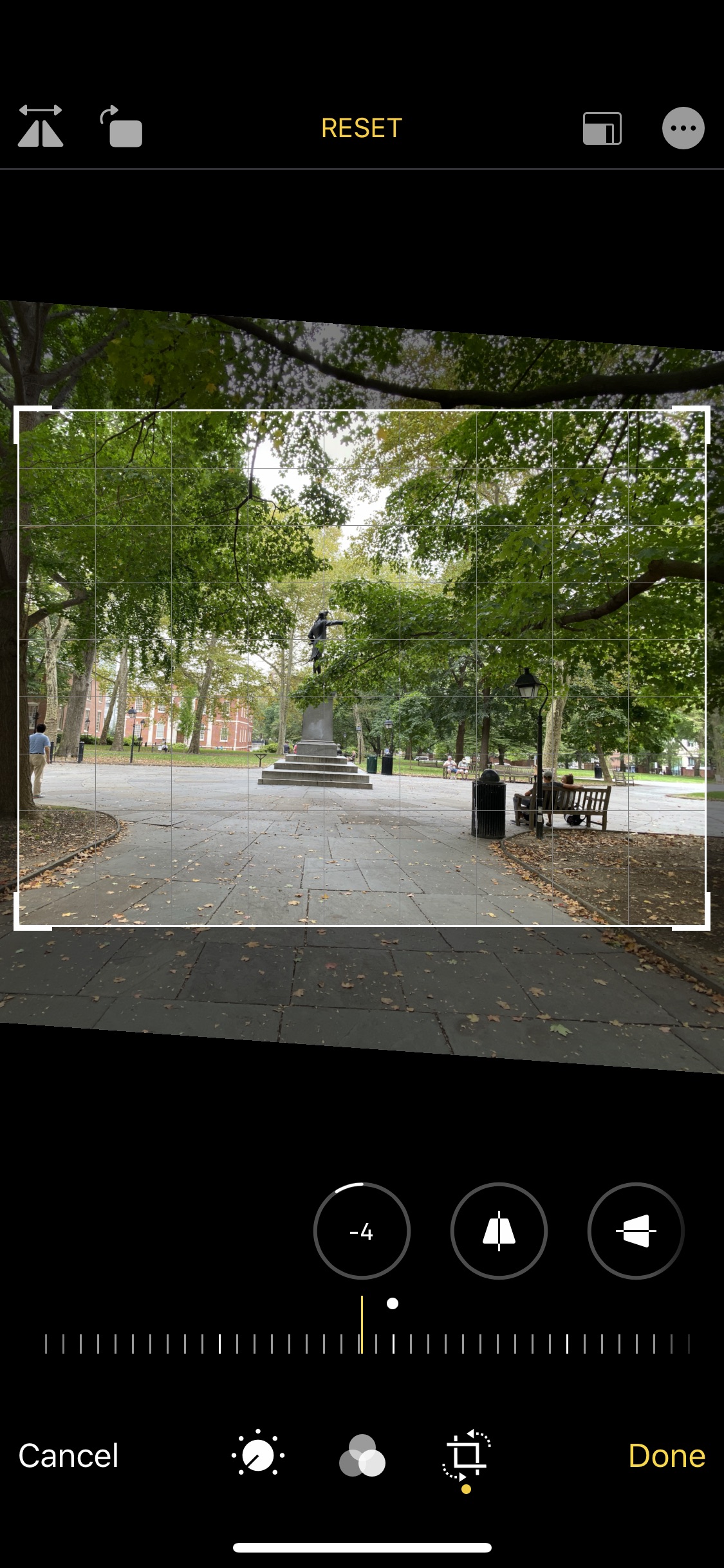
When Capture Outside the Frame is turned on in Settings , content captured outside the frame appears when you use the crop, straighten, and perspective tools to make edits in the Photos app.
- To capture content outside the frame when you take photos, go to Settings → Camera, then turn on Photos Capture Outside the Frame.
- When you record QuickTake videos, Camera automatically captures content outside the frame. To turn off, go to Settings → Camera, then turn off Videos Capture Outside the Frame.
Note: If you don’t use the content captured outside the frame to make edits, it will be deleted after 30 days.
One of my first suggestions to any of you with an iPhone 11 or 11 Pro is to turn on “Photos Capture Outside the Frame”. It’s on by default for video, but off by default for photos, for reasons I still do not understand. Update: See this post for two reasons why this is off by default.
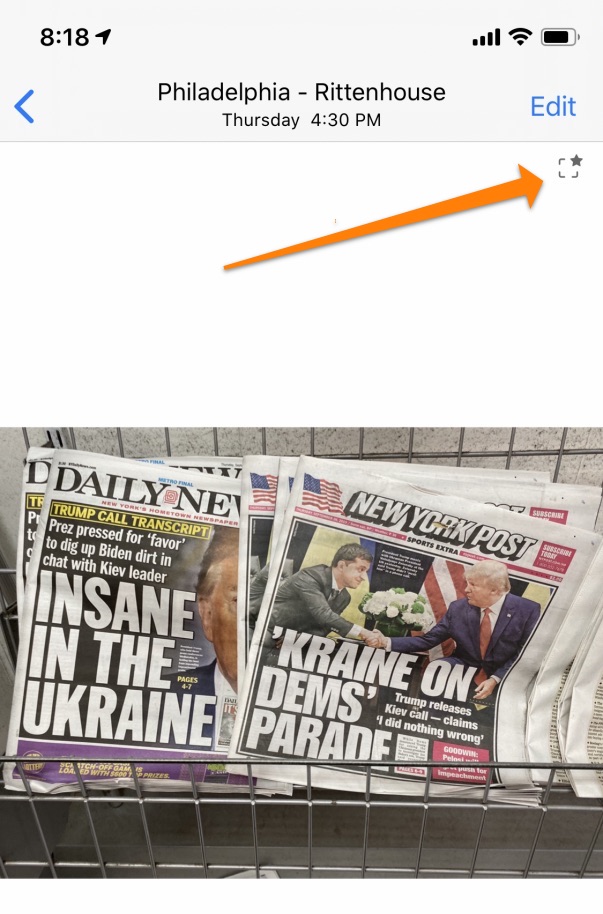
When the Camera app does decide to capture outside the frame, the image will be flagged by the Auto Adjust indicator icon: a small square with a star in the upper right corner. It seems to me that the Camera app will often capture a little bit outside the frame for small amounts of straightening, but when you see that Auto Adjust indicator icon, it means it has captured a lot outside the frame, like this.
- Apple Releases iOS 13.1.2 Three Days After 13.1.1 ★
-
Not to worry if you don’t install it right now — I’m sure 13.1.3 will be out tomorrow.
- ‘Stanley Kubrick, “Full Metal Jacket”, and an Actor’s Heartbreak’ ★
-
Aaron Couch, writing for The Hollywood Reporter:
Tim Colceri had just been given a beeper, an envelope full of cash and a driver to take him wherever he wanted. He wanted to go to a pub, so that’s where he went. Before he could settle in amid the cigarette smoke and dark beer of the establishment, his beeper went off. It was a message from the man who’d summoned him to London.
“Tim, learn pages 1-28. Driver will pick you up tomorrow at 7. Stanley.”
Colceri rushed to his hotel and began cramming. A Vietnam veteran, he was used to hopping to attention when a superior barked an order. But those 28 pages were full of dialogue for Gunnery Sgt. Hartman, the character he had been hired to play based on a self-taped audition for Full Metal Jacket. Colceri gritted his teeth and went to work, shouting lines all evening in his hotel room.
Hard, if not impossible, to imagine Full Metal Jacket without R. Lee Ermey in that role.
- The HAL 9000 Prop ★
-
Kosmo Photo (via Jim Coudal, of course):
HAL 9000 needed to be all-seeing — the film’s plot hinges on his ability to detect a conversation between two of the crew. So he decided to use a camera lens.
The on-screen HAL 9000 — the single “eye” in blazing red — was played by one of Nikon’s most extreme lenses, its 8mm f/8 fisheye. But how did they add the glow? Simple — they used the camera’s very own red filter (R60) which screws on to the back of the lens. Then they simply shone a light through it.
Peter Jackson owns one of the original props now, and showed it to Adam Savage. So simple, so iconic.
There are so many aspects of 2001 that were remarkably prescient. One that’s gotten a lot of attention over the last decade is that astronauts Dave Bowman and Frank Poole use remarkably iPad-like tablets and watch video in portrait mode.
But this story on the HAL 9000 props reminds me of another one — the fact that HAL is a ship-wide presence, with no single instantiation. HAL doesn’t move from room to room on the Discovery — there are simply HAL consoles in every room of the ship. This seems obvious today with our various Alexa / Siri / Google devices strewn about our homes (and pockets), but this wasn’t obvious at all in the 1960s. The obvious way to do HAL back then would have been to make him a robot of sort.
Our AI assistants today are all incredibly crude and primitive compared to HAL, but the way we interact with them is exactly what was predicted in 2001.