By John Gruber

WorkOS: How SSO works and the fastest way to add it.
- ChangeTheHeaders
-
During the most recent episode of The Talk Show, Jason Snell brought up a weird issue that I started running into last year. On my Mac, sometimes I’d drag an image out of a web page in Safari, and I’d get an image in WebP format. Sometimes I wouldn’t care. But usually when I download an image like that, it’s because I want to publish (or merely host my own copy of) that image on Daring Fireball. And I don’t publish WebP images — I prefer PNG and JPEG for compatibility.
What made it weird is when I’d view source on the original webpage, the original image was usually in PNG or JPEG format. If I opened the image in a new tab — just the image — I’d get it in PNG or JPEG format. But when I’d download it by dragging out of the original webpage, I’d get a WebP. This was a total WTF for me.
I turned to my friend Jeff Johnson, author of, among other things, the excellent Safari extension StopTheMadness. Not only was Johnson able to explain what was going on, he actually made a new Safari extension called ChangeTheHeaders that fixed the problem for me. Johnson, announcing ChangeTheHeaders last year:
After some investigation, I discovered that the difference was the Accept HTTP request header, which specifies what types of response the web browser will accept. Safari’s default Accept header for images is this:
Accept:
image/webp,image/avif,image/jxl,image/heic,image/heic-sequence,video/*;q=0.8,image/png,image/svg+xml,image/*;q=0.8,*/*;q=0.5
Although
image/webpappears first in the list, the order actually doesn’t matter. The quality value, specified by the;q=suffix, determines the ranking of types. The range of values is 0 to 1, with 1 as the default value if none is specified. Thus,image/webpandimage/pnghave equal precedence, equal quality value 1, leaving it up to the web site to decide which image type to serve. In this case, the web site decided to serve a WebP image, despite the fact that the image URL has a.pngsuffix. In a URL, unlike in a file path, the “file extension”, if one exists, is largely meaningless. A very simple web server will directly match a URL with a local file path, but a more complex web server can do almost anything it wants with a URL.This was driving me nuts. Thanks to Johnson, I now understand why it was happening, and I had a simple set-it-and-forget-it tool to fix it. Johnson writes:
What can you do with ChangeTheHeaders? I suspect the biggest selling point will be to spoof the User-Agent. The extension allows you to customize your User-Agent by URL domain. For example, you can make Safari pretend that it’s Chrome on Google web apps that give special treatment to Chrome. You can also customize the Accept-Language header if you don’t like the default language handling of some website, such as YouTube.
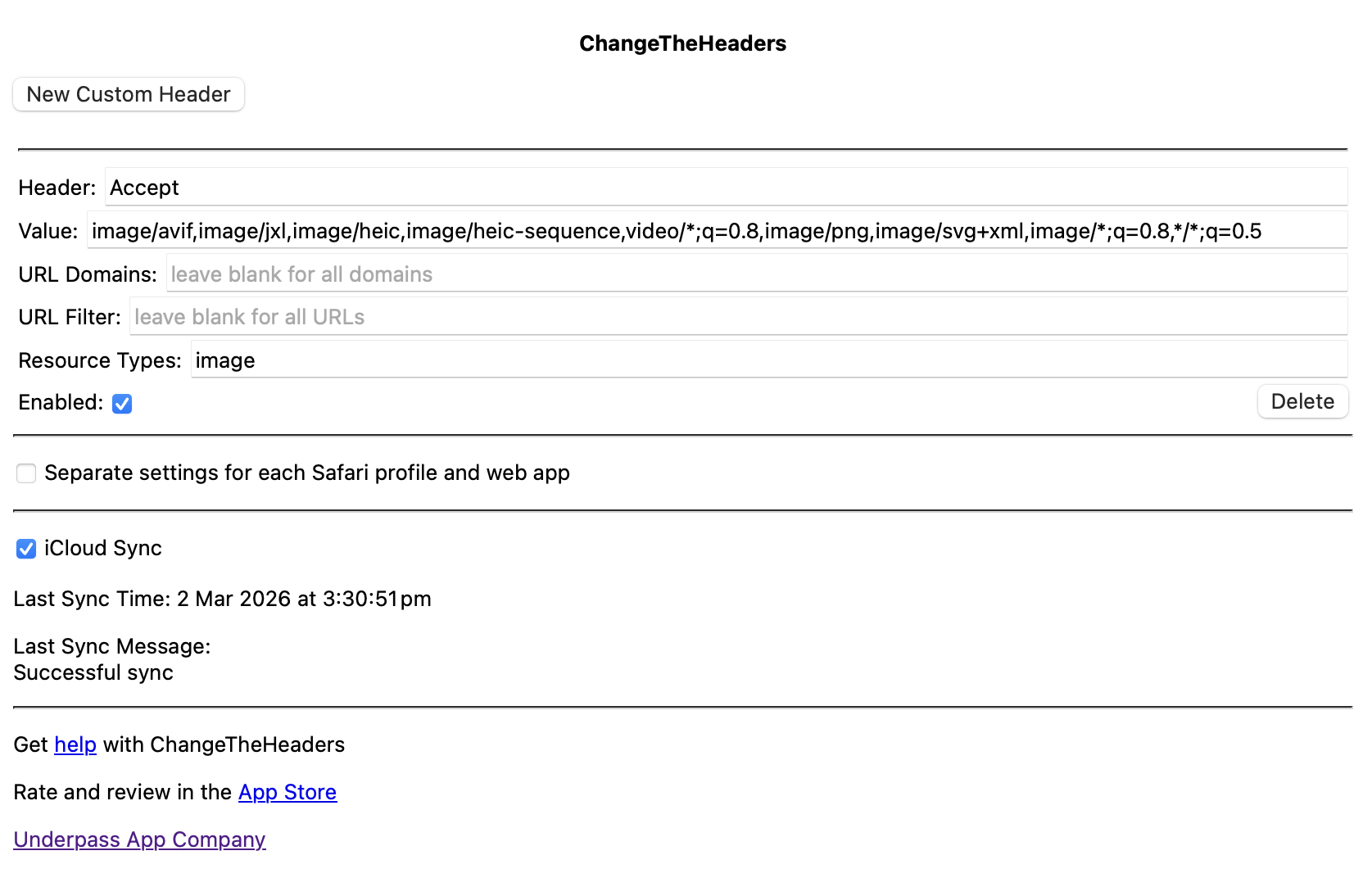
Here’s the custom rule I applied a year ago, when I first installed ChangeTheHeaders (screenshot):
Header:
Accept
Value:image/avif,image/jxl,image/heic,image/heic-sequence,video/*;q=0.8,image/png,image/svg+xml,image/*;q=0.8,*/*;q=0.5
URL Domains: «leave blank for all domains»
URL Filter: «leave blank for all URLs»
Resource Types:imageI haven’t seen a single WebP since.
ChangeTheHeaders works everywhere Safari does — Mac, iPhone, iPad, Vision Pro — and you can get it for just $7 on the App Store.
★ Monday, 2 March 2026