By John Gruber
WorkOS: How SSO works and the fastest way to add it.
Linked List: July 11, 2026
Saturday, 11 July 2026
- Can Someone Explain to Me How to Get ‘ChatGPT Classic’? ★
-
One more link from OpenAI’s Help Center, this one explaining how to upgrade from the old Mac app to the new “super” app version:
Follow the prompt in the app to download the new ChatGPT desktop app. Then sign in with the same ChatGPT account.
The new app may install alongside your current app. If both remain installed, you will see:
- ChatGPT: The new app with Chat, Work, and Codex.
- ChatGPT Classic: The previous ChatGPT desktop app. You can continue using it; no migration is required at launch. It continues to receive model updates, bug fixes, security patches, and support for its existing Enterprise capabilities. New agent features may be available only in the new app.
None of this has been my experience. I had the existing old ChatGPT app installed on three different Macs. On all three of them, the built-in “Check for Updates” command only installs the latest version of the classic app. This is good, I suppose. But if you’re not aware from following the news that OpenAI released an altogether new “super” app for MacOS and Windows, you’d never know it from the Check for Updates command built into the classic Mac app.
So I don’t see “the prompt in the app to download the new ChatGPT desktop app”. If I download the new app manually, I get a disk image. After mounting the disk image, the instructions say to double-click the “ChatGPT” app on the disk image — not to drag it to the Applications folder. If I do that while the old ChatGPT app is still running, it bounces back and forth a few times but nothing new gets installed and nothing old gets removed or renamed. I’m just left with the classic ChatGPT app, still named “ChatGPT”.
If I run the installer on the disk image when the old ChatGPT app is not running, the old app gets replaced by the new one in my Applications folder, and the old app is moved to the Trash. There is no app named “ChatGPT Classic”.
I mean, their Help document does say “the new app may install alongside your current app”, and “if both remained installed”, so they seem just as confused as I am. And while you can, for now at least, just remain on the old version of the app and still get model updates and bug fixes, there is seemingly no way to download a new copy of the classic ChatGPT Mac app if you don’t already have a copy. The update installation is seemingly non-deterministic.
This is an app with over a billion users. I know there aren’t a billion users of the native Mac app, but, still. It’s one of the most popular apps any company has ever made, and the biggest update they’ve ever shipped is an incoherent confusing mess.
- OpenAI Help Center Describes What Is Wrong With the New ChatGPT ★
-
OpenAI Help Center, “Where Work and Codex are available”:
Work is available on ChatGPT web and mobile for eligible paid plans. Work is also available in the ChatGPT desktop app when included for your plan and workspace.
Work on web and mobile runs in the cloud. Work in the desktop app can also use local files and desktop apps with your permission. At launch, cloud Work conversations do not appear in desktop Work; desktop Work threads and local files remain on that computer.
Codex is available as a mode in the ChatGPT desktop app. It can work with local folders, repositories, terminals, and developer tools. Codex is not a selectable mode on web or mobile. You can access supported desktop Codex tasks from the Remote tab in the ChatGPT mobile app, but those tasks do not become web or mobile chat history.
These three paragraphs, from OpenAI’s own Help Center, sound more like a critic’s scathing review of what’s wrong with the new ChatGPT “super” app than a guide to how to use it.
- Benedict Evans on the New ‘Super App’ ChatGPT ★
-
Benedict Evans with a succinct review on Threads:
Wow, what a total mess.
What is the difference between a project, a task and a chat?
Why did chats get a crappy floating window but tasks and projects don’t?
Why does choosing ‘plugins’ get me ‘templates’?
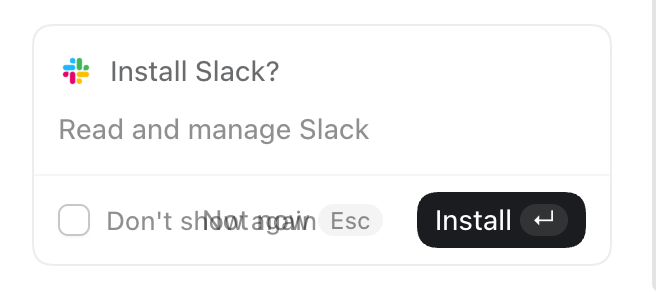
Am I not allowed to finish ‘setup’ if I don’t use Slack or Google Drive?
I forget how I made the Setup dickbar disappear despite my not using Slack or Google Drive. It was confusing.
It is sometimes observed that in companies dominated by internal politics, their shipped product (and public keynotes) reflect the company’s org chart. That’s never been truer than with the new ChatGPT app. OpenAI’s internal org chart is a complete disorganized mess. This new app perfectly reflects that.
The old ChatGPT app was focused. That’s the app that still ships for mobile (which includes iPad, which tells you whether OpenAI thinks iPad is a real computer or a big iPhone), and is, for some Mac users, left installed on their systems as “ChatGPT Classic”. The new app is an incredibly confusing sloppy mess. At a glance it looks like a polished app. But the UI is just slop. It has the veneer of a polished app without actually being organized or structured or labeled in ways that add clarity and coherence. It’s playing dress-up as a big-boy app. My understanding from people adjacent to OpenAI is that the company’s senior executives are singularly consumed with FOMO obsession regarding Anthropic, and the only real clout within the company belongs to the AI researchers. Not product designers or app craftspeople. What the researchers say goes, and with this update, we can see their level of taste in app design.
The app icon for the new “super” app should be the Homer.
- Gurman on Tang Tan and Paul Meade ★
-
Mark Gurman, reporting for Bloomberg (paywalled, alas):
Apple was quickly alarmed by OpenAI’s recruiting drive, which included poaching senior hardware and design leaders and ravaging several teams across its engineering organizations. The practice continued as recently as June, when OpenAI lured away Apple’s smart glasses chief. That executive, Paul Meade, was quickly shown the door at Apple and not given the opportunity to stay on for a transition period, according to people with knowledge of the matter.
Regarding Tang Tan, who is at the center of Apple’s lawsuit:
Tan was famous for taking risks at Apple and “flying very close to the sun” during his 25-year career, according to someone who worked with him. “Tang is well known for moving fast, playing fast and loose and breaking things,” said the person, who asked not to be identified while discussing former colleagues.
Gurman broke the story of Meade leaving Apple for OpenAI on June 26, writing then:
Meade’s departure is a blow to the iPhone maker. He has led hardware engineering for the Vision Pro headset — once seen as Apple’s next major computing platform — for seven years. Apple and OpenAI spokespeople declined to comment. He has also been responsible for the development of display-free Apple smart glasses meant to vault the company into the AI wearables space next year and compete with a growing category pioneered by Meta Platforms Inc.