By John Gruber
All your customer
data in that nice
California sunnn.
Early access now!
- How Bluesky and Threads Sneak Their Logos Into iOS Screenshots
-
Bluesky and Threads both pull the same trick: When you take a screenshot on iOS of an individual tweet, they replace the “Follow” button in their user interface with their logo. Tim Marinin noticed this in the Bluesky app, got curious, and because they publish the app’s source code, he dug in to figure out how they do this:
The answer was in the file literally called GrowthHack.tsx, introduced in January 2026 by mozzius. But it merely used a dependency, so to understand I looked into package expo-privacy-sensitive, also by them.
The package creates
UITextFieldwithisSecureTextEntryproperty set to true and renders the actual content (the button) into that field’s.layer. When I take the screenshot, iOS hides this UITextField by blanking the layer, allowing the Bluesky logo to flutter its wings through (it was here the whooole time). For other platforms it simply renders content as-is, without masking.Marinin says, “I think it’s cute.”
I think it’s bullshit. If I take a screenshot I want to see exactly what is on my screen. If I take a photograph with a Sony camera, they don’t put a fucking Sony logo in the image. Screenshots should be purely WYSIWYG, and it’s obvious that the
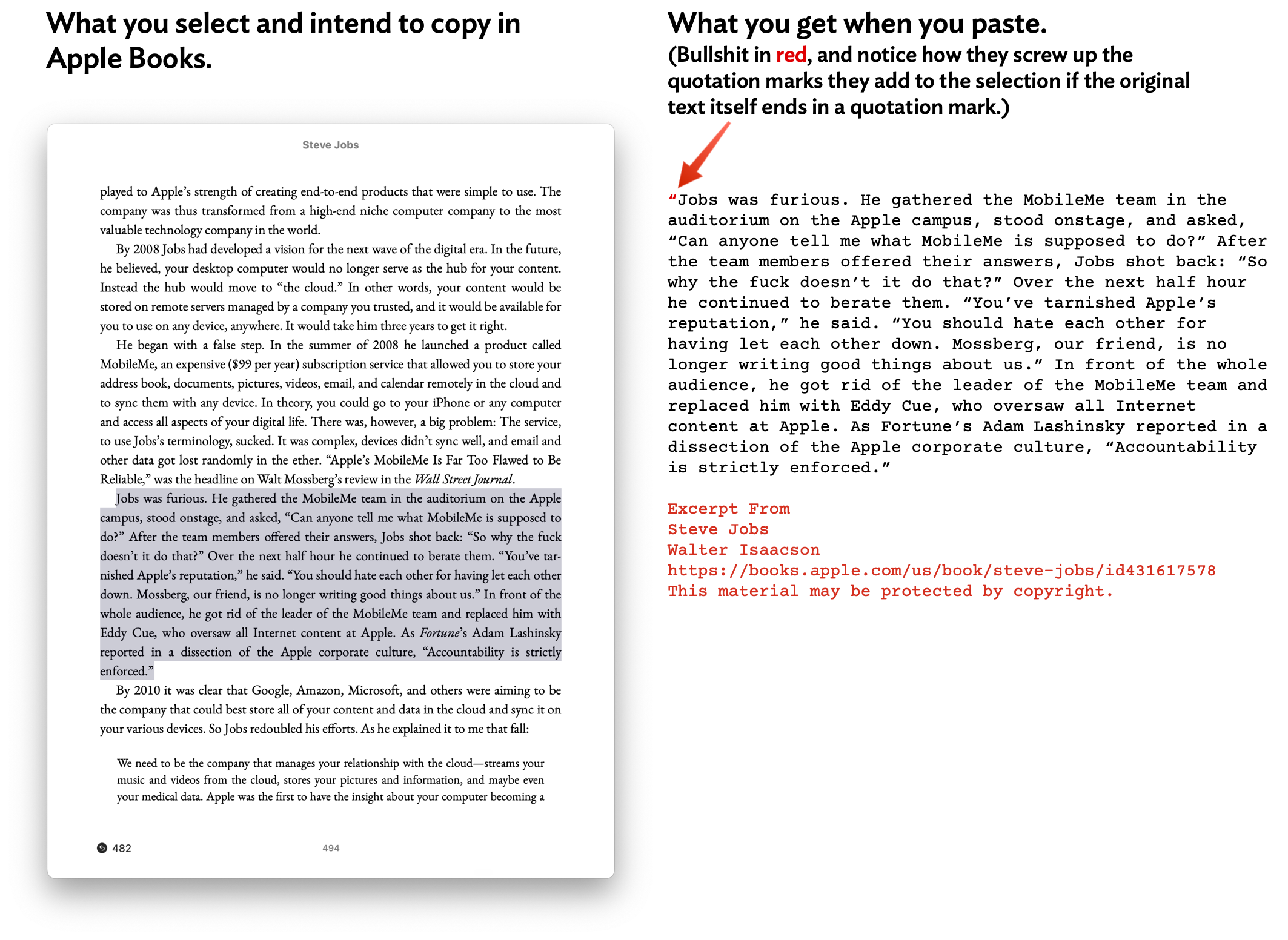
isSecureTextEntryproperty is meant to obscure the contents of secure text entry fields. It’s clever, but it’s bullshit.It’s a bit like the bullshit some apps pull where they append extra text on the clipboard when you copy and paste — like Apple Books, which adds quotation marks around the text you copied (a little annoying) and appends five lines of attribution cruft (a lot annoying). But at least with Books’s attribution cruft, you can just delete the extra lines (and the additional quotation marks). With this stunt Bluesky and Threads are pulling, there’s no way to capture a screenshot of what you actually see in the app.
I’m not surprised Threads does something sneaky like this; I am surprised that Bluesky does.
★ Thursday, 20 August 2026