
By John Gruber
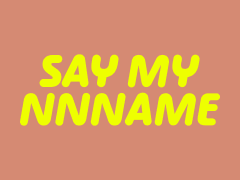
We’re just out
here a-havin’ fun
In that warm
California sunnn…
Linked List: October 9, 2023
Monday, 9 October 2023
- Unity CEO John Riccitiello Resigns After Nearly Tanking Entire Company ★
-
Kevin Purdy, writing for Ars Technica:
John Riccitiello, CEO of Unity, the company whose 3D game engine had recently seen backlash from developers over proposed fee structures, will retire as CEO, president, and board chairman at the company, according to a press release issued late on a Monday afternoon, one many observe as a holiday.
It’s hard to overstate how bad Unity’s last month has been. So in some sense the right thing has happened: the CEO rammed through a terrible policy change, game developers revolted, and the CEO has now resigned.
- Burger King Botched the Curling on an Apostrophe in a TV Commercial and I Am Very Much Here to Shit on Them for Doing So ★
-
John Kelly, writing for The Washington Post:
The ad was for a Whopper Jr. promotion. The conceit was that you could get two of the baby burgers for a mere $5: one for you and one for a friend. But — spoiler alert! — you’d probably want to consume the pair yourself. Or, as the text on the screen put it:
JK YOU
ATE ‘EM
BOTHI grabbed my remote, rewound, paused and took a photo. This was the Zapruder film to me, even if the JK stood for “Just kidding,” not “John Kelly.”
This must not stand, or — to keep with the theme — it mustn’t stand.
This sort of mistake drives me nuts, and I spot such wrongly-curled apostrophes instantly. To me it’s as glaring a mistake as a misspelled word. So god bless Kelly for griping about it in a column in The Washington Post. (I’d argue that perhaps it’s correct for Burger King to use the wrong apostrophe, as a signifier of the care with which they prepare their food.)
But Kelly doesn’t mention the obvious explanation for how this happens: automatic smart quote algorithms that aren’t smart enough, in the hands of ignorant designers who don’t have an eye for typography. If you type:
'em' dashes and 'en' dashesyou want the apostrophe before em to be an opening single quote, the one shaped like a 6 in most typefaces. But if you type:
screw 'emyou want the apostrophe preceding the em to be a closing single quote, the one shaped like a 9. The various “smart quotes” algorithms you get while typing aren’t smart enough to make this contextual distinction — even very good ones — so you need to do it by hand. Here’s how to type them manually:
Mac Windows Linux Open single quote: ‘ Option-] Alt-0-1-4-5 Use ASCII Close single quote: ’ Shift-Option-] Alt-0-1-4-6 Use ASCII Open double quote: “ Option-[ Alt-0-1-4-7 ✊🍆 Close double quote: ” Shift-Option-[ Alt-0-1-4-8 Shift-✊🍆 - The Black Box of iCloud ★
-
Dan Moren, also at Six Colors:
That second agent proved quite capable, not only agreeing that the situation was strange, but also looking into issues on Apple’s side. Which led to the somewhat bizarre conclusion of this story: after perhaps 20 minutes on the phone, he seemed to hit on something. I heard him laugh and say something along the lines of “that explains it” and then, with my consent, put me on hold. When he came back, he said — and I’m not exactly quoting, but close enough: “I’m sorry, I can’t tell you any more than this, but all your services should be back up pretty much exactly 12 hours after they went down.” [...]
So I waited the rest of the day. At this point, I had received no email since the early morning, and a number of my other apps — though not all — were non-functional. It made me realize just how much of my life was dependent on Apple’s online services — a somewhat sobering proposition.
I spent the next few hours largely offline, but kept an eye on the clock. And, sure enough, at 9pm on the dot, everything flipped back on: all my Find My friends showed up, my email started slowly trickling in, and I was able to finally fully log back into my iCloud account on my MacBook Air — just in time to go to bed.
What a strange and maddening situation.
- Jason Snell Reviews the iPhones 15 Pro ★
-
Jason Snell, writing at Six Colors:
I recently went to a football game (it was a beautiful day in Berkeley, California) and was trying to figure out where my wife had gone — we were separately looking for concessions amid the rattle and hum of a busy stadium walkway. Then I remembered we both had new iPhone 15 models, and I opened Find My — the app that lets you find all that you can’t leave behind — and enabled the remarkable new UWB-powered feature that lets you find nearby friends. Not only did I almost immediately discover that she was to my right (so I began heading that way), but she was also notified that I was looking for her. We found each other and had fun doing it!
I neglected to mention this feature in my review, but I tested it, and it really did work as advertised. Almost freakishly accurate.
Snell wraps up his review with a good summary for how much new stuff you can expect to enjoy when upgrading from each successive year of Pro iPhones from the 11 onward.
- Kolide ★
-
My thanks to Kolide for sponsoring last week at DF. Getting OS updates installed on end user devices should be easy. After all, it’s one of the simplest yet most impactful ways that every employee can practice good security. On top of that, every MDM solution promises that it will automate the process and install updates with no user interaction needed. Yet in the real world, it doesn’t play out like that. Users don’t install updates and IT admins won’t force installs via forced restart.
With Kolide, when a user’s device — be it Mac, Windows, Linux, or mobile — is out of compliance, Kolide reaches out to them with instructions on how to fix it. The user chooses when to restart, but if they don’t fix the problem by a predetermined deadline, they’re unable to authenticate with Okta.
Watch Kolide’s on-demand demo to learn more about how it enforces device compliance for companies with Okta.