By John Gruber

We’re just out
here a-havin’ fun
In that warm
California sunnn…
- How to Block the ‘Upgrade to Tahoe’ Alerts and System Settings Indicator
-
Rob Griffiths, writing at The Robservatory:
So I have macOS Tahoe on my laptop, but I’m keeping my desktop Mac on macOS Sequoia for now. Which means I have the joy of seeing things like this wonderful notification on a regular basis. Or I did, until I found a way to block them, at least in 90 day chunks. [...]
The secret? Using device management profiles, which let you enforce policies on Macs in your organization, even if that “organization” is one Mac on your desk. One of the available policies is the ability to block activities related to major macOS updates for up to 90 days at a time (the max the policy allows), which seems like exactly what I needed.
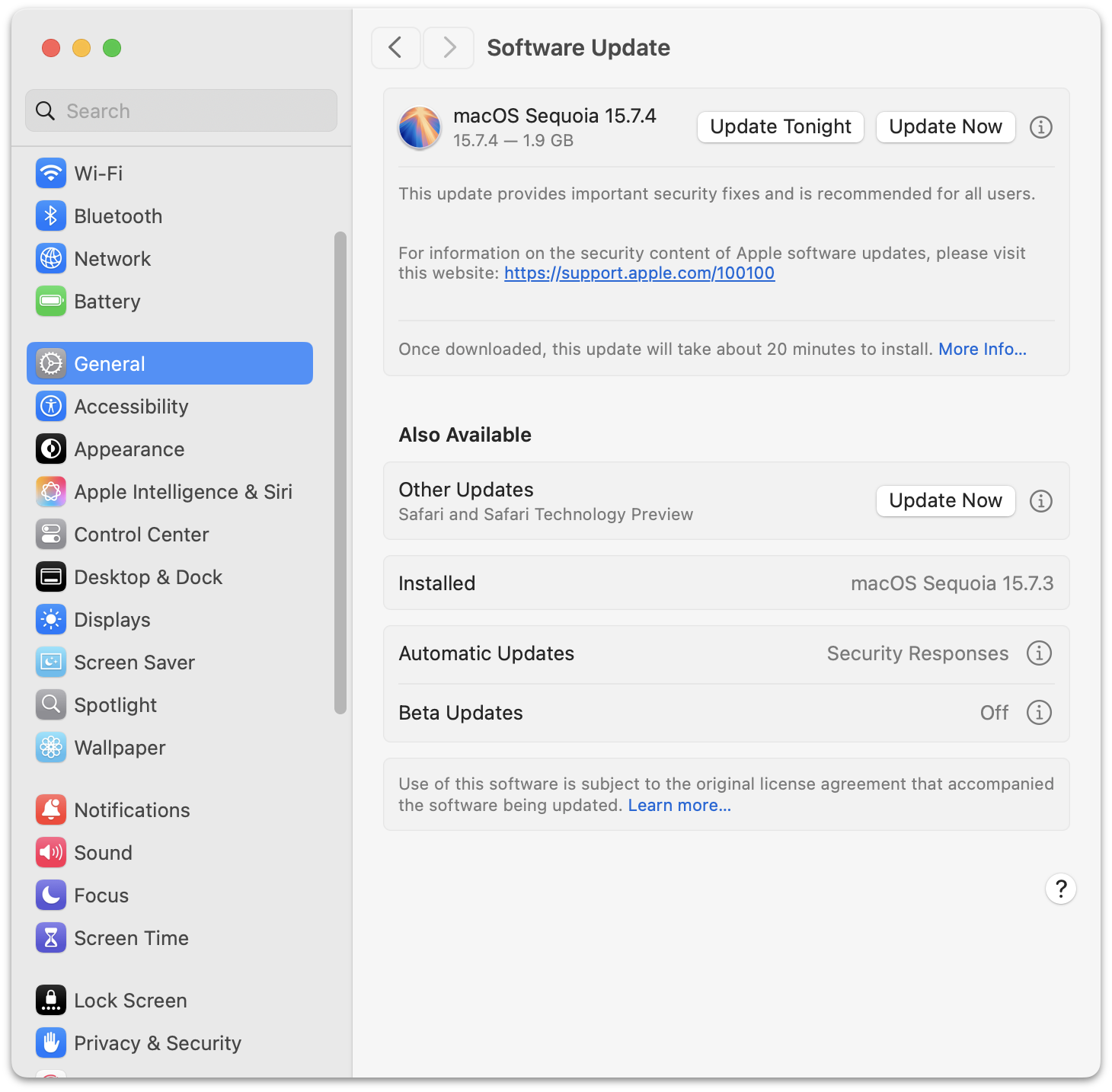
I followed Griffiths’s instructions about a week or so ago, and I’ve been enjoying a no-red-badge System Settings icon ever since. And the Tahoe upgrade doesn’t even show up in General → Software Update. With this profile installed, the confusing interface presented after clicking the “ⓘ” button next to any available update cannot result in your upgrading to 26 Tahoe accidentally.
I waited to link to Griffiths’s post until I saw the pending update from Sequoia 15.7.3 to 15.7.4, just to make sure that was still working. And here it is. My Software Update panels makes it look like Tahoe doesn’t even exist. A delicious glass of ice water, without the visit to hell.
I have one small clarification to Griffiths’s instructions though. He writes:
4. Optional step: I didn’t want to defer normal updates, just the major OS update, so I changed the Optional (set to your taste) section to look like this:
<!-- Optional (set to your taste) -->
<key>forceDelayedSoftwareUpdates</key><false/>
This way, I’ll still get notifications for updates other than the major OS update, in case Apple releases anything further for macOS Sequoia. Remember to save your changes, then quit the editor.
I was confused by this step, initially, and only edited the first line after
<!-- Optional (set to your taste) -->, to change<true/>to<false/>in the next line. But what Griffiths means, and is necessary to get the behavior I wanted, requires deleting the other two lines in that section of the plist file. I don’t want to defer updates like going from 15.7.3 to 15.7.4.Before editing:
<!-- Optional (set to your taste) -->
<key>forceDelayedSoftwareUpdates</key><true/>
<key>enforcedSoftwareUpdateMinorOSDeferredInstallDelay</key><integer>30</integer>
<key>enforcedSoftwareUpdateNonOSDeferredInstallDelay</key><integer>30</integer>
After:
<!-- Optional (set to your taste) -->
<key>forceDelayedSoftwareUpdates</key><false/>
I’ll bet that’s the behavior most of my fellow MacOS 15 Sequoia holdouts want too.
★ Friday, 27 February 2026