By John Gruber

WorkOS: Let agents use your tools without giving them free rein.
Linked List: October 22, 2026
Thursday, 22 October 2026
- Apple Highlights 50+ iPhone Apps That Have Already Been Optimized for the Duo ★
-
Apple Newsroom:
New editorial collections for iPhone Duo apps and games will go live on the App Store this Friday, with additional app updates rolling out throughout the year. Apps optimized for iPhone Duo are easy to identify with a Made for iPhone Duo badge on product pages across the storefront.
This story highlights dozens of apps that have been optimized. This sort of transition happens every time Apple introduces a major screen change. It happened with the iPhone X in 2017, it happened when the iPhone 6 added a Plus size, it happened when the iPhone 5 changed the aspect ratio from 3:2 to 16:9, and, most memorably of all, it happened when the iPhone 4 went retina. Every time this happens it sucks to some varying degree of suckiness to use apps that haven’t been optimized. And soon enough, all apps still under active development get updated.
Developers know that iPhone users care how apps look and work. iPhone users will switch to competing apps for something like this. I stopped checking Mastodon on my phone for the last week and half because Ivory isn’t optimized. I stopped reading my messages on Signal — I just wait until I’m back at my desk. If I bought a Duo, I’d literally stop using Signal if they don’t update their app soon. Life’s too short to use shitty apps. iPhone developers get that.
Out of all those transitions I listed above, my gut feeling is that there are more third-party apps ready to go on day one for the Duo than for any of those previous transitions. No, it’s not all apps. Some of the apps that aren’t yet updated are quite popular, and others are ones that users can’t easily just switch away from (like, say, your bank’s app). But developer support is not a problem for the Duo. If anything the launch of the Duo has exemplified better than any event in iPhone history just how different the iPhone and Android developer communities are. “Flagship” Android foldables have been out for over 7 years and developer support for them today remains nothing close to developer support for the Duo — and the Duo doesn’t even launch until tomorrow.
- Updates to My iPhone Duo Review ★
-
Nothing major, but since publishing at 7:00pm last night, I’ve made a few additions and changes to my iPhone Duo review. I’m calling them out here, so that if you’ve already read it, you can see the changes. If I make more, I’ll add them to the top.
Regarding the camera, added and/or clarified the following (in bold):
As for the camera itself, it’s terrific. It’s clearly not of the same caliber as the iPhone 18 Pro, but it’s good. The technical specs of the Duo’s main 1×/2× camera are nearly identical to those of the year-ago iPhone Air, and I love the iPhone Air’s camera. If anything, the Duo’s camera should be better, because it gets the year-better A20 Pro imaging pipeline. Which, notably, brings support for the same new Photographic Styles, including textures like film grain, that were introduced with the iPhone 18 Pro. However, the Duo is not “Pro” — it does not get camera features like “Pro controls” (variable lens aperture, shutter speed, white balance, histogram), Apple Reference Image, spatial video, ProRes (video or RAW), or Apple Log. Apple’s “shot with iPhone” keynotes will continue to use iPhones Pro.
Also, notably different from the Air, the Duo has an ultrawide 0.5× second camera lens. This brings both the ultrawide perspective and macro photography. Like the Air, the Duo’s main 1× camera has a minimum focus distance of 15cm. That’s closer than the 17 and 18 Pro cameras (20cm), but there are a lot of times you want to snap photos of receipts or documents closer than 15cm. With the Air, you can’t focus closer than 15cm, because it only has that one camera. With the Duo, you can focus on subjects down to just 2cm away, using the 0.5× lens or the 1× lens in “macro” mode (which switches to the ultrawide lens but sensor-crops to the 1× field of view).
Regarding the security of “Unlock with Apple Watch”, I added this note:
(It’s worth noting that the wrist tap on your watch for this gives you a button to tap to lock your iPhone immediately — it’s not just a notification that it happened, it presents you with an action to undo it.)
Added this note (in bold) about it occasionally rotating (uncomfortably) in pocket, because it happened to me again twice today:
It does not go into or out of my jeans pocket smoothly. Sometimes, in my pocket, it rotates 90 degrees, which is uncomfortable. Folded up it never stops feeling heavy. It is heavy, compared to other iPhones.
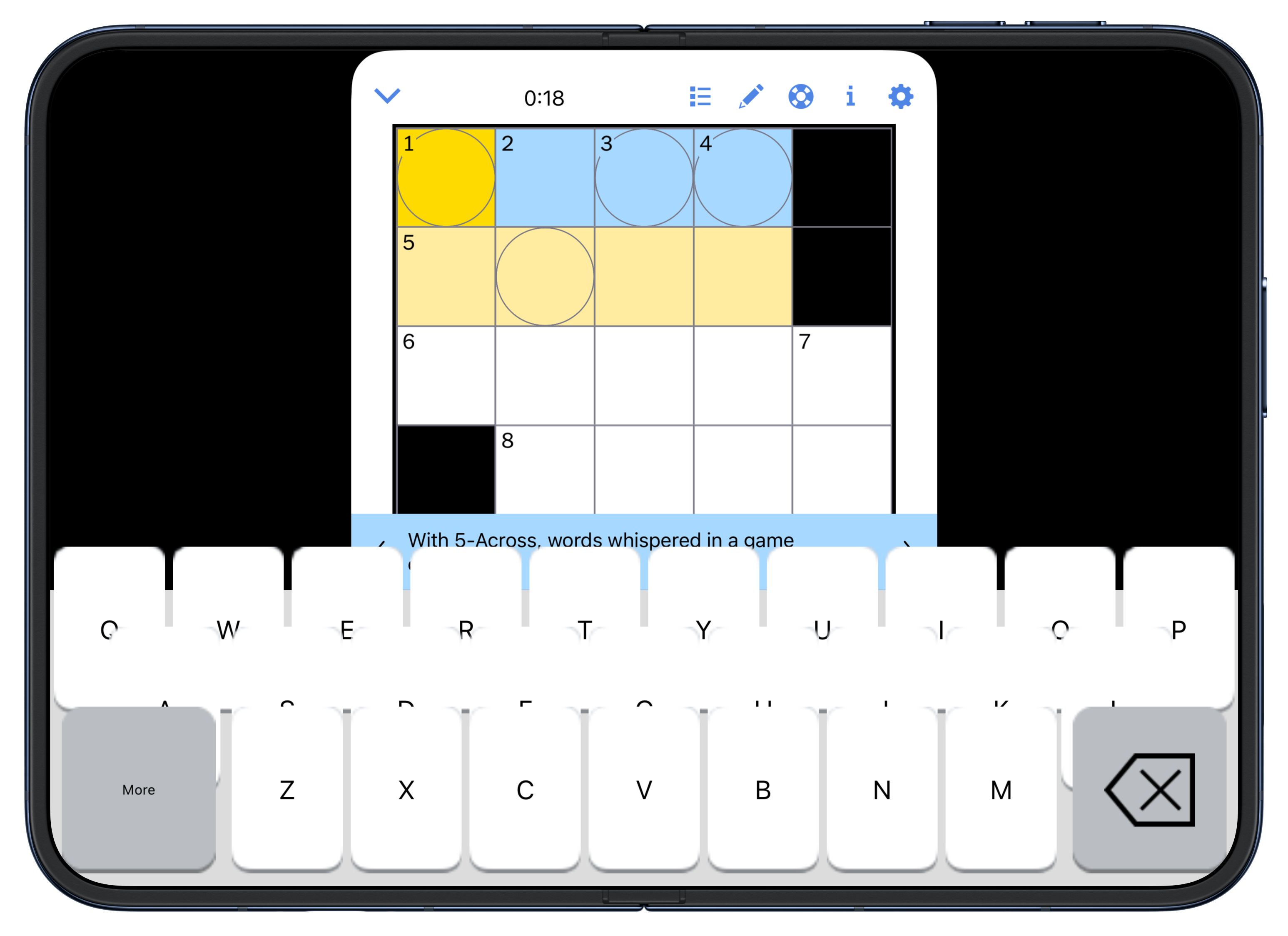
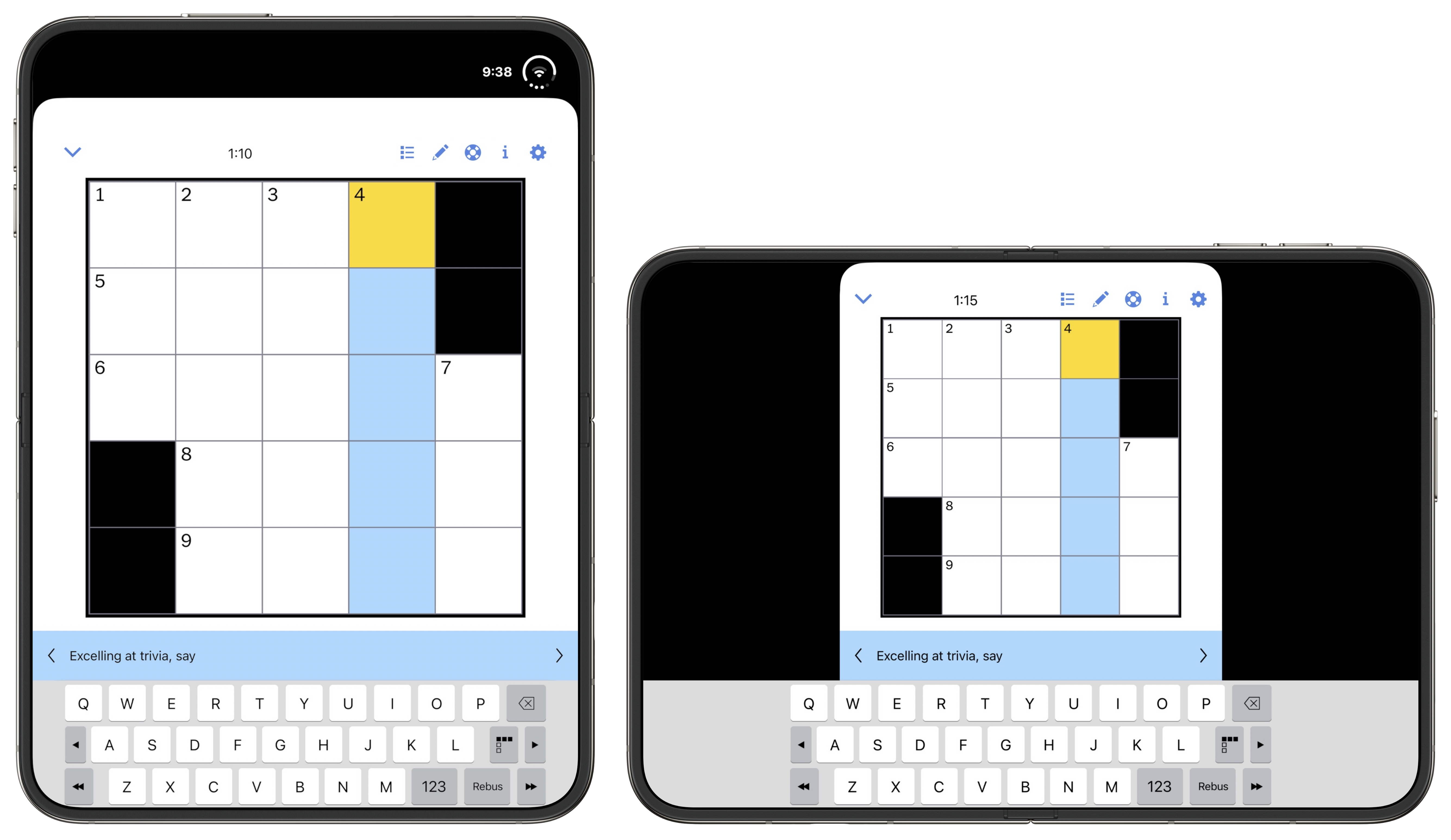
Added this updated regarding the janky crossword keyboard in the NYT Games app on the Duo’s inner screen:
[Update, Thursday: One day later and there’s an updated version of the NYT Games app, and they’ve fixed the orthodontic mess of their crossword keyboard, in both orientations. Screenshot. This goes to show just how fast the Duo-optimized updates are streaming in from developers. My review was up-to-date when I published at 7:00pm ET Wednesday, and outdated by the time I woke up Thursday morning.]