
By John Gruber

WorkOS: How SSO works and the fastest way to add it.
Linked List: June 4, 2021
Friday, 4 June 2021
- Internal Letter Circulates at Apple – and Leaks to The Verge – Pushing Back Against Returning to the Office ★
-
1,400 words to say they’d prefer a policy that allows teams within Apple to determine their own remote work policies. Good communication is to the point, and this is not to the point at all. No wonder the letter-writer(s) feel “unheard”. It’s hard to get through the whole letter, and if you do make it through, it reeks of self indulgence. Some serious ✊🍆 vibes. The “formal requests” at the end about employees with disabilities and the “environmental impact of returning to onsite [sic] in-person work” are such transparent pandering. (I have never once heard of Apple not doing whatever it takes not only to accommodate employees with any disability, but to make them feel welcome.)
And who are these people who took jobs at Apple not knowing the company’s on-site culture? Do they think Apple built a new $4 billion campus on a lark? Three days a week on site and two days remote is a huge change for Apple.
Given that these letters keep leaking to Zoe Schiffer at The Verge, I can’t help but think that the problem for Apple is that they’ve grown so large that they’ve wound up hiring a lot of people who aren’t a good fit for Apple, and that it was a mistake for Apple to ever hook up a company-wide Slack. Companies are not democracies, but the employees writing these letters sure seem to think Apple is one. It’s not, and if it were, the company would sink in a snap. Apple’s new “three days on site” policy wasn’t a request for comments — it was a decision — and Tim Cook’s company-wide letter already leaves room for individual teams to adjust it to their own needs.
- Former Blogger Donald Trump’s Facebook Ban Extended at Least Two Years ★
-
Nick Clegg, VP of global affairs at Facebook:
We are today announcing new enforcement protocols to be applied in exceptional cases such as this, and we are confirming the time-bound penalty consistent with those protocols which we are applying to Mr. Trump’s accounts. Given the gravity of the circumstances that led to Mr. Trump’s suspension, we believe his actions constituted a severe violation of our rules which merit the highest penalty available under the new enforcement protocols. We are suspending his accounts for two years, effective from the date of the initial suspension on January 7 this year.
As part of this decision, Facebook is rescinding the special privileges heretofore extended to world leaders and political figures that largely exempted them from Facebook’s content policies on the grounds of “newsworthiness”.
- Dithering ★
-
New month, new cover art.
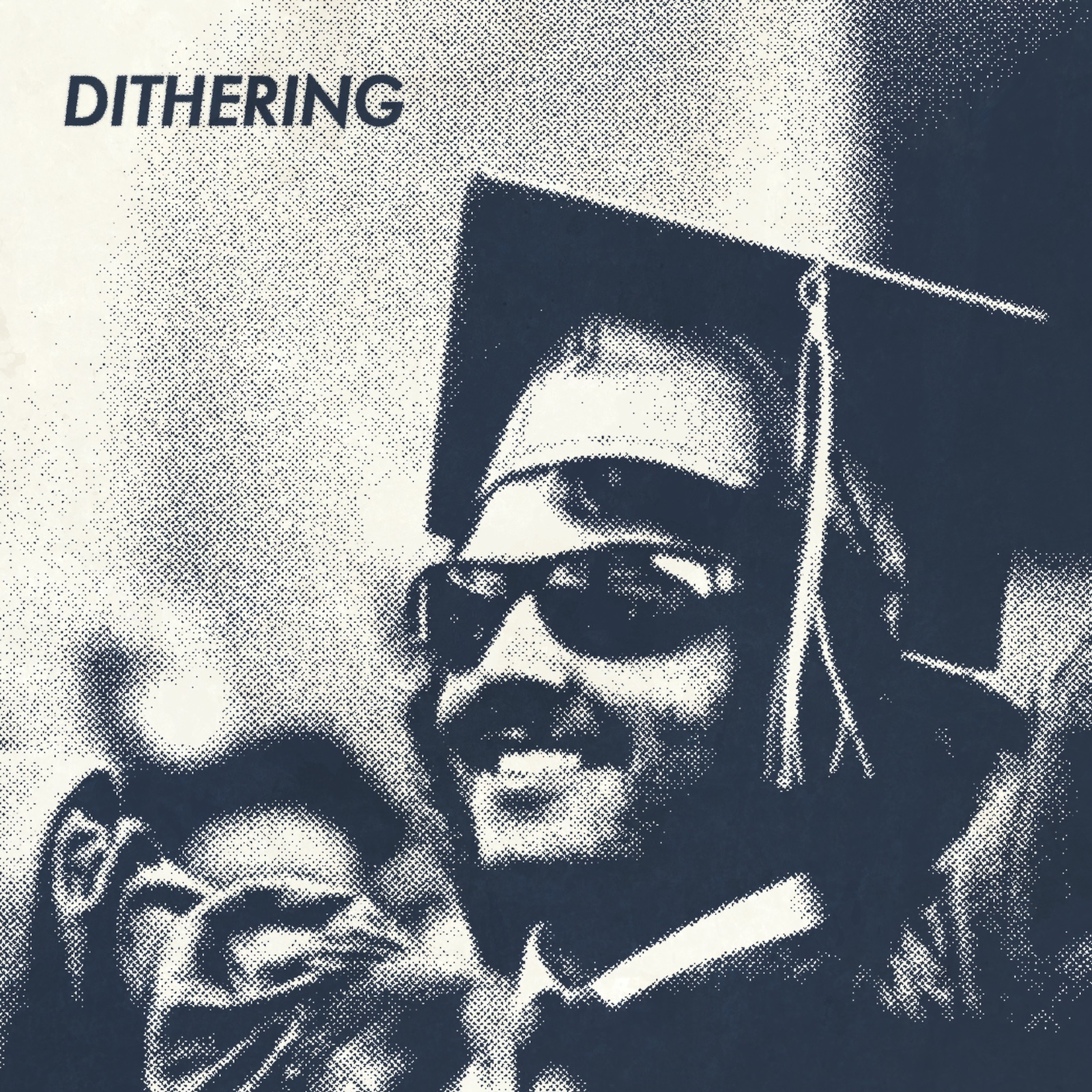
Dithering, of course, is the now year-old podcast from Ben Thompson (CEO) and yours truly (President). Two episodes per week, 15 minutes per episode. Not a minute less, not a minute more.
Sign up for now to hear post-WWDC-keynote thoughts on Tuesday morning. Subscriptions are just $5/month (good deal) or $50/year (great deal). And your subscription will work in every popular podcast app — now including Spotify, if that’s your bag, baby.
- KeyboardCleanTool ★
-
Free Mac utility from Andreas Hegenberg, developer of BetterTouchTool and BetterSnapTool:
KeyboardCleanTool is a super simple little tool which blocks all Keyboard and TouchBar input.
In 2011 Apple rejected the app for the Mac App Store because apparently it’s “not useful”, however I often use it to clean my MacBook keyboard without producing annoying input.
I have also heard of people who use it to let their toddlers pretend they work on a computer.
The app has been around for 10 years, but I don’t recall hearing of it before. It’s more useful than ever today, because modern MacBooks will power on with the press of any key on the keyboard. It used to be that you could wipe your keyboard clean while powered down, but Apple changed that a few years ago, apparently because a fair number of users were confused how to turn their MacBooks on, now that the power/Touch ID button has no power icon. (Joanna Stern and I talked about this on the most recent episode of The Talk Show.)
KeyboardCleanTool is a great solution.
Update: See also: Shaun Inman’s Little Fingers, a similarly-purposed utility that also blocks input from the mouse/trackpad.
- Bing Censors Image Search for ‘Tank Man’, Even in U.S. ★
-
Joseph Cox, writing for Vice:
Bing, the search engine owned by Microsoft, is not displaying image results for a search for “Tank man,” even when searching from the United States. The apparent censorship comes on the anniversary of China’s violent crackdown on protests in Tiananmen Square in 1989. […]
Bing displays ordinary, non-image search results for “tank man” when searching from a U.S. IP address; the issue only impacts the Images and Videos tabs. Google, for its part, displays both when connecting from the same IP address.
Motherboard verified that the issue also impacts image searches on Yahoo and DuckDuckGo, which both use Bing. Neither company immediately responded to a request for comment.
George Orwell, 1984:
In the walls of the cubicle there were three orifices. To the right of the speakwrite, a small pneumatic tube for written messages, to the left, a larger one for newspapers; and in the side wall, within easy reach of Winston’s arm, a large oblong slit protected by a wire grating. This last was for the disposal of waste paper. Similar slits existed in thousands or tens of thousands throughout the building, not only in every room but at short intervals in every corridor. For some reason they were nicknamed memory holes. When one knew that any document was due for destruction, or even when one saw a scrap of waste paper lying about, it was an automatic action to lift the flap of the nearest memory hole and drop it in, whereupon it would be whirled away on a current of warm air to the enormous furnaces which were hidden somewhere in the recesses of the building.
- PDF Diff ★
-
Another Mac utility worth your attention: Alexander Jaehrling’s PDF Diff is a $20 app for comparing the text differences between two PDFs. Last July I asked:
What’s the best tool for diffing PDF files? Is it Acrobat? Tell me it’s not Acrobat. But if it’s Acrobat OK I’ll break a years-long streak and install Acrobat.
PDF Diff wasn’t out at the time, but I wish it had been. It’s the best tool I’ve found for this.
- Craig Hockenberry’s Anti-Wish List for WWDC ★
-
Craig Hockenberry:
Everyone has their wishlist for things they want to see on Monday’s WWDC keynote. Here is my anti-wish list — things I do not want to see. […]
More multitasking gestures in iPad OS. Make multitasking spatial, or make it stop. I hate user interfaces that are driven by guessing.
More features in macOS that I’ll never use. It’s great as-is, just fix bugs and everyone will be happy.
- Dan Moren’s iPadOS 15 Wish List ★
-
Dan Moren, writing at Macworld:
Multitasking on the iPad is, to put it generously, a mess. Split View and Slide Over, first introduced in 2015’s iOS 9 and refined a couple of times over the years, have always had the feeling of a band-aid slapped over a mortal wound. Their limitations (like the dance of getting an app that’s not in your dock into Split View) and awkward gestures (how many times have you activated Slide Over when you meant to simply swipe) feel cumbersome, especially compared to the multitasking we’ve always had on the Mac.
So I’m hoping that 2021 is the year that Apple finally cracks multitasking on the iPad. I’m not sure exactly what that looks like; there are those who argue for the wholesale transplant of macOS’s windowing system, but that seems as though it might be another imprecise fit borne out of convenience rather than actual appropriateness. Fundamentally, though, the iPad has always been built around the idea of one app on the screen at any time, and it’s clear that simply won’t do in a world where people expect to be able to run multiple apps at once.
It’s amazing how often I make a slide-over Safari “window” on iPad without wanting to. And then I’m stuck with a new Safari instance with no actual tabs. You can get into Slide Over inadvertently, and if you do, it’s hard to undo it. It’s like instantly creating detritus you need to clean up. iPadOS is the only GUI system I’m aware of that has “windows” that don’t have close buttons.
My wife uses her iPad Pro more than any other device. She loves it. But Slide Over was driving her nuts until I showed her how to turn it off. “Why is that on by default?” she asked.
- Coleman Sweeney, the World’s Biggest Asshole ★
-
Fantastic ad from 2016 I somehow hadn’t seen until this week. Hilarious, and the humor plays directly into the ad’s effectiveness. Trust me, just watch.
- WSJ: ‘Stack Overflow Sold to Tech Giant Prosus for $1.8 Billion’ ★
-
Ben Dummett, reporting for the WSJ:
Prosus said it struck a $1.8 billion deal to acquire Stack Overflow, an online community for software developers, in a bet on growing demand for online tech learning. […]
Prosus, one of Europe’s most valuable tech companies, is best known as the largest shareholder in Chinese internet and videogaming giant Tencent Holdings Ltd. Listed in Amsterdam, Prosus signaled its appetite for deal making when it sold a small portion of its equity stake in Tencent in April for $14.6 billion. The Stack Overflow deal ranks among Prosus’s biggest acquisitions.
Acquisition prices have skyrocketed since 2012, but still, that’s almost two Instagrams.
- TikTok Privacy Policy Changed to Grant Itself Permission to Collect Biometric Data on U.S. Users ★
-
Sarah Perez, reporting for TechCrunch:
A change to TikTok’s U.S. privacy policy on Wednesday introduced a new section that says the social video app “may collect biometric identifiers and biometric information” from its users’ content. This includes things like “faceprints and voiceprints,” the policy explained. Reached for comment, TikTok could not confirm what product developments necessitated the addition of biometric data to its list of disclosures about the information it automatically collects from users, but said it would ask for consent in the case such data collection practices began.
Wonderful. Why don’t we just give you copies of the keys to our homes and our ATM PIN codes, too?
- Many Vaccinated Transplant Recipients Remain at Risk for COVID ★
-
Candida Moss, in a column (RIP “op-ed”) for The New York Times:
What is receiving considerably less attention, however, is that not everyone who is vaccinated will develop antibodies, and many of those who don’t are at high risk for the most severe consequences of Covid-19. As a kidney transplant recipient, I am one of those people.
Until recently, immunocompromised people were excluded from studies of the mRNA vaccines for Covid-19, but data from clinical trials is beginning to emerge. A study of fully vaccinated kidney transplant patients published in April by researchers at New York- Presbyterian Hospital and Columbia University Medical Center revealed that 75 percent of kidney transplant patients studied did not develop measurable immunity after both doses of the vaccine. A second study published by Johns Hopkins University School of Medicine researchers in May found that only 54 percent of fully vaccinated organ transplant recipients studied had antibodies. The numbers are different, but both studies showed that immunocompromised people had significantly reduced responses to the mRNA vaccines.
I have “world’s smallest violin, playing just for you” levels of sympathy for anyone who has chosen not to get vaccinated and then gets sick. This guy, for example — a 33-year-old Colorado sheriff who filled his Facebook page with anti-vax nonsense about the vaccines causing third arms to grow out of foreheads, and his natural immune system being all he needed to protect himself. He caught COVID and died three weeks later.
But the unvaccinated are putting others at great risk — those who can’t get vaccinated (including children), or, as in Moss’s case, those for whom the vaccines don’t produce antibodies. Our overall nationwide rates are plummeting — thanks entirely to the vaccines — but the infection, hospitalization, and death rates among the unvaccinated are, in some states, still raging. Again, I have no sympathy for those at risk by choice — but profound sympathy for those still at risk with no choice.
It is shameful to choose not to get vaccinated.
- Estimates for How Long Each State Will Take to Reach 70 Percent Vaccination Among Adults ★
-
The New York Times:
The United States is roughly on track to meet President Biden’s goal of getting at least one Covid-19 shot into the arms of 70 percent of adults by July 4 — if the current vaccination pace holds. But demand for vaccines has decreased in much of the country in recent weeks, and the promising national numbers (about 63 percent of adults have received at least one shot) do not reflect the uneven rates among states.
Even if the country as a whole reaches the national target, at least 30 states probably will not. And a handful are unlikely to reach the 70 percent mark before the end of the year, a New York Times analysis shows, potentially prolonging the pandemic.
On the bright side, even our worst-performing states on COVID vaccination rates — Alabama, Mississippi, Wyoming, and Louisiana (one of these states is geographically unlike the others) — are all nearing 50 percent for adults. Even in the states seemingly most riddled with anti-vax nutters and “let’s wait and see” hesitants, over half of adults will soon be vaccinated. That’s pretty good. Most countries around the world would love to have Mississippi’s 44 percent rate.
In a members-only post today on his excellent Political Wire, Taegan Goddard wrote the following, regarding a “Happiness Index” poll showing Americans’ happiness reaching pre-pandemic levels:
Nearly everyone I meet — some of whom I haven’t seen in more than a year — seems happier. This is almost entirely due to the vaccines — and their highly efficient rollout across the country over the last six months. Their development may be the greatest scientific advance of our lifetimes.
I don’t think there’s any question about that. If it weren’t for these vaccines, we’d all still be cooped up. More people would be and would get sick. More people would have died and would die.
Instead, life is rapidly going back to normal. Fewer people are getting sick and far fewer are dying. All thanks to these amazingly effective and safe vaccines that were developed, tested, and mass-produced in about a year.
- Apple Platform Security: Magic Keyboard With Touch ID ★
-
Apple’s Platform Security has a good page on the details of how Touch ID works with the new Magic Keyboard and Apple Silicon Macs:
The Magic Keyboard with Touch ID performs the role of the biometric sensor; it doesn’t store biometric templates, perform biometric matching, or enforce security policies (for example, having to enter the password after 48 hours without an unlock). The Touch ID sensor in the Magic Keyboard with Touch ID must be securely paired to the Secure Enclave on the Mac before it can be used, and then the Secure Enclave performs the enrollment and matching operations and enforces security policies in the same way it would for a built-in Touch ID sensor. Apple performs the pairing process in the factory for a Magic Keyboard with Touch ID that is shipped with a Mac. Pairing can also be performed by the user if needed. A Magic Keyboard with Touch ID can be securely paired with only one Mac at a time, but a Mac can maintain secure pairings with up to five different Magic Keyboard with Touch ID keyboards.
So I was wrong in my article on “secure intent” this week — the Magic Keyboard With Touch ID does not contain its own local Secure Enclave. It pairs with the Secure Enclave in the Mac with which it’s paired. But this contradicts the Platform Security page about “secure intent”, which states: “the connection is a physical link — from a physical button to the Secure Enclave”. The Magic Keyboard With Touch ID has a wireless, not physical, link to the paired Mac’s Secure Enclave. This Platform Security guide page has details about how Apple makes that work securely.
The Magic Keyboard with Touch ID and built-in Touch ID sensors are compatible. If a finger that was enrolled on a built-in Mac Touch ID sensor is presented on a Magic Keyboard with Touch ID, the Secure Enclave in the Mac successfully processes the match — and vice versa.
I did not know this — nifty.