
By John Gruber

WorkOS: How SSO works and the fastest way to add it.
The MacBook Neo
Tuesday, 10 March 2026
Just over a decade ago, reviewing the then-new iPhones 6S, I could tell which way the silicon wind was blowing. Year-over-year, the A9 CPU in the iPhone 6S was 1.6× faster than the A8 in the iPhone 6. Impressive. But what really struck me was comparing the 6S’s GeekBench scores to MacBooks. The A9, in 2015, benchmarked comparably to a two-year-old MacBook Air from 2013. More impressively, it outperformed the then-new no-adjective 12-inch MacBook in single-core performance (by a factor of roughly 1.1×) and was only 3 percent slower in multi-core. That was a comparison to the base $1,300 model MacBook with a 1.1 GHz dual-core Intel Core M processor, not the $1,600 model with a 1.2 GHz Core M. But, still — the iPhone 6S outperformed a brand-new $1,300 MacBook, and drew even with a $1,600 model. I called that “astounding”. The writing was clearly on the wall: the future of the Mac seemed destined to move from Intel’s x86 chips to Apple’s own ARM-based chips.
Here we are today, over five years after the debut of Apple’s M-series chips, and we now have the MacBook Neo: a $600 laptop that uses the A18 Pro, literally the same SoC as 2024’s iPhone 16 Pro models. It was clear right from the start of the Apple Silicon transition that Apple’s M-series chips were vastly superior to x86 — better performance-per-watt, better performance period, the innovative (and still unmatched, five years later) unified memory architecture — but the MacBook Neo proves that Apple’s A-series chips are powerful enough for an excellent consumer MacBook.
I think the truth is that Apple’s A-series chips have been capable of credibly powering Macs for a long time. The Apple Silicon developer transition kits, from the summer of 2020, were Mac Mini enclosures running A12Z chips that were originally designed for iPad Pros.1 But I think Apple could have started using A-series chips in Macs even before that. It would have been credible, but with compromises. By waiting until now, the advantages are simply overwhelming. You cannot buy an x86 PC laptop in the $600–700 price range that competes with the MacBook Neo on any metric — performance, display quality, audio quality, or build quality. And certainly not software quality.
The original iPhone in 2007 was the most amazing device I’ve ever used. It may well wind up being the most amazing device I ever will use. It was ahead of its time in so many ways. But a desktop-class computer, performance-wise, it was not. Two decades is a long time in the computer industry, and nothing proves that more than Apple’s “phone chips” overtaking Intel’s x86 platform in every measurable metric — they’re faster, cooler, smaller, and perhaps even cost less. And they certainly don’t cost more.
I’ve been testing a citrus-colored $700 MacBook Neo2 — the model with Touch ID and 512 GB storage — since last week. I set it up new, rather than restoring my primary MacOS work setup from an existing Mac, and have used as much built-in software, with as many default settings, as I could bear. I’ve only added third-party software, or changed settings, as I’ve needed to. And I’ve been using it for as much of my work as possible. I expected this to go well, but in fact, the experience has vastly exceeded my expectations. Christ almighty I don’t even have as many complaints about running MacOS 26 Tahoe (which the Neo requires) as I thought I would.
It’s never been a good idea to evaluate the performance of Apple’s computers by tech specs alone. That’s exemplified by the experience of using a Neo. 8 GB of RAM is not a lot. And I love me my RAM — my personal workstation remains a 2021 M1 Max MacBook Pro with 64 GB RAM (the most available at the time). But just using the Neo, without any consideration that it’s memory limited, I haven’t noticed a single hitch. I’m not quitting apps I otherwise wouldn’t quit, or closing Safari tabs I wouldn’t otherwise close. I’m just working — with an even dozen apps open as I type this sentence — and everything feels snappy.
Now, could I run up a few hundred open Safari tabs on this machine, like I do on my MacBook Pro, without feeling the effects? No, probably not. But that’s abnormal. In typical productivity use, the Neo isn’t merely fine — it’s good.
The display is bright and crisp. At 500 maximum nits, the specs say it’s as bright as a MacBook Air. In practice, that feels true. (500 nits also matches the maximum SDR brightness of my personal M1 MacBook Pro.) Sound from the side-firing speakers is very good — loud and clear. I’d say the sound seems too good to be true for a $600 laptop. Battery life is long (and I’ve done almost all my testing while the Neo is unplugged from power). The keyboard feels exactly the same as what I’m used to, except that because the key caps are brand new, it feels even better than the keyboard on my own now-four-years-old MacBook Pro, the most-used key caps on which are now a little slick.
And the trackpad. Let me sing the praises of the MacBook Neo’s trackpad. The Neo’s trackpad exemplifies the Neo as a whole. Rather than sell old components at a lower price — as Apple had been doing, allowing third-party resellers like Walmart to sell the 8 GB M1 MacBook Air from 2020 at sub-$700 prices starting two years ago — the Neo is designed from the ground up to be a low-cost MacBook.
A decade ago, Apple began switching from trackpads with mechanical clicking mechanisms to Magic Trackpads, where clicks are simulated via haptic feedback (in Apple’s parlance, the Taptic Engine). And, with Magic Trackpads, you can use Force Touch — a hard press — to perform special actions. By default, if “Force Touch and haptic feedback” is enabled on a Mac with a Magic Trackpad, a hard Force Touch press will perform a Look Up — e.g., do it on a word in Safari and you’ll get a popover with the Dictionary app’s definition for that word. It’s a shortcut to the “Look Up in Dictionary” command in the contextual menu, which is also available via the keyboard shortcut Control-Command-D to look up whatever text is currently selected, or that the mouse pointer is currently hovering over — standard features that work in all proper Mac apps.
The Neo’s trackpad is mechanical. It actually clicks, even when the machine is powered off.3 Obviously this is a cost-saving measure. But the Neo’s trackpad doesn’t feel cheap in any way. You can click it anywhere you want — top, bottom, middle, corner — and the click feels right. Multi-finger gestures (most commonly, two-finger swipes for scrolling) — just work. Does it feel as nice as a Magic Trackpad? No, probably not. But I keep forgetting there’s anything at all different or special about this trackpad. It just feels normal. That’s unbelievable. The “Force Touch and haptic feedback” option is missing in the Trackpad panel in System Settings, so you might miss that feature if you’re used to it. But for anyone who isn’t used to that Magic Trackpad feature — which includes anyone who’s never used a MacBook before (perhaps the primary audience for the Neo), along with most casual longtime Mac users (which is probably the secondary audience) — it’s hard to say there’s anything they’d even notice that’s different about this trackpad than the one in the MacBook Air, other than the fact that it’s a little bit smaller. But it’s only smaller in a way that feels proportional to the Neo’s slightly smaller footprint compared to the Air. It’s a cheaper trackpad that doesn’t feel at all cheap. Bravo!
So What’s the Catch?
You can use this Compare page at Apple’s website (archived, for posterity, as a PDF here) to see the full list of what’s missing or different on the Neo, compared to the current M5 MacBook Air (which now starts at $1,100) and the 5-year-old M1 MacBook Air (so old it still sports the Intel-era wedge shape) that Walmart had been selling for $600–650. Things I’ve noticed, that bothered me, personally:
- The Neo lacks an ambient light sensor. It still offers an option in System Settings → Display to “Automatically adjust brightness”, which setting is on by default, but I have no idea how it works without an ambient light sensor. However it works, it doesn’t work well. As the lighting conditions in my house have changed — from day to night, overcast to sunny — I’ve found myself adjusting the display brightness manually. I only realized when I started adjusting the brightness on the Neo manually that I more or less haven’t adjusted the brightness manually on a MacBook in years. Maybe a decade. I’m not saying I never adjust the brightness on a MacBook Air or Pro, but I do it so seldomly that I had no muscle memory at all for which F-keys control brightness. After a few days using the Neo, I know exactly where they are: F1 and F2.
And, uh, that’s it. That’s the one catch that’s annoyed me over the six days I’ve been using the Neo as my primary computer for work and for reading. Once or twice a day I need to manually bump the display brightness up or down. That’s a crazily short list. One item, and it’s only a mild annoyance.
There are other things missing that I’ve noticed, but that I haven’t minded. The Neo doesn’t have a hardware indicator light for the camera. The indication for “camera in use” is only in the menu bar. There’s a privacy/security implication for this omission. According to Apple, the hardware indicator light for camera-in-use on other MacBook models, and the on-screen (e.g. in the Dynamic Island) indicator on iPhones and iPads, cannot be circumvented by software. If the camera is on, that light comes on, and no third-party software can disable it. Because the Neo’s only camera-in-use indicator is in the menu bar, that seems obviously possible to circumvent via software. Not a big deal, but worth being aware of. [Update: In a brief note added to Apple’s Platform Security Guide, Apple claims that the green indicator dot in the corner of the Neo’s display is guaranteed to be visible if the camera is in use.]
The Neo’s webcam doesn’t offer Center Stage or Desk View. But personally, I never take advantage of Center Stage or Desk View, so I don’t miss their absence. Your mileage may vary. But the camera is 1080p and to my eyes looks pretty good. And I’d say it looks damn good for a $600 laptop.
The Neo has no notch. Instead, it has a larger black bezel surrounding the entire display than do the MacBook Airs and Pros. I consider this an advantage for the Neo, not a disadvantage. The MacBook notch has not grown on me, and the Neo’s display bezel doesn’t bother me at all.
And there’s the whole thing with the second USB-C port only supporting USB 2 speeds. That stinks. But if Apple could sell a one-port MacBook a decade ago, they can sell one with a shitty second port today. I’ll bet this is one of the things that will be improved in the second generation Neo, but it’s not something that would keep me from recommending this one — or even buying one myself — today. If you know you need multiple higher-speed USB ports (or Thunderbolt), you need a MacBook Air or Pro.
The Neo ships with a measly 20-watt charger in the box — the same rinky-dink charger that comes with iPad Airs. I wish it were 30 watts (which is what came with the M1 MacBook Air), but maybe we’re lucky it comes with a charger at all. The Neo charges faster if you plug it into a more powerful power adapter, in either USB-C port.4 The USB-C cable in the box is white, not color-matched to the Neo, and it’s only 1.5 meters long. MacBook Airs and Pros ship with 2-meter MagSafe cables. Again, though: $600!
The Weighty Issue on My Mind
The Neo is not a svelte ultralight. It weighs 2.7 pounds (1.23 kg) — exactly the same as the 13-inch M5 MacBook Air. The Neo, with a 13.0-inch display, has a smaller footprint than the 13.6-inch Air, but the Air is thinner. I don’t know if this is a catch though. It’s just the normal weight for a smaller-display Mac laptop. The decade-ago MacBook “One”, on the other hand, was a design statement. It weighed just a hair over 2 pounds (0.92 kg), and tapered from 1.35 cm to just 0.35 cm in thickness. The Neo is 1.27 cm thick, and the M5 Air is 1.13 cm. In fact, the extraordinary thinness of the 2015 MacBook might have necessitated the invention of the haptics-only Magic Trackpad. The Magic Trackpad first appeared on that MacBook and the early 2015 MacBook Pros — it was nice-to-have for the MacBook Pros, but might have been the only trackpad that would fit in the front of the MacBook One’s tapered case.
If I had my druthers, Apple would make a new svelte ultralight MacBook. Not instead of the Neo, but in addition to the Neo. Apple’s inconsistent use of the name “Air” makes this complicated, but the MacBook Neo is obviously akin to the iPhone 17e; the MacBook Air is akin to the iPhone 17 (the default model for most people); the MacBook Pros are akin to the iPhone 17 Pros. I wish Apple would make a MacBook that’s akin to the iPhone Air — crazy thin and surprisingly performant.
The biggest shortcoming of the decade-ago MacBook “One”, aside from the baffling decision to include just one USB-C port that was also its only means of charging, was the shitty performance of Intel’s Core M chips. Those chips were small enough and low-power enough to fit in the MacBook’s thin and fan-less enclosure, but they were slow as balls. It was a huge compromise for a laptop that carried a somewhat premium price. Today, performance, performance-per-watt, and physical chip size are all solved problems with Apple Silicon. I’d consider paying double the price of the Neo for a MacBook with similar specs (but more RAM and better I/O) that weighed 2.0 pounds or less. I’d buy such a MacBook not to replace my 14-inch MacBook Pro, but to replace my 2018 11-inch iPad Pro as my “carry around the house” secondary computer.5
As it stands, I might buy a Neo for that same purpose, 2.7-pound weight be damned. iPad Pros, encased in Magic Keyboards, are expensive and heavy. So are iPad Airs. My 2018 iPad Pro, in its Magic Keyboard case, weighs 2.36 pounds (1.07 kg). That’s the 11-inch model, with a cramped less-than-standard-size keyboard. I’m much happier with this MacBook Neo than I am doing anything on that iPad. Yes, my iPad is old at this point. But replacing it with a new iPad Pro would require a new Magic Keyboard too. For an iPad Pro + Magic Keyboard, that combination starts at $1,300 for 11-inch, $1,650 for 13-inch. If I switched to iPad Air, the cost would be $870 for 11-inch, $1,120 for 13-inch. The 13-inch iPads, when attached to Magic Keyboards, weigh slightly more than a 2.7-pound 13-inch MacBook Neo. The 11-inch iPads, with keyboards, weigh about 2.3 pounds. Why bother when I find MacOS way more enjoyable and productive? My three-device lifestyle for the last decade has been a MacBook Pro (anchored to a Studio Display at my desk at home, and in my briefcase when travelling); my iPhone; and an iPad Pro with a Magic Keyboard for use around the rest of the house. This last week testing the MacBook Neo, I haven’t touched my iPad once, and I haven’t once wished this Neo were an iPad. And there were many times when I was very happy that it was a Mac.
And I can buy one, just like this one, for $700. That’s $170 less than an 11-inch iPad Air and Magic Keyboard. And the Neo comes with a full-size keyboard and runs MacOS, not a version of iOS with a limited imitation of MacOS’s windowing UI. I am in no way arguing that the MacBook Neo is an iPad killer, but it’s a splendid iPad alternative for people like me, who don’t draw with a Pencil, do type with a keyboard, and just want a small, simple, highly portable and highly capable computer to use around the house. The MacBook Neo is going to be a great first Macintosh for a lot of people switching from PCs. But it’s also going to be a great secondary Mac for a lot of longtime Mac users with expensive desktop setups for their main workstations — like me.
The Neo crystallizes the post-Jony Ive Apple. The MacBook “One” was a design statement, and a much-beloved semi-premium product for a relatively small audience. The Neo is a mass-market device that was conceived of, designed, and engineered to expand the Mac user base to a larger audience. It’s a design statement too, but of a different sort — emphasizing practicality above all else. It’s just a goddamn lovely tool, and fun too.
I’ll just say it: I think I’m done with iPads. Why bother when Apple is now making a crackerjack Mac laptop that starts at just $600? May the MacBook Neo live so long that its name becomes inapt.
-
When I wrote last week that the MacBook Neo is the first product from Apple with an A-series chip sporting more than one USB port — addressing complaints that the Neo’s second USB-C port only supports USB 2.0 speeds — a few readers pointed to the Apple Silicon developer transition kits. Those machines had two USB-C 3.1 ports, two USB-A 3.0 ports, and an HDMI port. But Apple didn’t sell those as a product — developers borrowed them from Apple, and Apple wanted them back soon after the first actual Apple Silicon Macs shipped. If Apple had sold them, they would have cost more than $600. Those extra I/O ports involved significant engineering outside the A12Z SoC. ↩︎
-
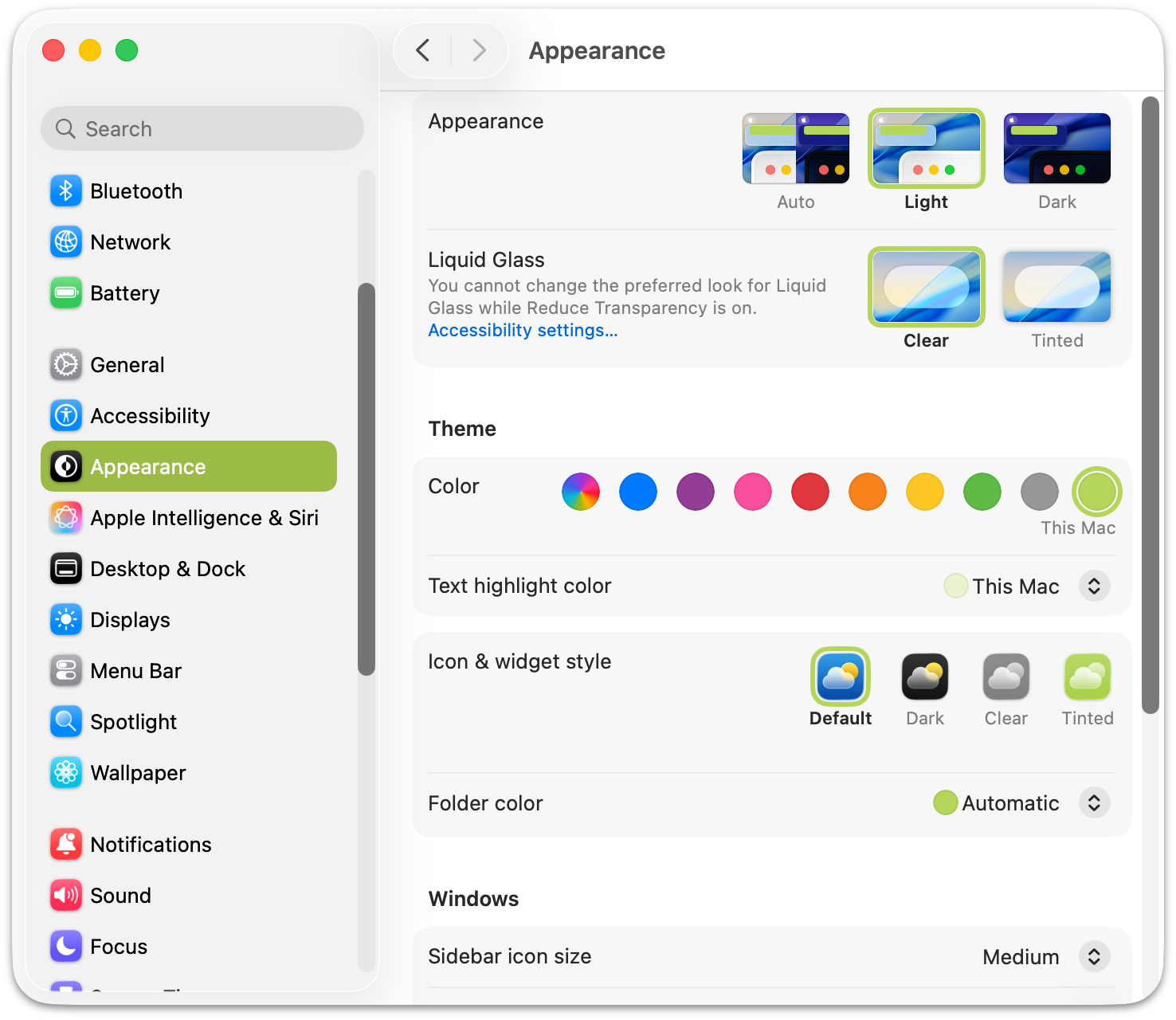
The Neo’s citrus is a beguiling colorway. Everyone I’ve shown it to likes it. But is it a green-ish yellow, or a yellow-ish green? In daylight, it looks more like a green-ish yellow. But at nighttime, it looks more like a yellow-ish green. By default, the MacOS accent color in System Settings → Appearance defaults to a color that matches the Neo’s hardware — a fun trick Apple has been using for decades. For citrus, that special accent color looks more green than yellow to me. ↩︎︎
-
The haptic “clicks” with a Magic Trackpad are so convincingly real that it feels really weird when you try to click the trackpad on a powered-off MacBook Air or Pro, or a standalone Magic Trackpad that’s turned off, and ... nothing happens. Not even the slightest hint of a click. Just totally inert. It’s gross, like poking a dead pet. ↩︎︎
-
My favorite power adapter is this $55 two-port 65-watt “slim” charger from Nomad. It’s small, lightweight, and the lay-flat design helps it stay connected to loose wall outlets in hotels and public spaces like airports and coffee shops. Nomad also sells a smaller 40-watt model with only one port, and a larger 100-watt model. But to me the 65-watt model hits the sweet spot. The link above goes to Nomad’s website; here’s a make-me-rich affiliate link to it at Amazon. ↩︎︎
-
One advantage to the 2.7-pound Neo compared to the decade-ago 2.0-pound MacBook “One” — you can lift the lid on the Neo with one hand and it just opens. With the old MacBook, the base was so light that the whole thing tended to lift when you just wanted to open the display. ↩︎︎
| Previous: | The iPhone 17e |
| Next: | Modifier Key Order for Keyboard Shortcuts |